Maintenance Manual SP 40
Rev. 005
53
Chapter 3
Operabilty and Configuration
3.3.2 Printer Configuration
The steps necessary to configure the printer are the following:
1) Printing of the Setup forms
2) Filling in of the printed forms.
3) Reading of the filled in modules to store the parameters in NVM.
REMARK:
If the printed forms are available also in photocopies (not reduced), only the step 3 is necessary to configure
the printer.
After every reading phase it is possible to select the print phase to immediately see the new setup.
The default configuration of this printer matches most of the commonly used environments, but it may be necessary
to change some printer parameters. With this printer you print the forms for the setup, you fill them in, and then you
insert them back into the printer for reading.
Once the printer read the form, the new values are set.
The following is the complete description of the Setup Procedure.
To enter the Printer Setup Mode press and hold the ON LINE key pressed for at least 1 second while powering the
printer on. The printer enters the Setup Mode.
3.3.2.1 Print of the Setup Forms
1. Insert a blank sheet in A4 or Letter format.
2. The printer loads the sheet and stops.
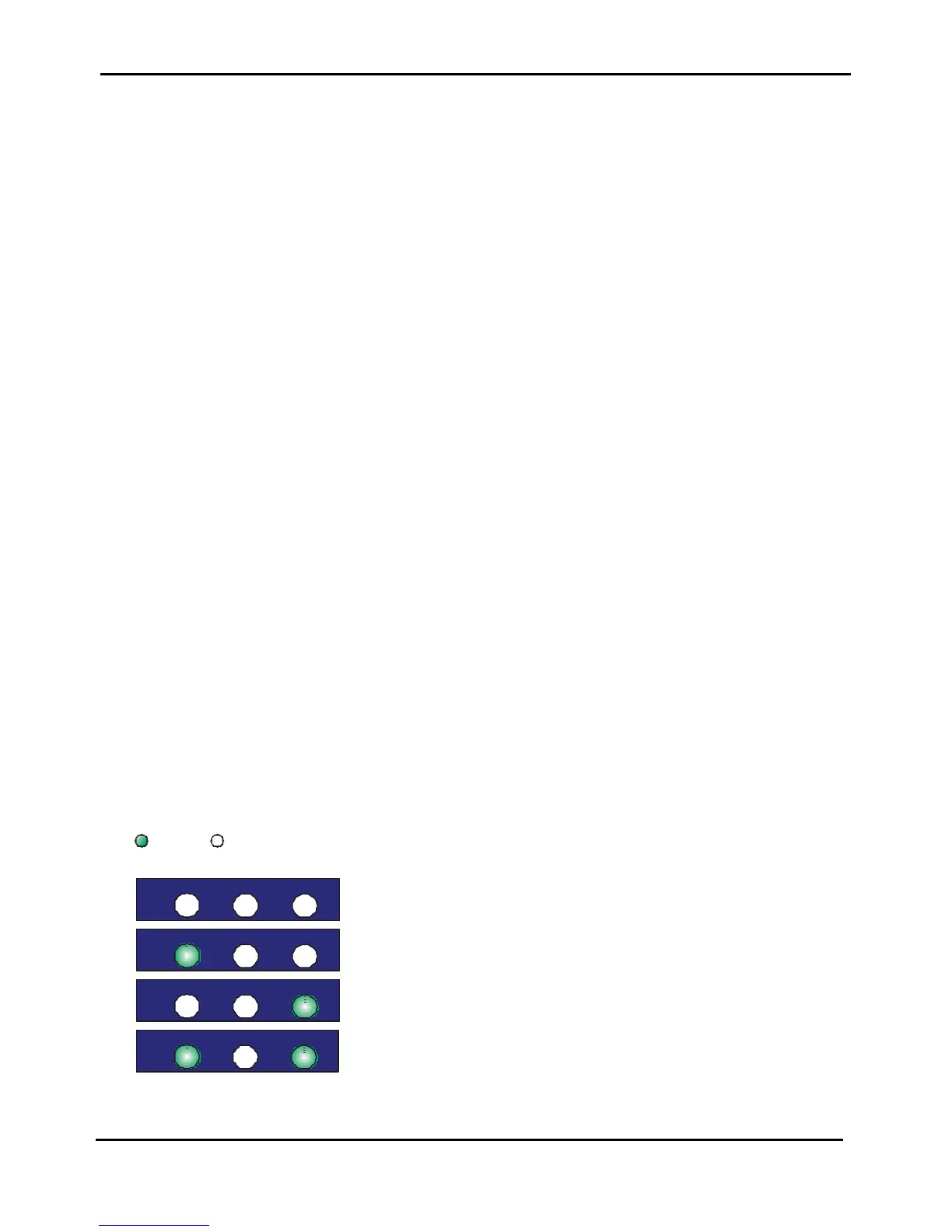
3. The STATION1, ON LINE and STATION2 leds are unlit.
If the LQ key is pressed immediately after the printer enters in Setup Mode, all printer setup modules are
printed.
Pressing the ON LINE key:
• the printer prints the Self-test Page. In this way it is possible to check the current printer parameters.
• once the self-test is finished, the printer remains in Setup Mode.
Pressing the STATION1 key:
• the STATION1, ON LINE and STATION2 leds change and you can select the Setup Page you want to print as
follows:
= lit = unlit
EJECT LQ
Configuration Page
EJECT LQ
Program 1 – Setup Page
EJECT LQ
Program 2 – Setup Page
EJECT LQ
Offset Tuning Setup Page
Figure 3.4 - Leds meaning in Setup Mode



 To Next Page