Maintenance Manual SP 40
Rev. 005
74
Chapter 3
Operabilty and Configuration
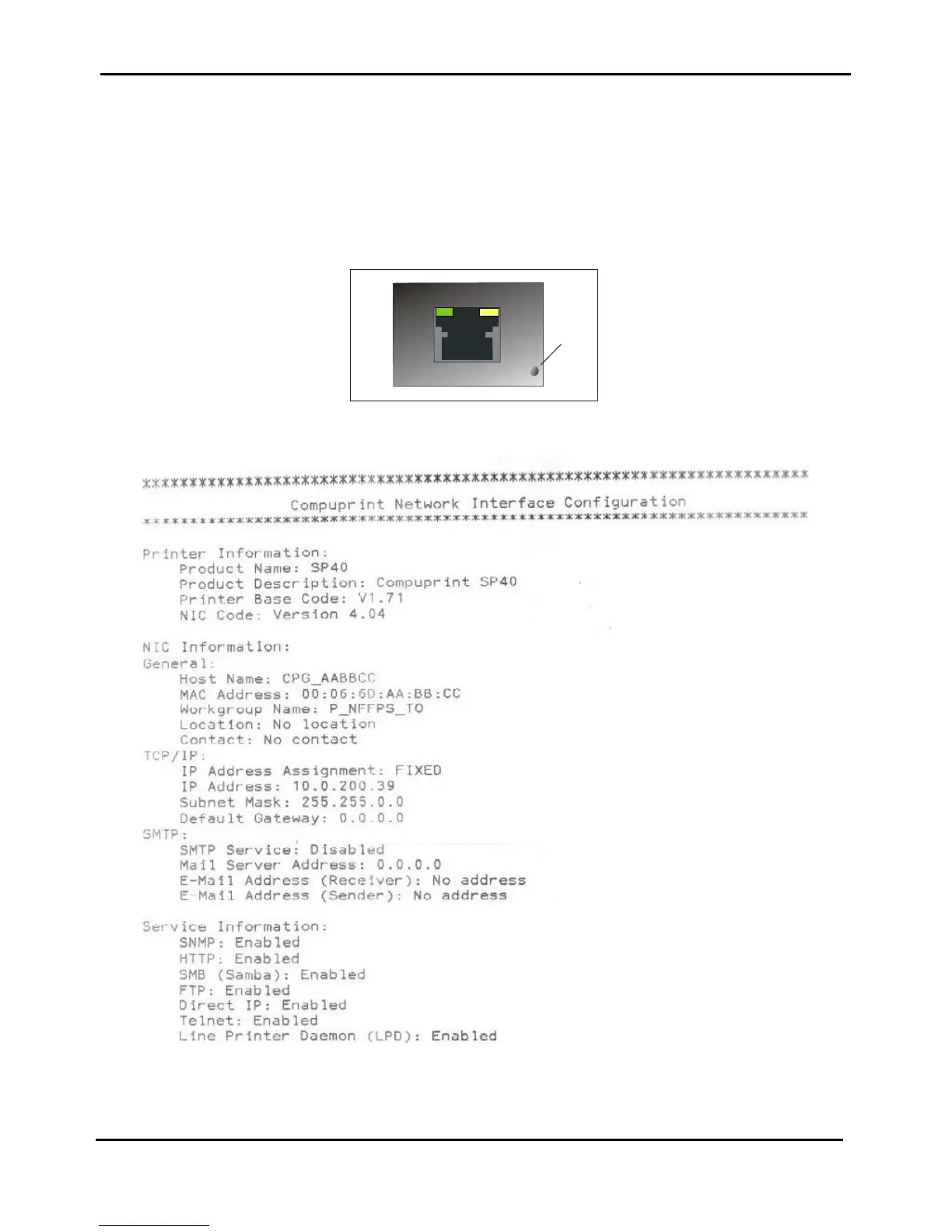
3.6 Print of NIC Configuration Page
The complete NIC configuration parameters can be printed by simply press the little button near the Ethernet RJ
conenctor for more than 5 seconds with the paper loaded and the printer already powered on.
The figure below shows the location of the button and thhe printout.
Figure 3.16 - Button to print NIC Configuration
Figure 3.17 - Network Interface Configuration



 To Next Page