Field Setting for SkyAir Indoor Unit SiEN18-622
178 Test Operation
4.6 Centralized Group No. Setting
If carrying out centralized control with a central remote control and unified ON/OFF
controller, you have to set the group No. for each group by remote control.
To set the group No., first turn on the power supply of the central remote control, unified ON/
OFF controller and indoor unit.
Centralized
Group No. Setting
by Remote
Control
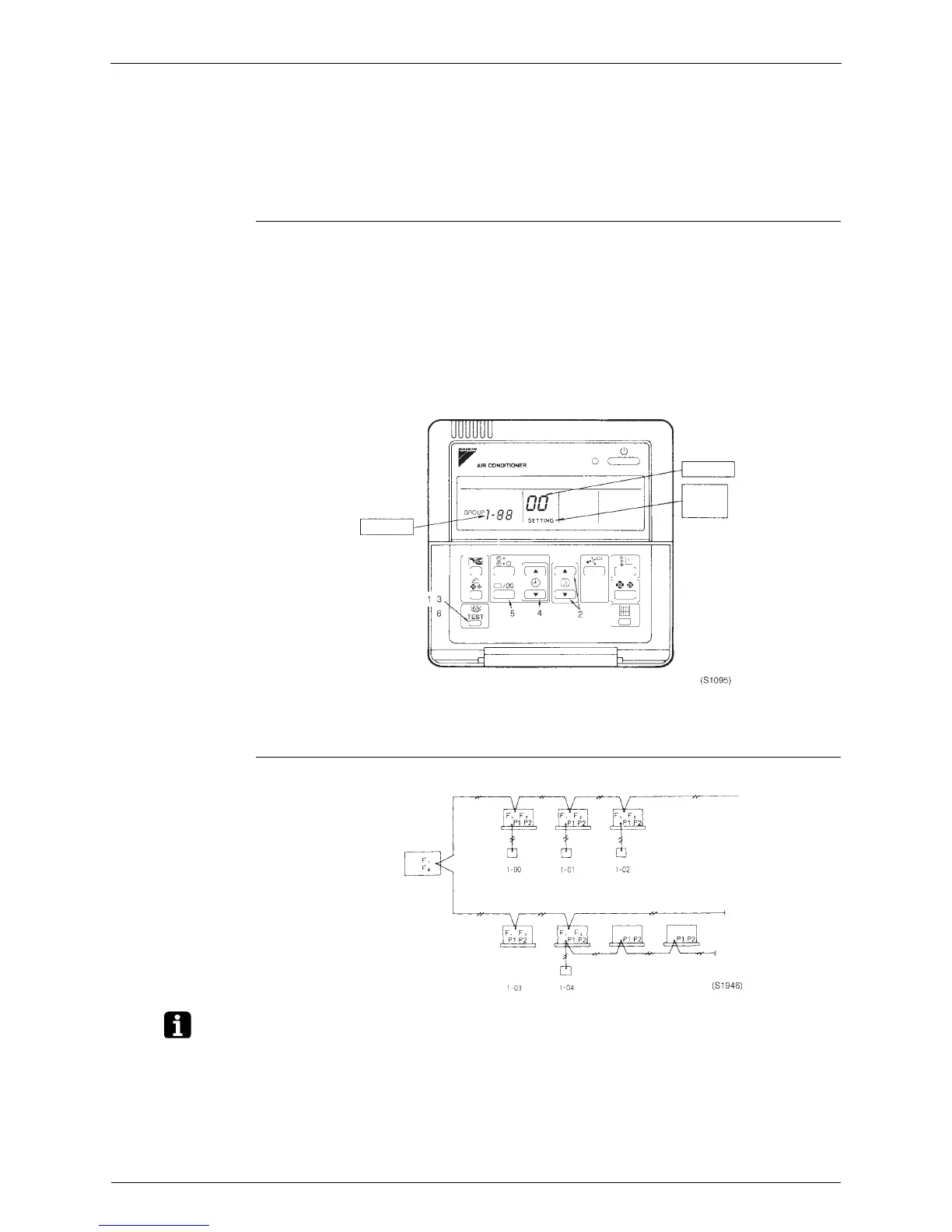
1. If the inspection/test button is pushed for 4 seconds or more when in the normal mode,
operation enters the “field set mode.”
2. Using the temperature control buttons, set the mode No. to “00.”
3. Push the inspection/test button to inspect the group No. display.
4. Using the programming time button, set the group No. for each group. (Group No. rises in
the order of 1-00, 1-01, ...1-15, 2-00 ...4-15, etc. The unified ON/OFF controller however
displays only the range of group numbers selected by the switch for setting each address.)
5. Push the timer ON/OFF button and enter the selected group No.
6. Push the inspection/test button and return to the normal mode.
∗ If the address has to be set individually for each unit for power consumption counting, etc., set
the mode No. to “30.”
Group No. Setting
Example
Note: 1. “F1,F2” indicates interface adapter for SkyAir series.
2. If not using remote controls, temporarily connect a remote control to set the group No., set
the group No. for centralized control, and then disconnect the controller.
Group No.
Mode No.
Field
set
mode
Central remote control
Unified ON/OFF controller
Indoor unit
Group No. for
centralized
control
No remote control
Remote control centralized control
(automatic address)






 To Next Page