SiEN18-622 Instruction
System Configuration 231
ATTENTION
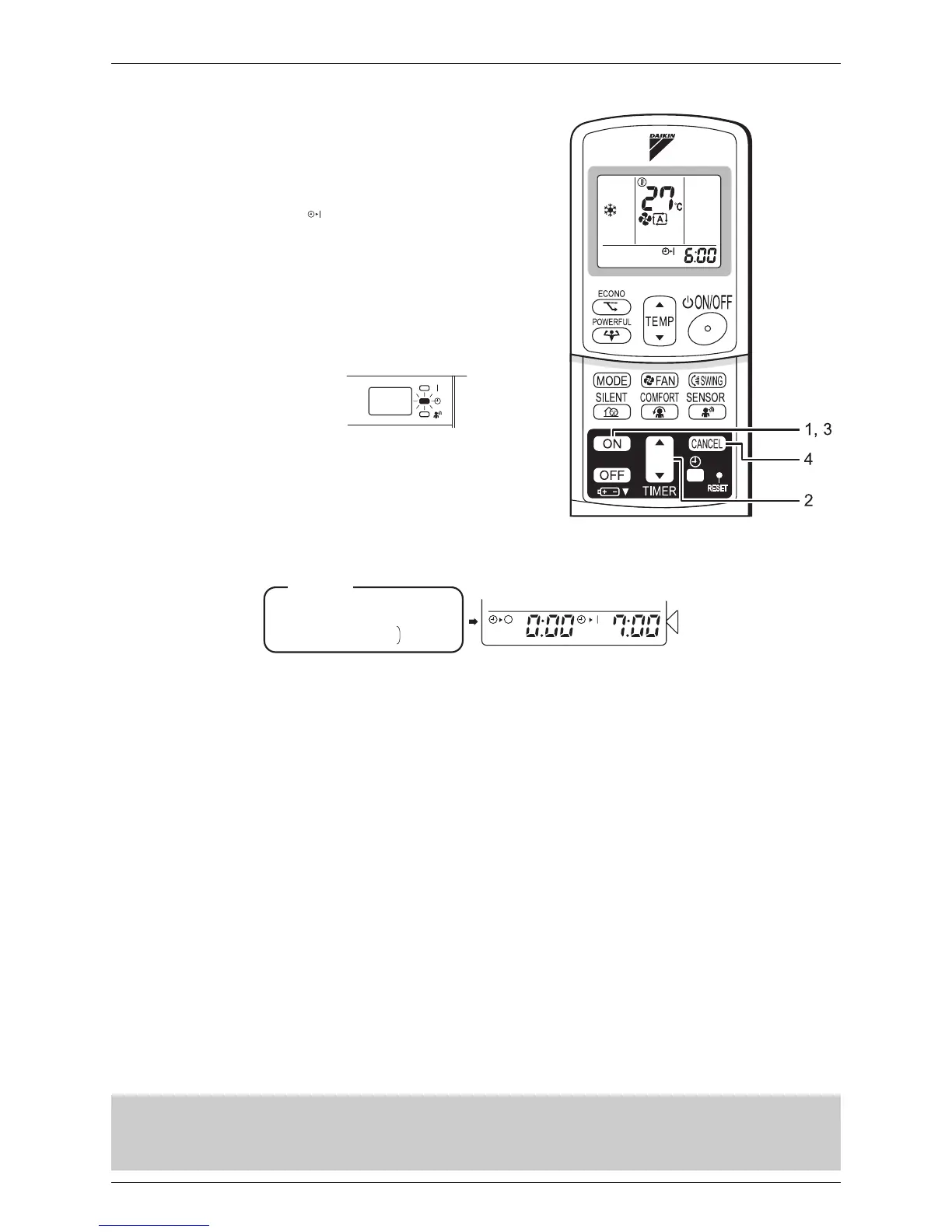
To use ON TIMER operation
• Check that the clock is correct. If not, set the
clock to the present time.
1. Press “ON TIMER button”.
•
6:00
is displayed.
•“ “blinks.
2. Press “TIMER Setting button” until the time
setting reaches the point you like.
• Every pressing of either button increases or
decreases the time setting by 10 minutes.
Holding down either button changes the
setting rapidly.
3. Press “ON TIMER button” again.
• The TIMER lamp lights up..
To cancel ON TIMER operation
4. Press “CANCEL button”.
• The TIMER lamp goes off.
To combine ON TIMER and OFF TIMER
• A sample setting for combining the two timers is
shown below.
In the following cases, set the timer again.
• After a breaker has turned OFF.
• After a power failure.
• After replacing batteries in the remote control.
Display
(Example)
Present time: 11:00 p.m.
(The unit operating)
OFF TIMER at 0:00 a.m.
ON TIMER at 7:00 a.m.
Combined







 To Next Page