Instruction SiEN18-622
222 System Configuration
2.2.9
ECONO Operation
NOTE
ECONO operation is a function which enables efficient operation by
lowering the maximum power consumption value.
To start ECONO operation
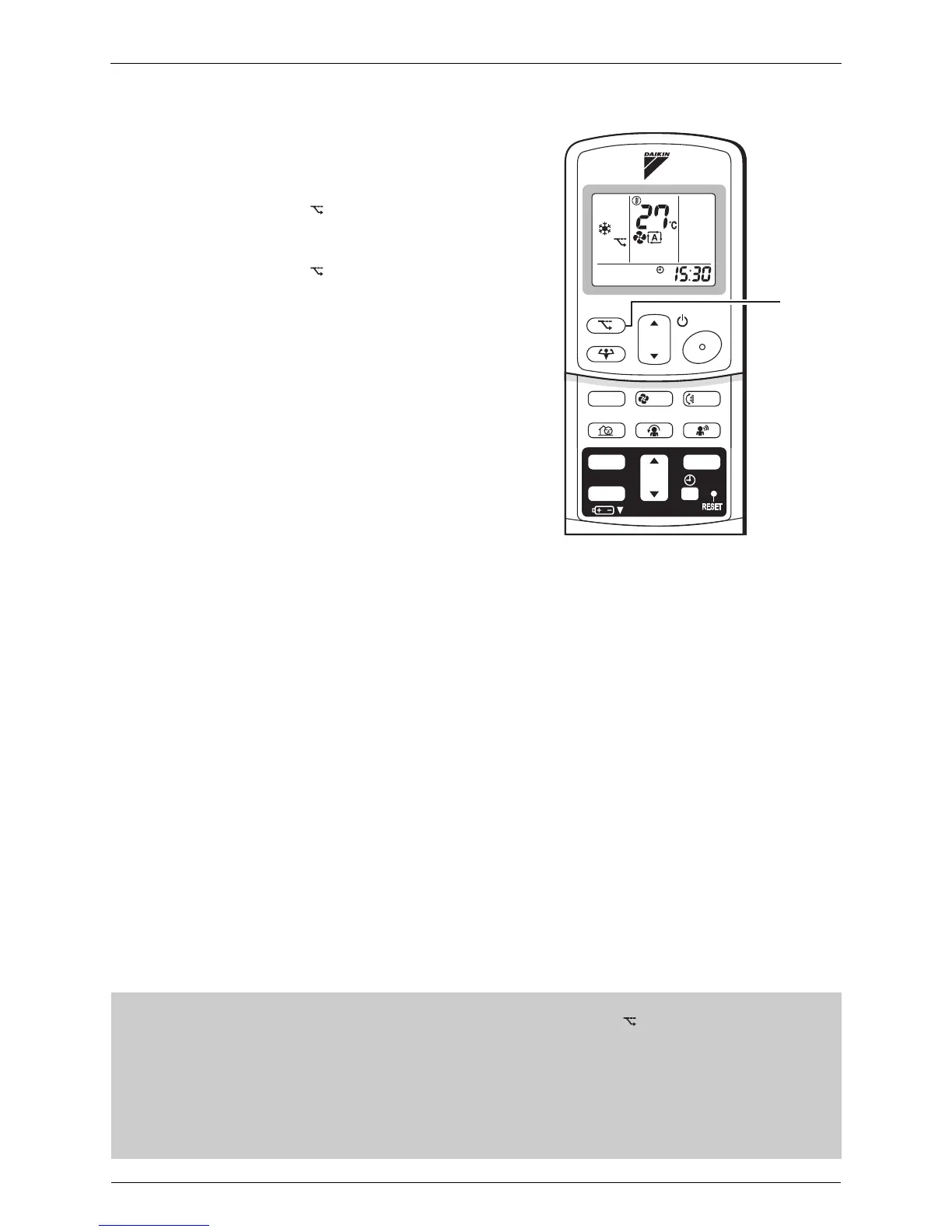
1. Press “ECONO button”.
• “ ” is displayed on the LCD.
To cancel ECONO operation
2. Press “ECONO button” again.
• “ ” disappears from the LCD.
• ECONO Operation can only be set when the unit is running.
Pressing the operation stop button causes the settings to be canceled, and the “ ” disappears from the LCD.
• ECONO operation is a function which enables efficient operation by limiting the power consumption of the outdoor unit
(operating frequency).
• ECONO operation functions in AUTO, COOL, DRY and HEAT modes.
The fan strength does not change in ECONO operation.
• POWERFUL operation and ECONO operation cannot be used at the same time.
Priority is given to POWERFUL operation.
• Power consumption may not drop even if ECONO operation is used, when the level of power consumption is already low.
TEMP
ON/OFF
POWERFUL
MODE
FA N
SWING
SILENT
SENSOR
ECONO
COMFORT
TIMER
ON
CANCEL
OFF
1, 2






 To Next Page