SiEN18-622 Instruction
System Configuration 223
2.2.10 MOLD PROOF
Operation
NOTE
MOLD PROOF operation is a function which reduces the spread of mold
by using Fan mode to lower the humidity inside the indoor unit.
To set MOLD PROOF operation
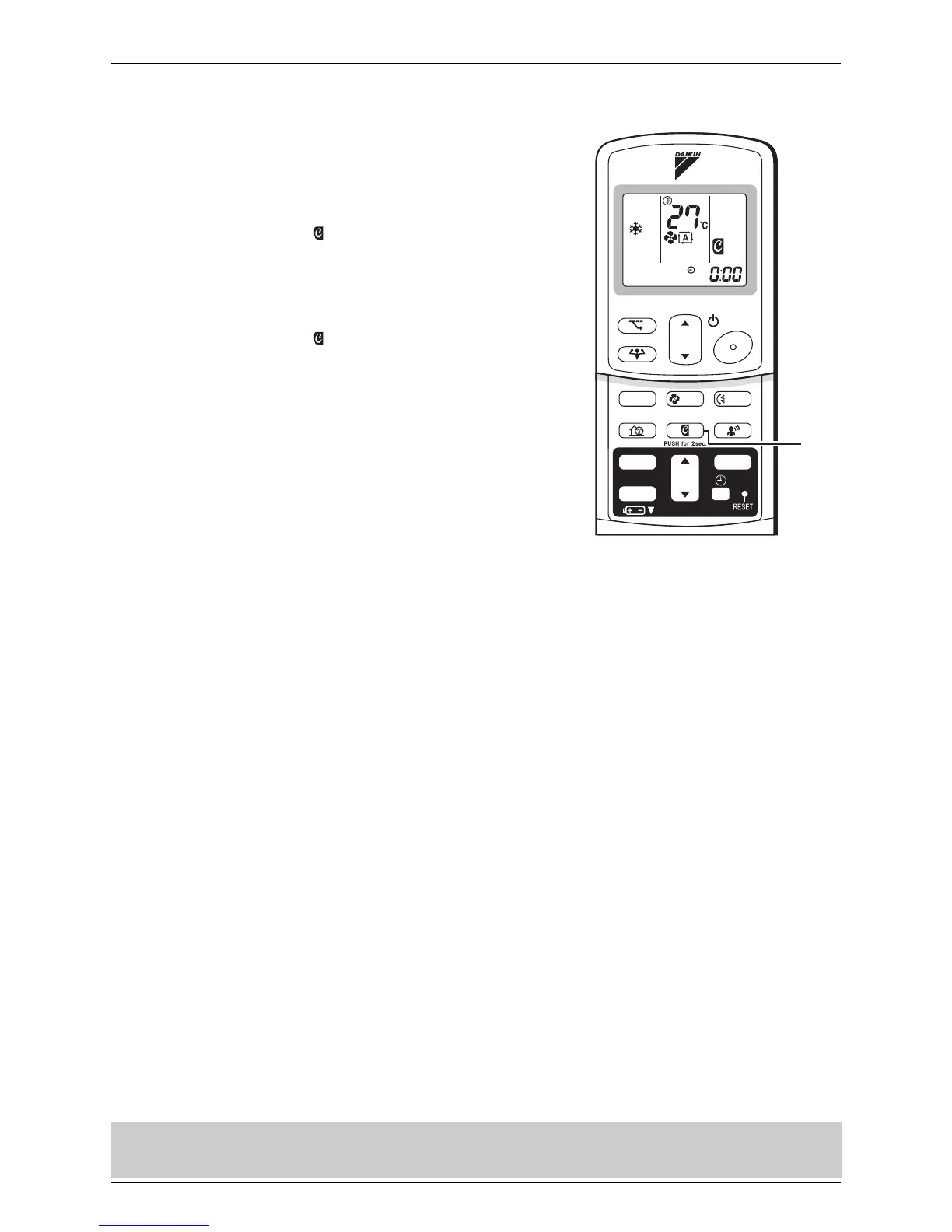
1. Press and hold the MOLD PROOF button
for two seconds.
• “ ” is displayed on the LCD.
To cancel MOLD PROOF operation
2. Press and hold the “MOLD PROOF
button” for two seconds one more time.
• “ ” disappears from the LCD.
• MOLD PROOF operation will operate for approximately one hour after dry or cooling mode is turned off.
• This function is not designed to remove existing dust or mold.
• MOLD PROOF operation is not available when the unit is turned off using the OFF TIMER.
TEMP
ON/OFF
POWERFUL
MODE
FA N
SWING
SILENT
SENSOR
ECONO
MOLD PROOF
TIMER
ON
CANCEL
OFF
1,2






 To Next Page