Instruction SiEN18-622
212 System Configuration
2.2.6 Adjusting the Air Flow Direction
FTK(X)S 20/25/35 D, FTK(X)S 25/35 E
You can adjust the air flow direction to increase your comfort.
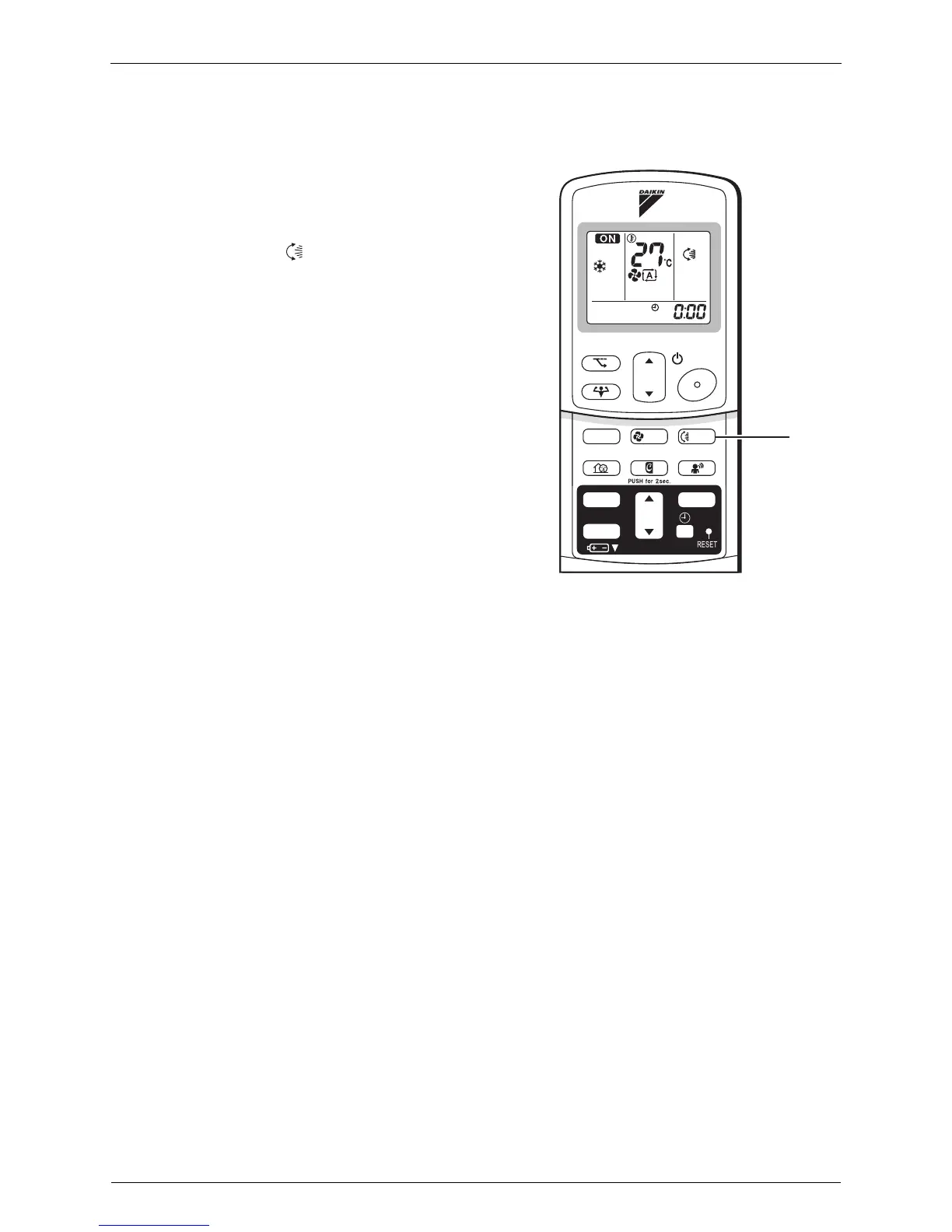
To adjust the horizontal blades (flaps)
1. Press “SWING button”.
is displayed on the LCD and the flaps
will begin to swing.
2. When the flaps have reached the desired
position, press “SWING button” once
more.
The display will go blank.
The flaps will stop moving.
TEMP
ON/OFF
POWERFUL
MODE FA N
SWING
SILENT
SENSOR
ECONO
MOLD PROOF
TIMER
ON
CANCEL
OFF
1, 2






 To Next Page