SiEN18-622 Ceiling Mounted Cassette Type
System Configuration 271
Refer to figure 1 on page [1]
The illustrations in this operating manual correspond to the
remote control format BRC1C type. Although the display
and shape of the buttons on the BRC1B type are slightly
different, they may be operated in the same manner.
Refer to figure 1 on page [1]
• Operating procedure varies with heat pump type and
cooling only type. Contact your Daikin dealer to confirm
your system type.
• To protect the unit, turn on the main power switch 6 hours
before operation.
• If the main power supply is turned off during operation,
operation will restart automatically after the power turns
back on again.
Operate in the following order.
Operation mode selector
Press OPERATION MODE SELECTOR button several
times and select the OPERATION MODE of your choice as
follows.
COOLING OPERATION............................“ ”
HEATING OPERATION ..........................“ ”
AUTOMATIC OPERATION.....................“ ”
• In this operation mode, COOL/HEAT changeover is
automatically conducted.
FAN OPERATION...................................“ ”
DRY OPERATION...................................“ ”
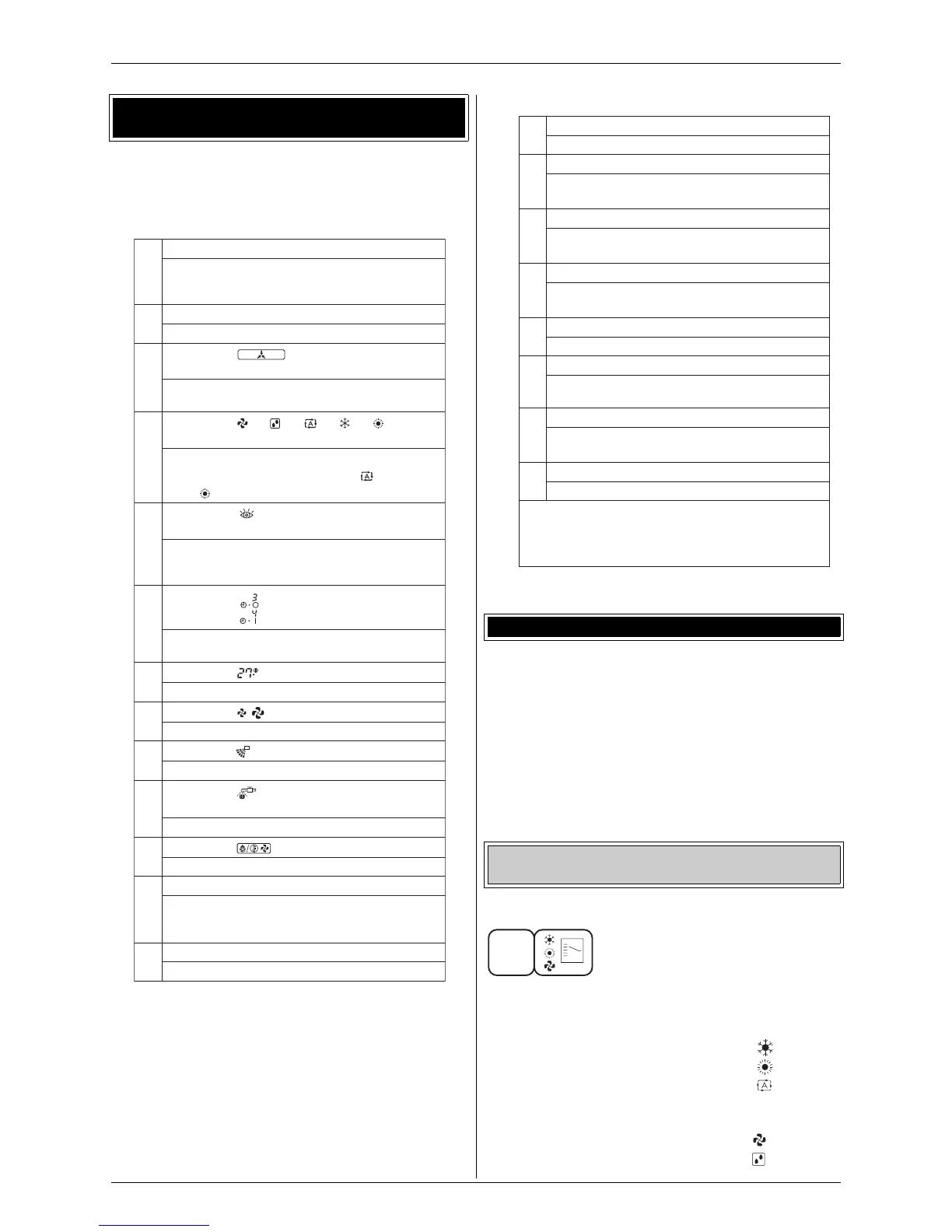
5. Name and function of each switch and display
on the remote control
1
ON/OFF BUTTON
Press the button and the system will start.
Press the button again and the system will
stop.
2
OPERATION LAMP (RED)
The lamp lightsup during operation.
3
DISPLAY “” (UNDER CENTRAL-
IZED CONTROL)
When this display shows, the system is
UNDER CENTRALIZED CONTROL.
4
DISPLAY “”“”“ ”“”“”
(OPERATION MODE)
This display shows the current OPERATION
MODE. For cooling only type, “” (Auto)
and “” (Heating) are not in
stalled.
5
DISPLAY “
TEST” (INSPECTION/TEST
OPERATION)
When the INSPECTION/TEST OPERATION
BUTTON is pressed, the display shows the
system mode is in.
6
DISPLAY “” (PROGRAMMED TIME)
This display shows the PROGRAMMED
TIME of the system start or stop.
7
DISPLAY “” (SET TEMPERATURE)
This display shows the set temperature.
8
DISPLAY “” (FAN SPEED)
This display show
s the set fan speed.
9
DISPLAY “” (AIR FLOW FLAP)
Refer to “AIR FLOW DIRECTION ADJUST”.
10
DISPLAY “” (TIME TO CLEAN AIR
FILTER)
Refer to “HOW TO CLEAN THE AIR FILTER”.
11
DISPLAY “” (DEFROST)
Refer to “DEFROST OPERATION”.
12
NON-FUNCTIONING DISPLAY
If that particular function is not available,
pressing the button may display the words
“NOT AVAILABLE” for a few seconds.
13
TIMER MODE START/STOP BUTTON
Refer to
“PROGRAM TIMER OPERATION”.
hr
hr
C
6. Operation procedure
Cooling, heating, automatic, fan, and program dry
operation
14
TIMER ON/OFF BUTTON
Refer to “PROGRAM TIMER OPERATION”.
15
INSPECTION/TEST OPERATION BUTTON
Thisbutton isused only by qualified service
persons for maintenance purposes.
16
PROGRAMMING TIME BUTTON
Use thisbutton for programming “START and/
or STOP” time.
17
TEMPERATURE SETTING BUTTON
Use thisbutton for SETTING TEMPERA-
TURE.
18
FILTER SIGN RESET BUTTON
Refer to “HOW TO CLEAN THE AIR FILTER”.
19
FAN SPEED CONTROL BUTTON
Press thisbutton to select the fan speed,
HIGH or LOW, of your choice.
20
OPERATION MODE
SELECTOR BUTTON
Press thisbutton to select OPERATION
MODE.
21
AIR FLOW DIRECTION ADJUST BUTTON
Refer to “AIR FLOW DIRECTION ADJUST”.
NOTE
• For the sake of explanation, all indicationsare
shown on the display in figure 1 contrary to
actual running situations.
1






 To Next Page