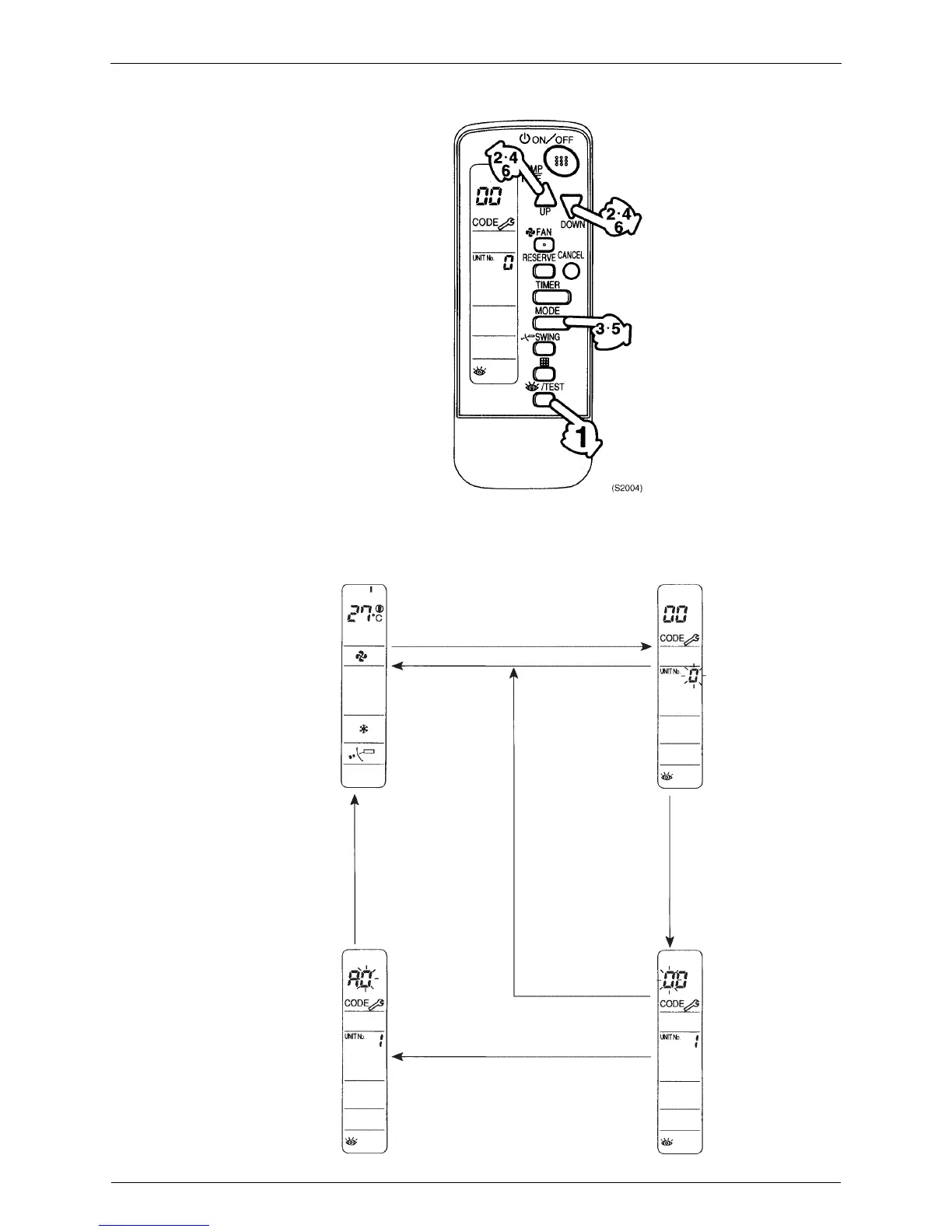
Service Check Function SiEN18-622
314 Troubleshooting
1. Press INSPECTION/TEST button.
returns to normal status.
5 Press MODE selector button.
3
(S2005)
Normal status
Enters inspection mode from normal
status when the INSPECTION/TEST
button is pressed.
If no button is pressed
for 1 minute, equipment
returns to normal status
Press
MODE
selector
button.
If no button is pressed for
1 minute, equipment
returns to normal status.
When MODE selector
button is pressed or no
button is press
ed for1
minute, equipment
returns to normal status.






 To Next Page