Operating MATRIX control panel OP71 MATRIX Control Panel OP71
66 PR-2009-0021-GB • Subject to modifications • R5-04/2016
8.6.16.5 Settings ➜ air flushing function
The "Air flush function" menu item lets you enable and disable air flushing When the
“air flushing” function is enabled, the fans can be operated with manual speed setting
regardless of temperature control.
8.6.16.6 Settings ➜ mixing-air damper mode
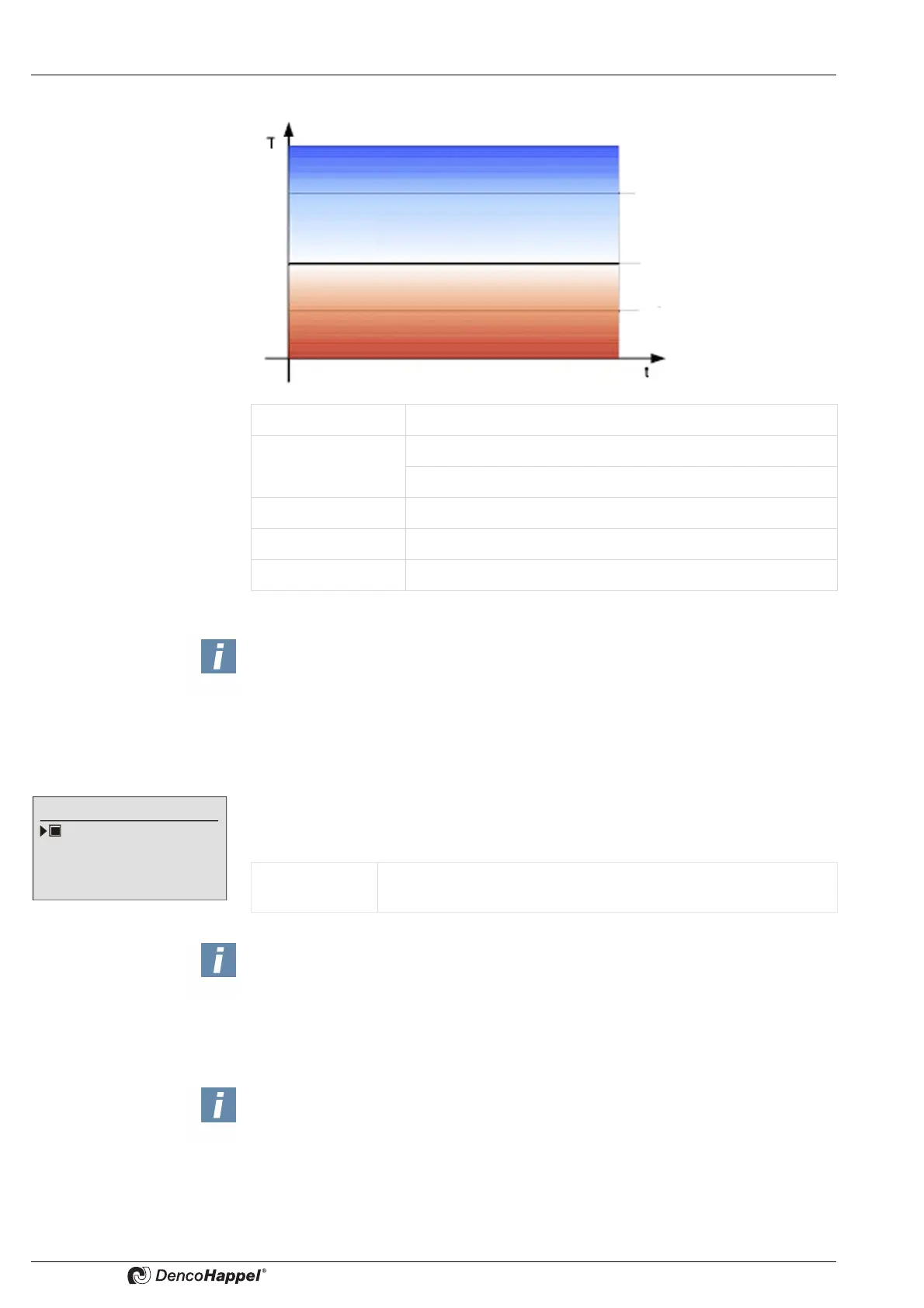
Value range: 0 to 50 °C
Factory setting: Upper reduced temperature: 10 °C
Lower reduced temperature: 3 °C
Minimum value: 1.0 °C
Maximum value: 49.0 °C
Switched off: "– –,– °C"
Active cooling
Passive cooling
Active heating
Upper reduced temperature
Setpoint
Lower reduced temperature
NOTICE!
If a larger or smaller than fixed limits from 0°C to 50°C value range is set,the initiation
of active operating mode will be prevented.
The set basic reduced temperatures apply for all controllers in the cluster.
Air flush function
Enabled
Value range: Enabled, disabled
Factory setting: Enabled
NOTICE!
The enabling or disabling of the "air flushing function" applies to all controllers in the
cluster.
NOTES!
If the function "enabling setpoints
➜ mixing-air damper mode" is activated in the
MATRIX control panel OP71 (can be set only using the service tool MATRIX.PC),
the menu item mixing-air damper mode in submenu "economy mode" is not shown.
The submenu "MA damper mode" does not appear when using the central or low-
profile air-handling unit control MATRIX 4700.
For units with two-point mixing-air damper, the operating mode "Air volume flow" is
not available and is not displayed



 To Next Page