Periodic Maintenance
58
Chapter 3 Maintenance
4.
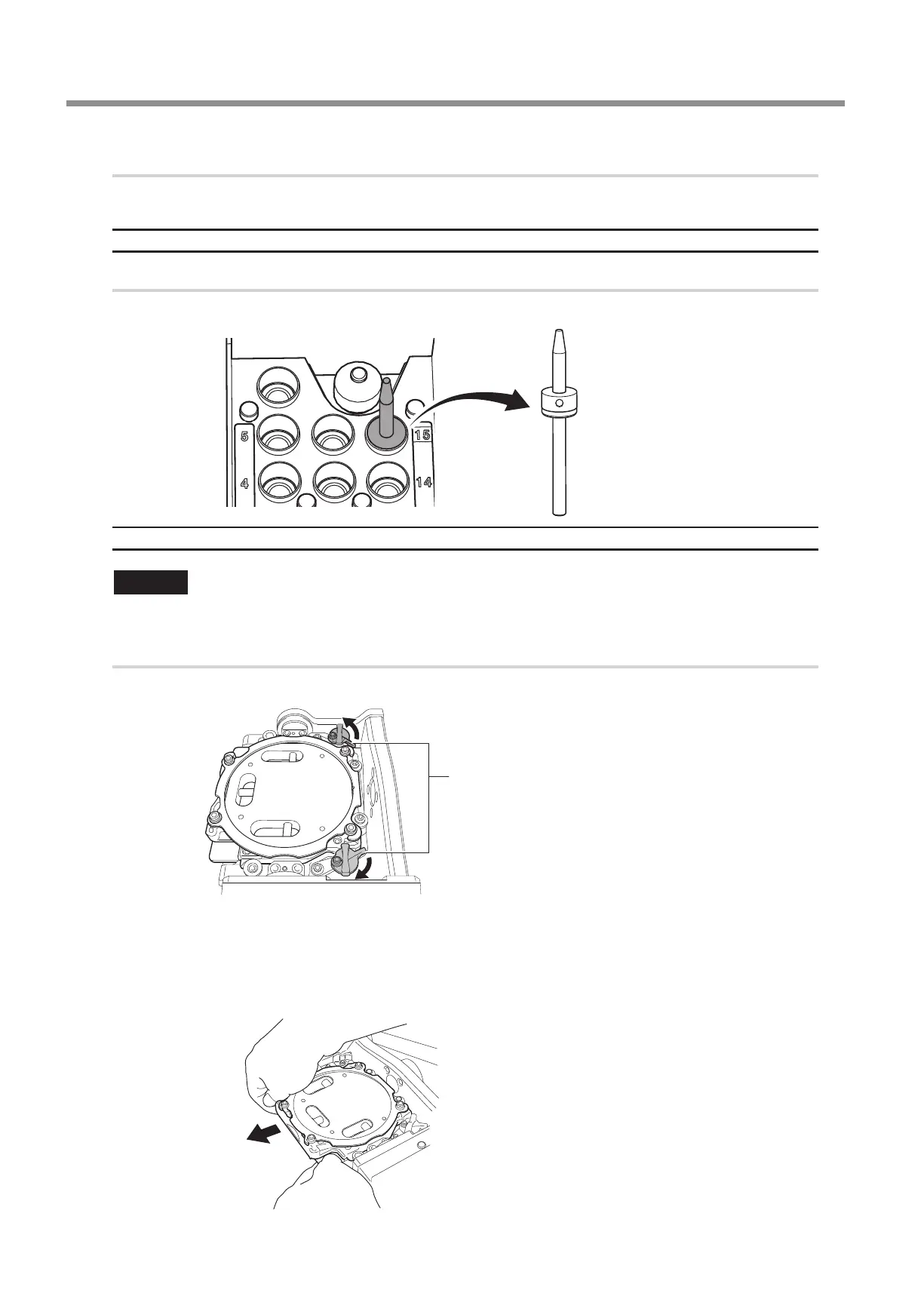
Remove the detection pin and the automatic correction jig.
After removing the detection pin and the automatic correction jig, clean them, and then store them in the storage compartment.
" P. 49 "Care and Storage of Detection Pin and Automatic Correction Jig"
Detection pin
Procedure
Open the front cover and remove the detection pin.
Automatic correction jig
CAUTION
Do not pull the adapter with excessive force when removing it.
Doing so may result in injury arising from your hand or arm hitting something.
Procedure
Turn the xing knobs (in two locations) in the directions of the arrows to release the locks.
Remove the automatic correction jig.
Hold the adapter with both hands and pull it out slowly.
Exercise caution to avoid striking the inside of the machine with your hands or other body parts when pulling out this part.
Fixing knob



 To Next Page