50 ECY-303 Preloaded Applications
Configuring the Preloaded Applications
The ECY-303’s preloaded applications can be easily configured from within EC-
gfx
Program. The con-
figuration parameters related to a VAV box setup as well as its input and output settings are accessi-
ble through the Configuration Assistant.
To access the Configuration Assistant page:
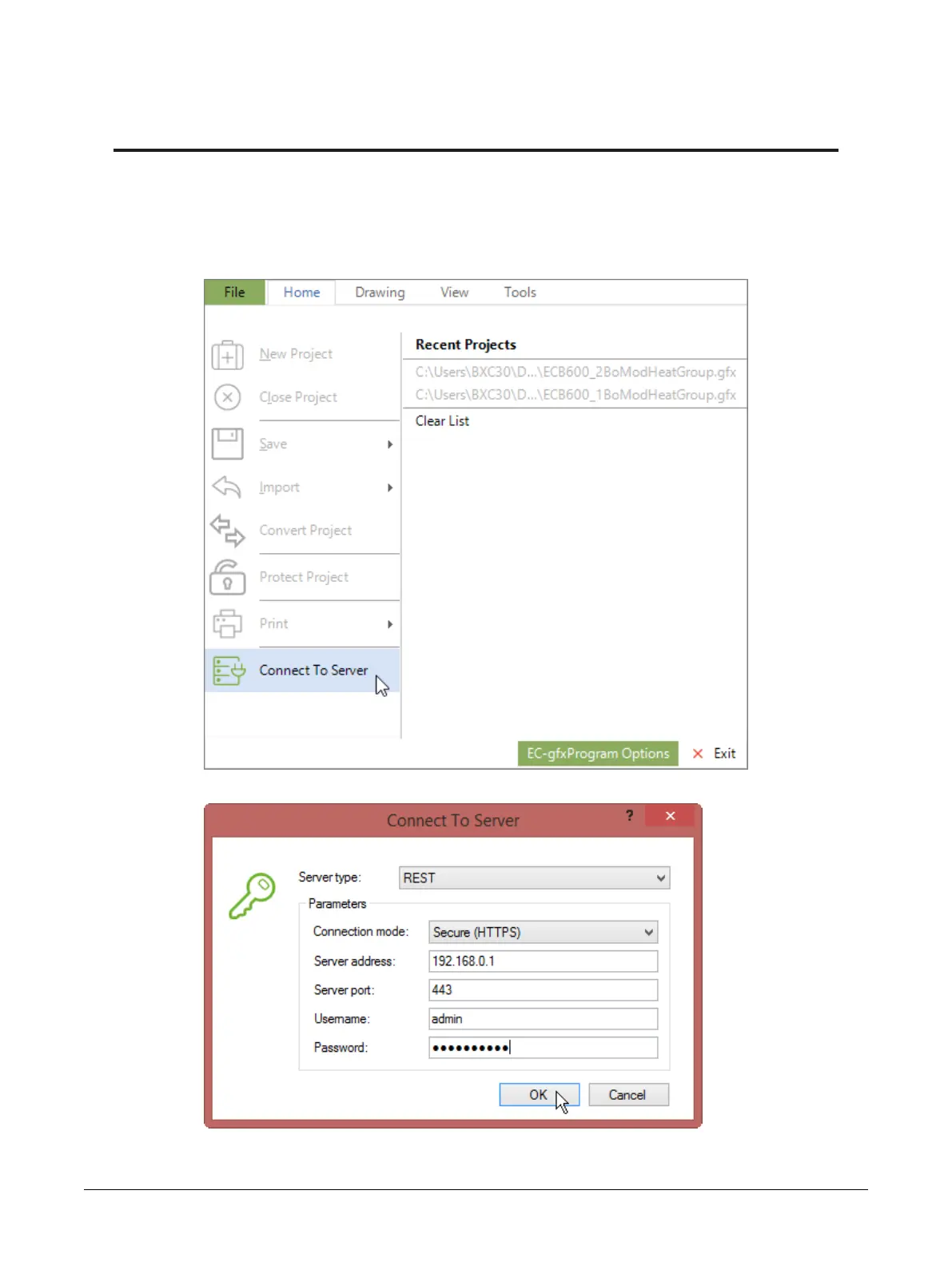
1. Launch EC-gfxProgram. From the file menu connect to server.
2. Select the REST server type and input the username and password.
Configuring the Preloaded Applications











 To Next Page