64 ECY-303 Preloaded Applications
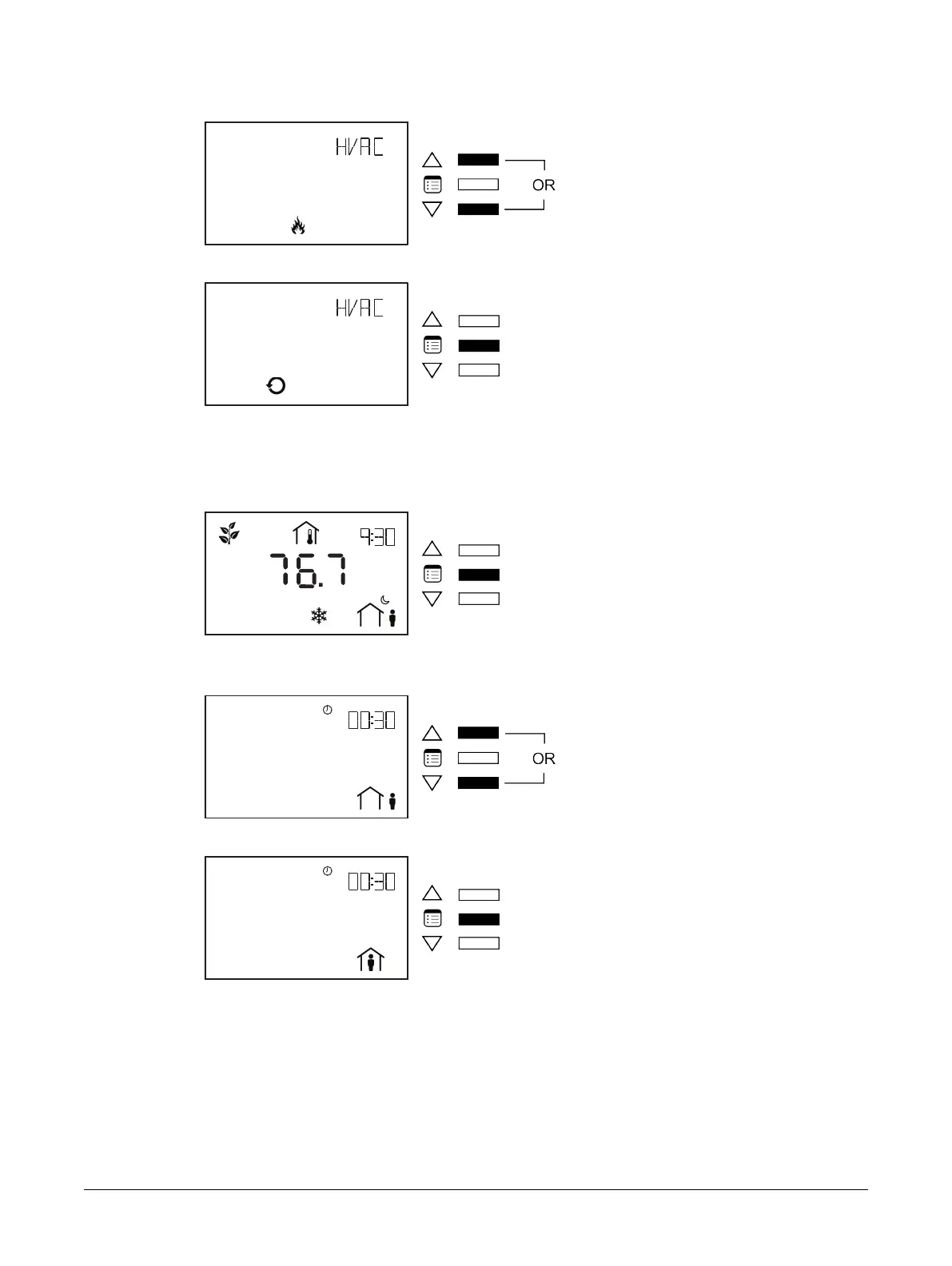
10. Use the arrow keys to select the heating/cooling mode.
11. Press the Menu button to submit the selected heating/cooling mode.
How to Put a Controller Into Bypass Mode
To change a controller’s occupancy mode from standby or unoccupied to bypass mode:
1. Press the Menu button once.
The Bypass submenu appears.
2. Press on one of the arrow keys to modify the occupancy icon on the screen.
3. Press the Menu button.
The controller goes into bypass mode. When in bypass mode, the Allure EC-Smart-Vue screen dis-
plays the current time and also the remaining bypass time.
Configuration Menus
Setting up the Input Configuration
From the Allure EC-Smart-Vue’s Input Configuration submenu, the controller’s inputs can be viewed or
adjusted.
Allure EC-Smart-Vue Screen-by-Screen Guide











 To Next Page