65ECY-303 Preloaded Applications
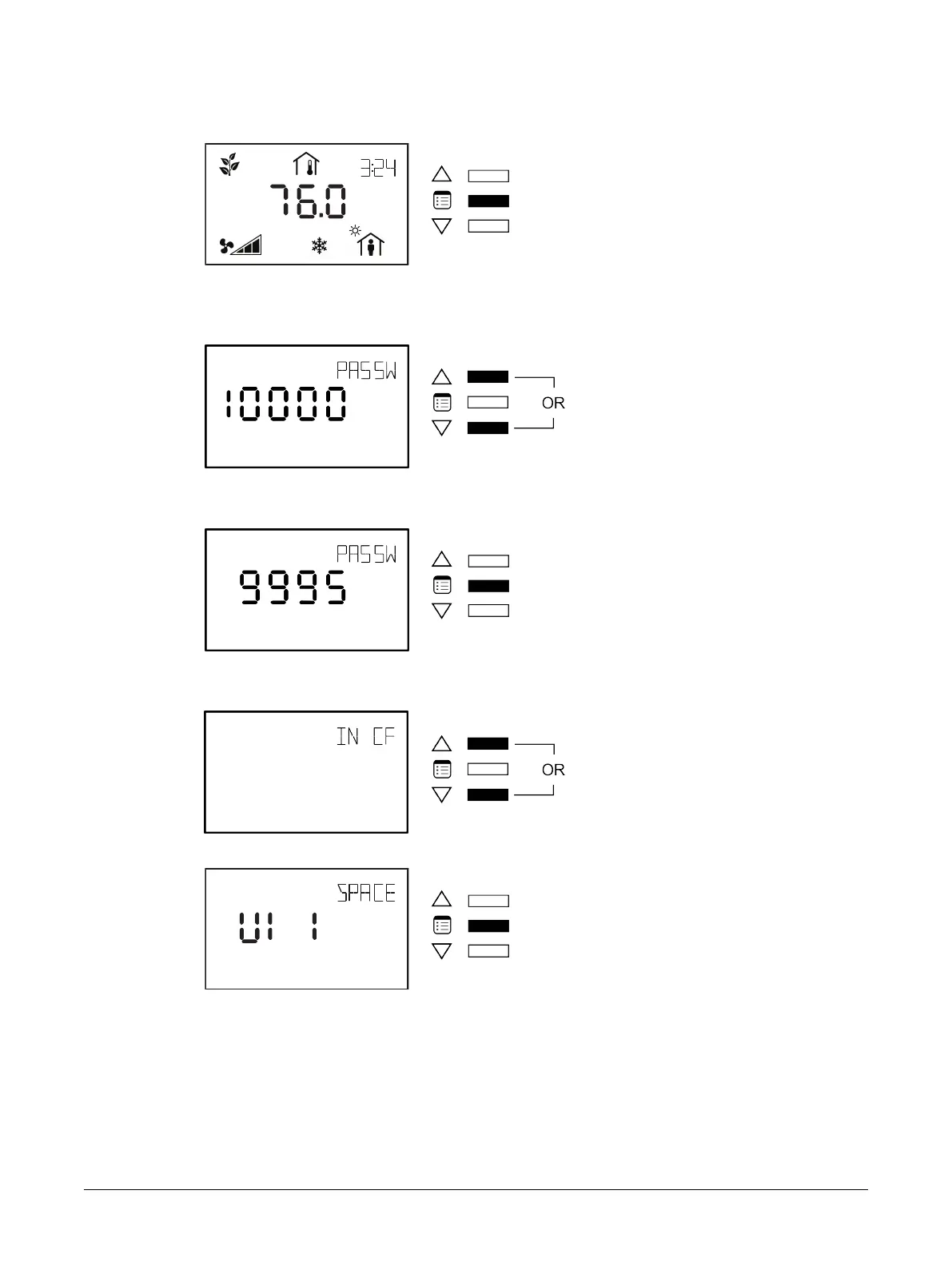
To enter the advanced menus:
1. Hold the Menu button for five seconds:
The password field appears.
2. Use the arrow keys to increase or decrease the displayed number until it matches the configured
password.
By default, the password is 9995.
3. Press the Menu button to submit the password.
Upon submitting the correct password, the advanced menu is displayed.
4. Use either of the arrow keys to enter the Input Configuration submenu.
5. Press the Menu button to scroll through the Inputs.
Allure EC-Smart-Vue Screen-by-Screen Guide











 To Next Page