62 ECY-303 Preloaded Applications
Allure EC-Smart-Vue Screen-by-Screen
Guide
Adjusting the Setpoints, Display Units, Fan Speed, and
Heating / Cooling mode
When a controller is in occupied or bypass mode, the active setpoint can be adjusted using the Allure
EC-Smart-Vue’s arrow keys. Alternatively, the heating and cooling setpoints can be adjusted from the
sensor’s User menu. The User menu also allows modifying the display units, fan speed, and heating/
cooling mode. The User menu is not password protected.
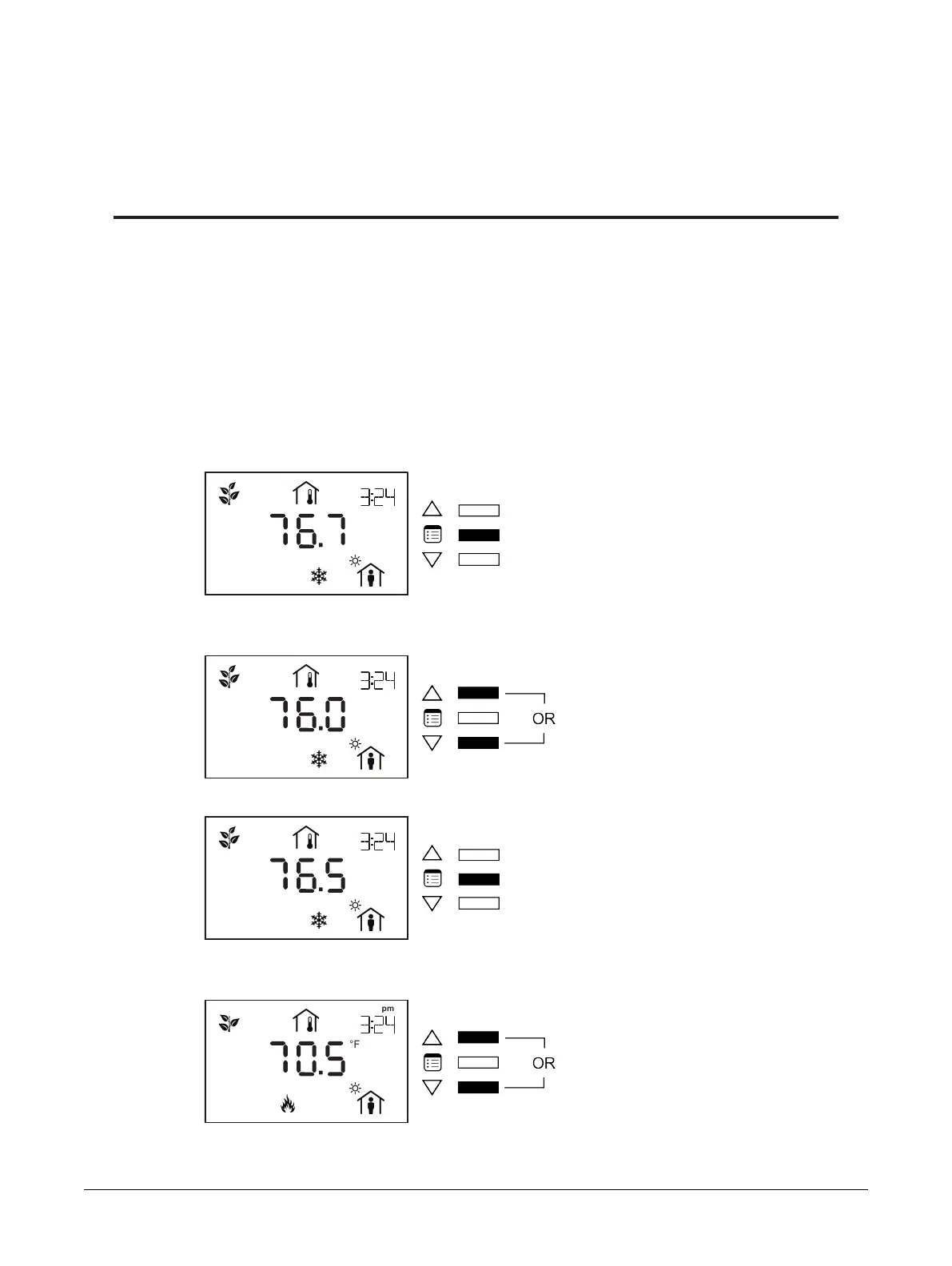
To enter into the User menu and make changes to the setpoints, display units, fan speed, or heating/
cooling mode:
1. Press the Menu button once.
The cooling setpoint starts blinking.
2. Use the arrow keys to increase or decrease the cooling setpoint.
3. Press the Menu button to submit the new cooling setpoint.
The heating setpoint starts blinking.
4. Use the arrow keys to increase or decrease the heating setpoint.
Allure EC-Smart-Vue Screen-by-Screen Guide











 To Next Page