63ECY-303 Preloaded Applications
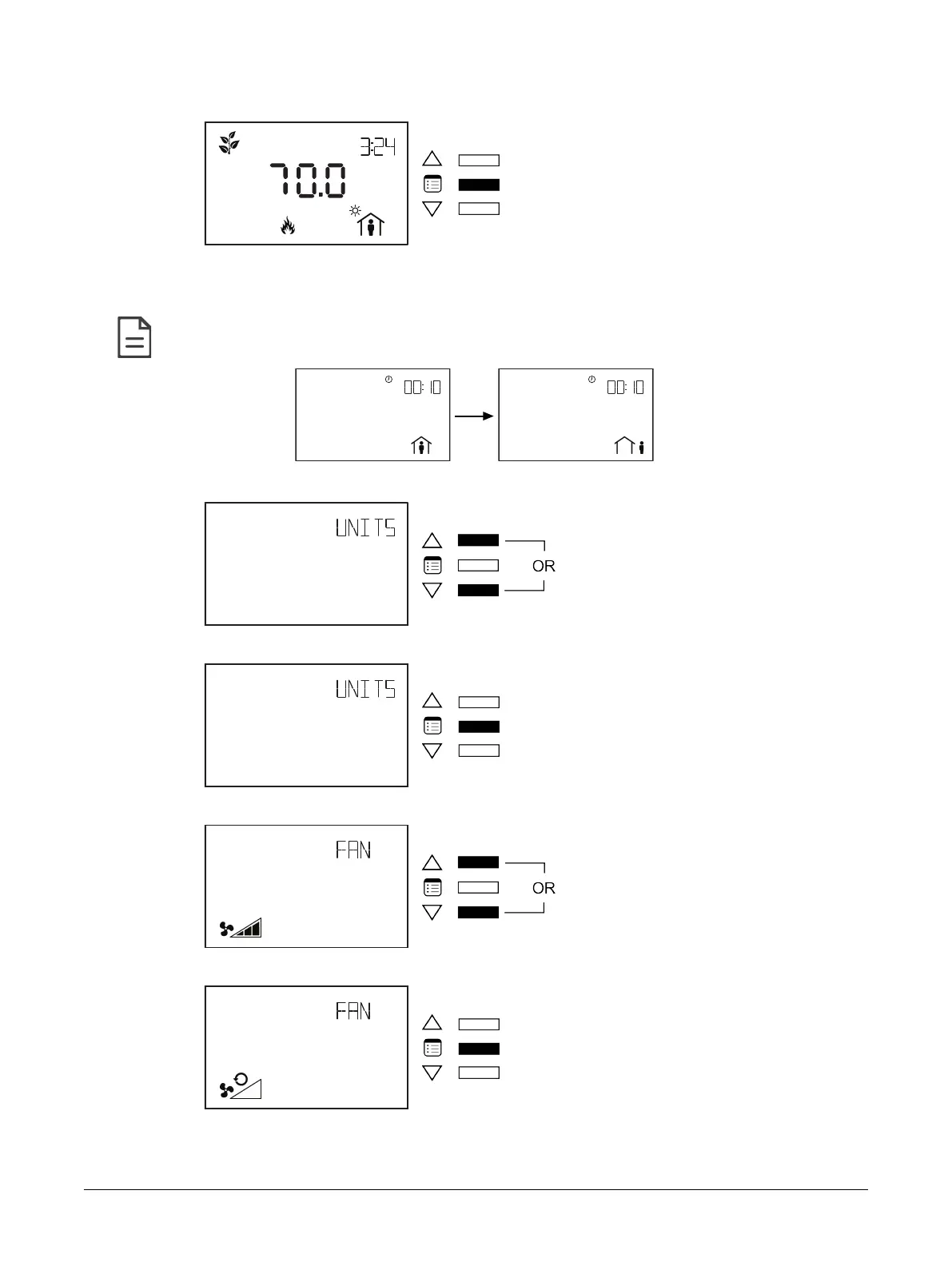
5. Press the Menu button to submit the new heating setpoint.
If the controller is in occupied mode, the Units submenu appears. Otherwise, the Bypass submenu ap-
pears with the option to manually end the bypass mode. After the Bypass submenu, the Units, Fan,
and Heating/Cooling mode submenus appear.
To manually end the bypass mode, press on one of the arrow keys to modify the occupancy icon on the screen.
Then press the
Menu
button.
6. Use the arrow keys to select the temperature display units.
7. Press the Menu button to submit the selected display unit.
8. Use the arrow keys to select the fan setting.
9. Press the Menu button to submit the selected fan setting.
Allure EC-Smart-Vue Screen-by-Screen Guide











 To Next Page