69ECY-303 Preloaded Applications
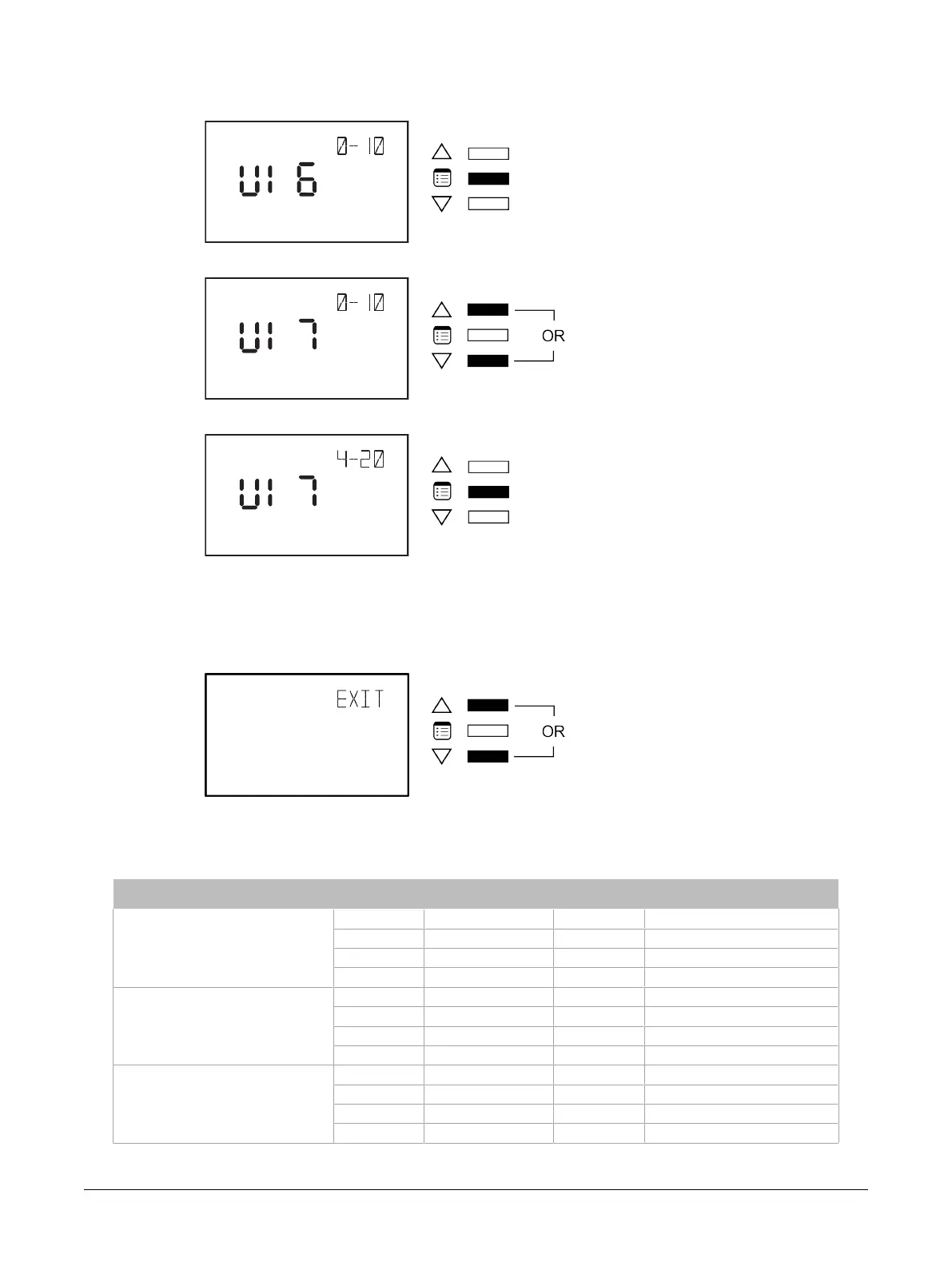
6. Press the Menu button to scroll through the three inputs.
7. Use the arrow keys to modify the desired input.
8. Press the Menu button to validate your range selection.
How to Exit the Input Range Submenu
To exit the Input Range submenu and go up one level, do one of the following:
£ Press the Menu button several times until the Exit screen appears. Then press either of the arrow
keys.
£ Press and hold the Menu button for 5 seconds.
Input Range Tables
Input Number (BACnet object) Default Valid Choices Parameter Description
UI6 (MSV 20)
x 1 0 – 10V 0 – 10 Volt input range
2 2 – 10V 2 – 10 Volt input range
3 4 – 20mA 4 – 20 milliamps input range
4 0 – 5V 0 – 5 Volt input range
UI7 (MSV 21)
x 1 0 – 10V 0 – 10 Volt input range
2 2 – 10V 2 – 10 Volt input range
3 4 – 20mA 4 – 20 milliamps input range
4 0 – 5V 0 – 5 Volt input range
UI8 (MSV 22)
x 1 0 – 10V 0 – 10 Volt input range
2 2 – 10V 2 – 10 Volt input range
3 4 – 20mA 4 – 20 milliamps input range
4 0 – 5V 0 – 5 Volt input range
Allure EC-Smart-Vue Screen-by-Screen Guide











 To Next Page