73ECY-303 Preloaded Applications
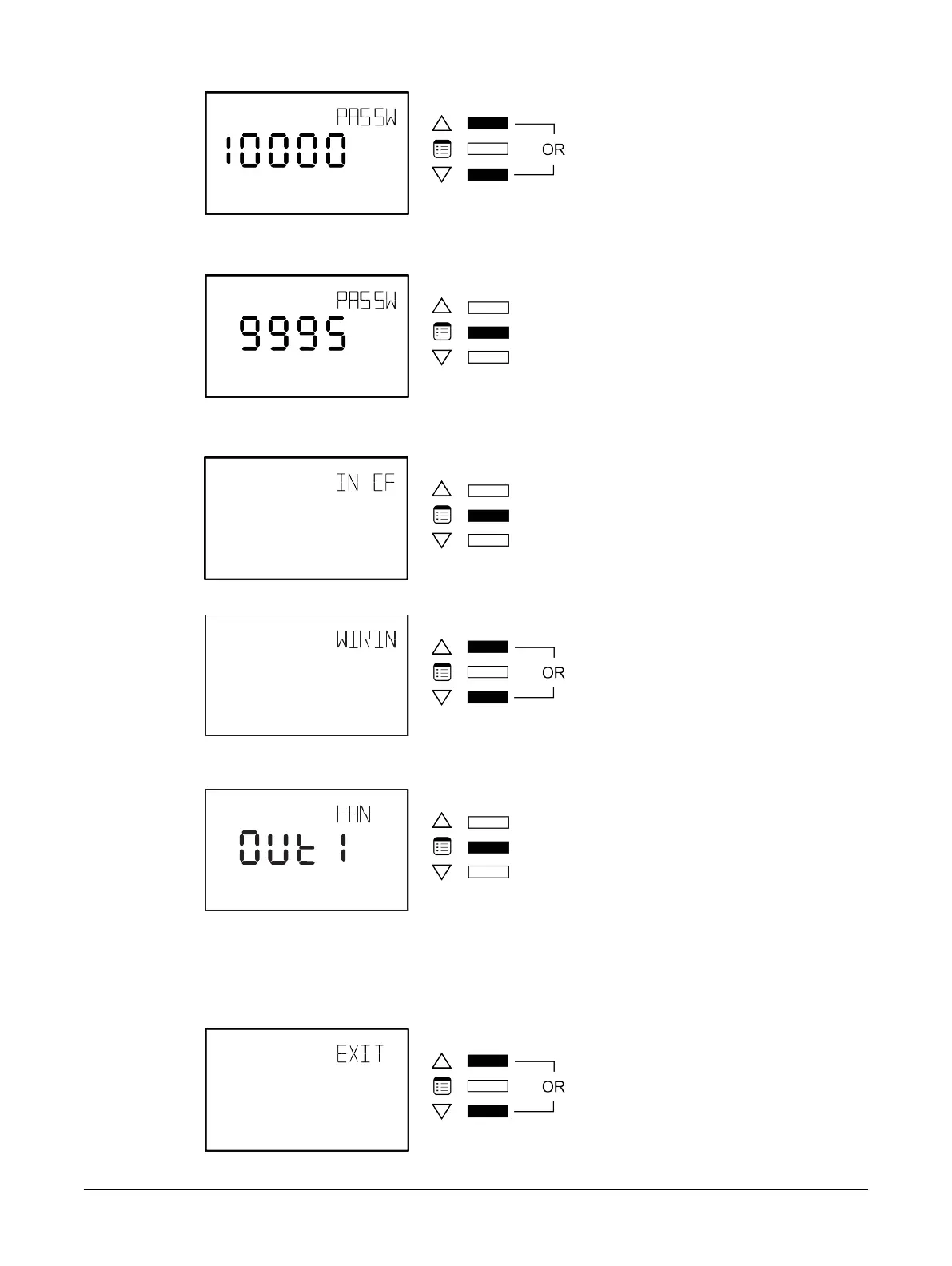
By default, the password is 9995.
3. Press the Menu button to submit the password.
Upon submitting the correct password, the advanced menu is displayed.
4. Press the Menu button several times until the WIRING menu appears on the display.
5. Use either of the arrow keys to enter the Wiring submenu.
6. Press the Menu Button to scroll through the outputs and view what needs to be wired to a particu-
lar controller output.
How to Exit the Wiring Submenu
To exit the Wiring submenu and go up one level, do one of the following:
£ Press the Menu button several times until the Exit screen appears. Then press either of the arrow
keys.
Allure EC-Smart-Vue Screen-by-Screen Guide











 To Next Page