75ECY-303 Preloaded Applications
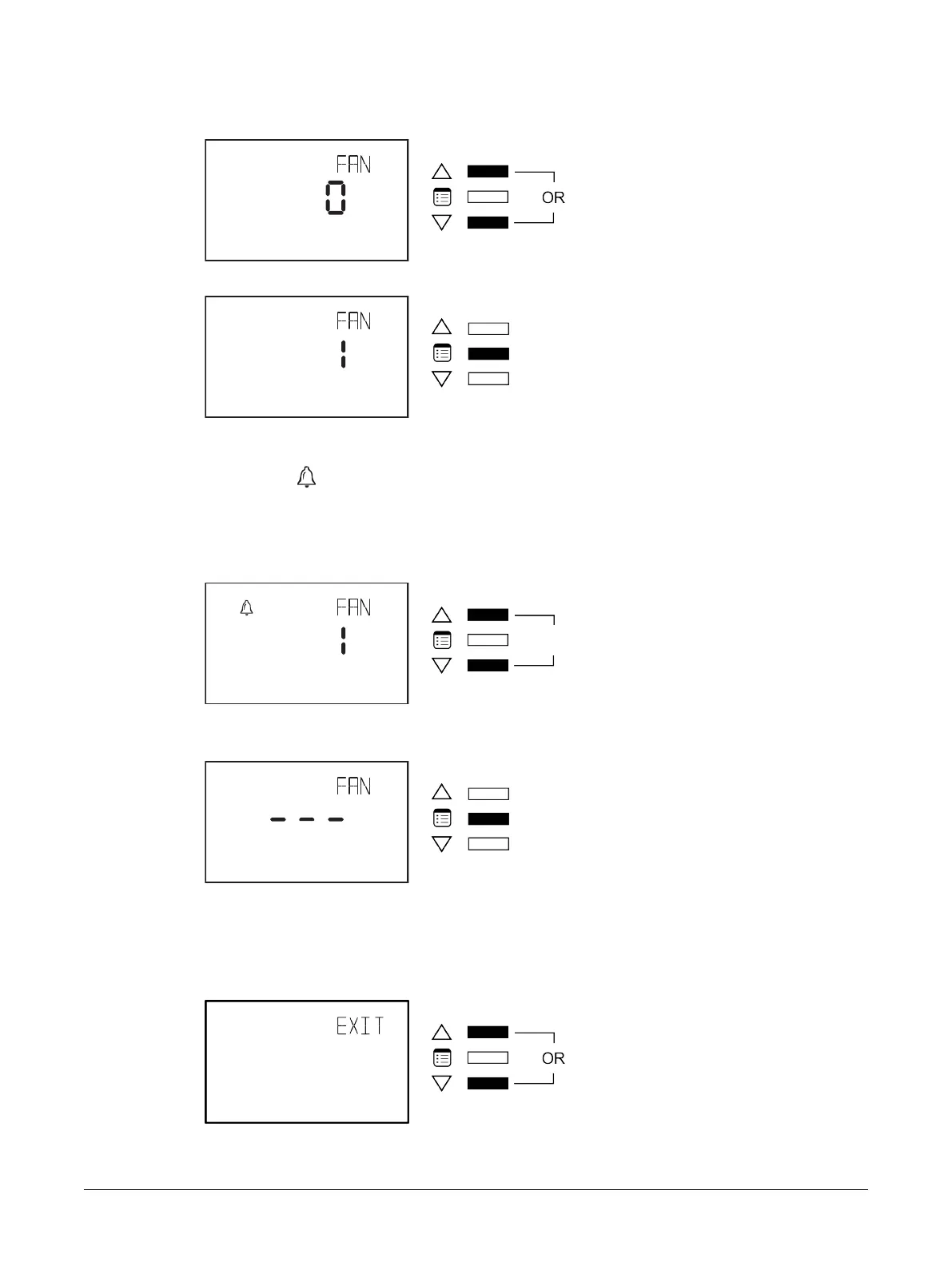
6. Press the Menu button to scroll through the outputs that can be overridden and use either of the
arrow keys to override the set value of the output.
7. Press the Menu button to validate your choice.
How to Release Overrides
The presence of the icon in the display screen of a parameter in the Overrides submenu indicates
that it is overridden. An override normally times out after two hours. However, it should be released
manually when there is no use for it any more.
To manually release an override:
1. Press and hold both arrow keys simultaneously.
The screen then displays three dashes.
2. Press the Menu button.
How to Exit the Overrides Submenu
To exit the Overrides submenu and go up one level, do one of the following:
£ Press the Menu button several times until the Exit screen appears. Then press either of the arrow
keys.
£ Press and hold the Menu button for 5 seconds.
Allure EC-Smart-Vue Screen-by-Screen Guide











 To Next Page