77ECY-303 Preloaded Applications
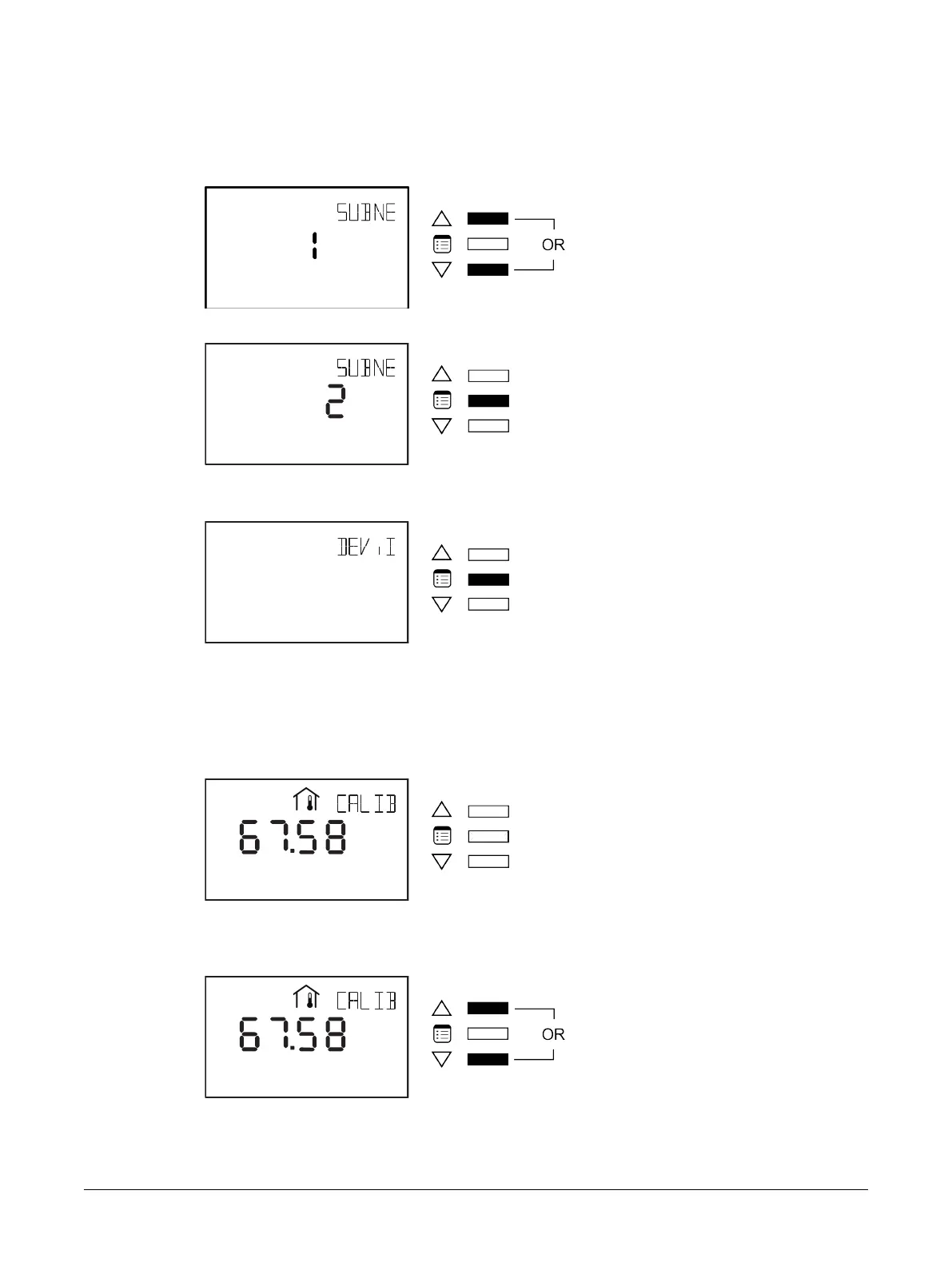
Upon entering the general configuration submenu, the SUBNET ID parameter is displayed.
How to Enter the Sensor Subnet ID and View the Device ID
1. Press either of the arrow keys to choose the desired Subnet ID for the sensor.
2. Press the Menu button to submit the desired Subnet ID.
Upon making your selection, the DEVICE ID is displayed.
3. Press the Menu button once you have finished viewing the Device ID.
How to Calibrate the Sensor and Adjust the Screen Contrast
The General Configuration submenu also allows the calibration of the Allure EC-Smart-Vue’s space
temperature sensor or humidity sensor (if equipped) and adjustment of the screen contrast. To per-
form these two functions:
1. In the GEN CFG submenu, navigate to the Calibration parameter.
The screen displays the current indoor space temperature.
2. Use the arrow keys to modify this reading to make it match that measured by the reference tem-
perature sensor.
Allure EC-Smart-Vue Screen-by-Screen Guide











 To Next Page