User manual DPC Touch V2 DOC.60352-11/20
2.4.3 Firmware Update
To check the version currently installed on your device, locate the label on its
packaging, or go to the Settings menu (see paragraph 3.8.10).
Information
Using the latest version of the firmware ensures the most efficient
user experience thanks to the constant improvement of the interface
and the correction of possible bugs.
To download the latest version, refer to the «Software» tab in the resources
available on the product page of our website by scanning this QR code or by
following this link:
DPC Touch
Assembly
Process
Sequencing and
Tracking Box
https://www.doga.fr/en/assembly-techn
ology/torque-measuring-instruments-pr
ocess-monitoring/assembly-sequencing
-process-monitoring/boitier-sequencem
ent-suivi-process-dassemblage/dpc-tou
ch-sequencing-process-monitoring-inter
face
Once the file is downloaded, please follow these steps:
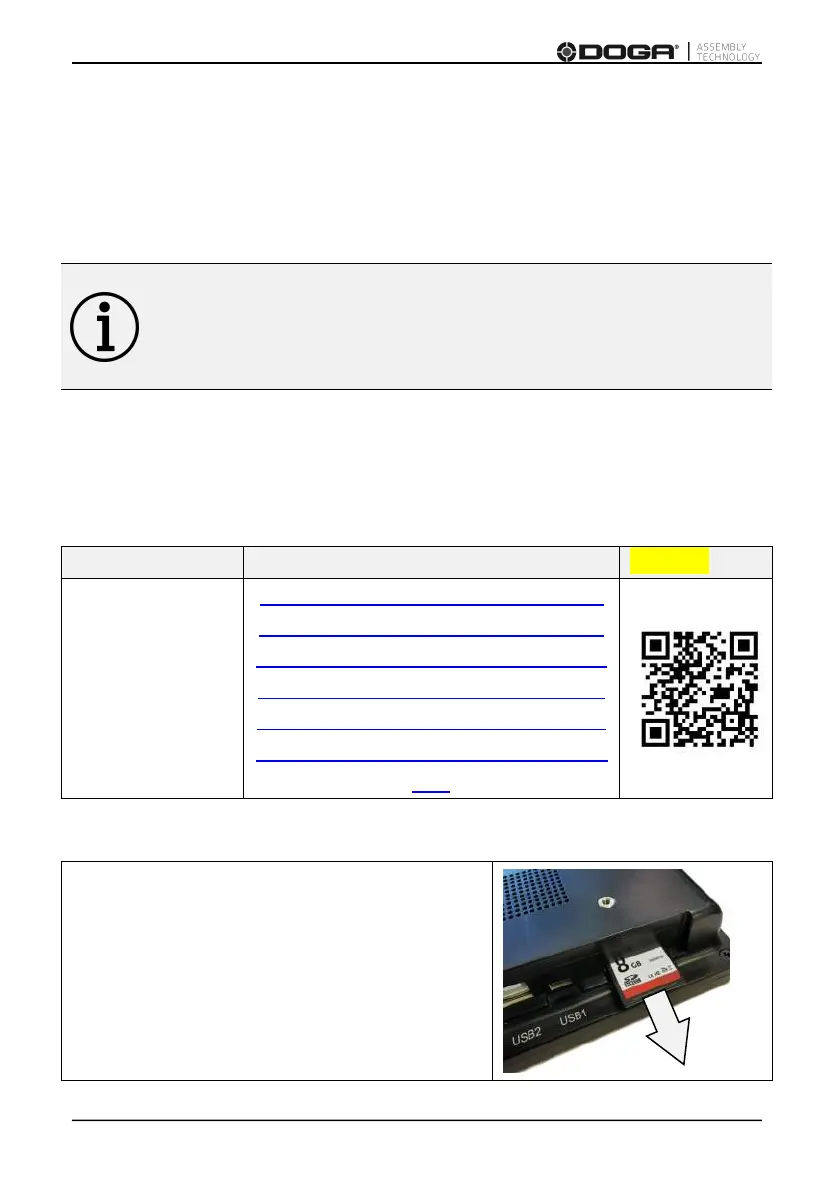
Turn off the DPC Touch by unplugging the
power supply, then remove the SD card.



 To Next Page