User manual DPC Touch V2 DOC.60352-11/20
4.4.10 Programmation d’une étape message
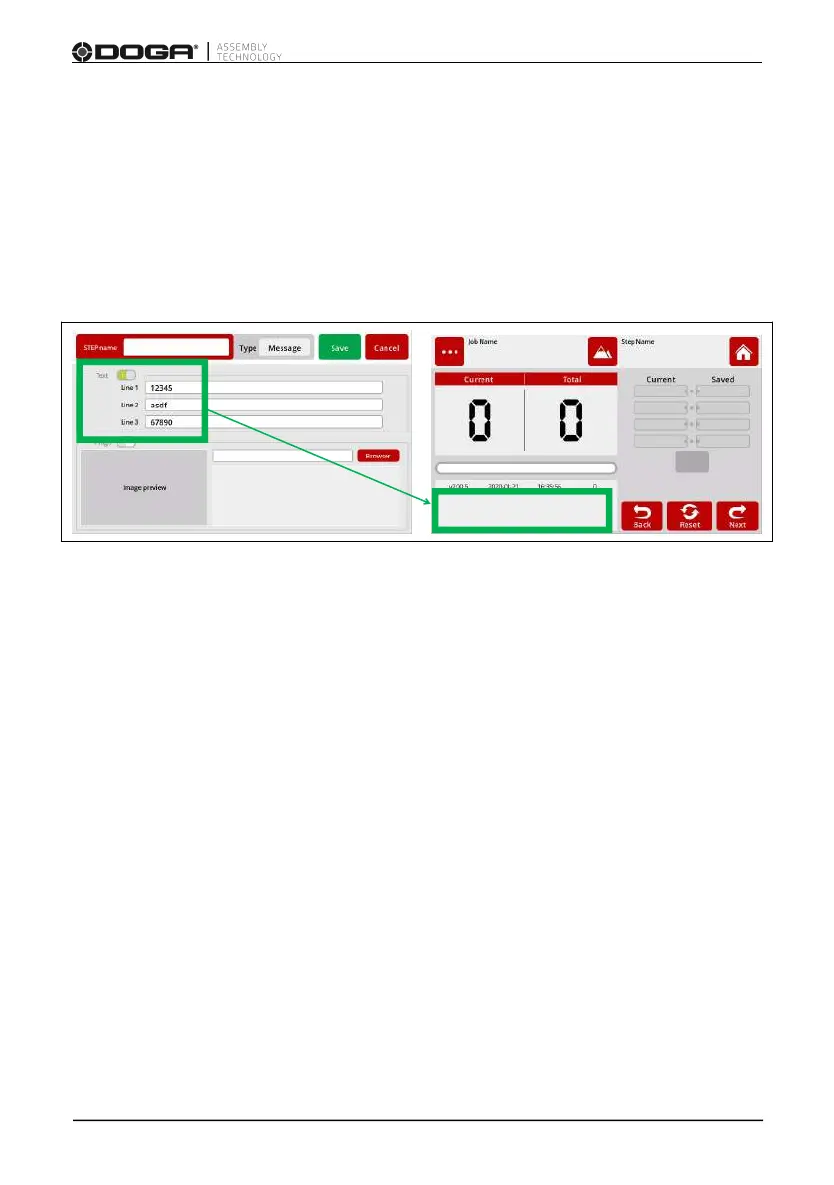
While on the Job modification screen, tap the MESSAGE button. The
message step creation screen will appear. A message can be text or an image.
For text: Enter the text to be displayed on the operation screen and activate
the corresponding switch.
The message appears on the lower left-hand side of the work mode.
3 lines are customizable and limited to 26 characters.
To hide the displayed message it is necessary to create a new Message step
without text and/or image.
For an image: Select an image to be displayed from the list of available
images and activate the corresponding switch.
Images must first be stored on the SD card, with format JPEG 800x480, in the
directory SD:\Pictures.
Once the picture is chosen, press the Select button.
On the next screen the image will appear.
The image will remain on the screen waiting for a logical input or for a defined
duration.
Press the SAVE button to save the step, or the CANCEL button to quit
programming without saving changes.



 To Next Page