User manual DPC Touch V2 DOC.60352-11/20
Actions available at distance:
DPC Touch V2 Reset (code 77)
Please refer to the address in annexes (paragraph 8.3 & 8.4).
3.7.3 Network - Barcodes
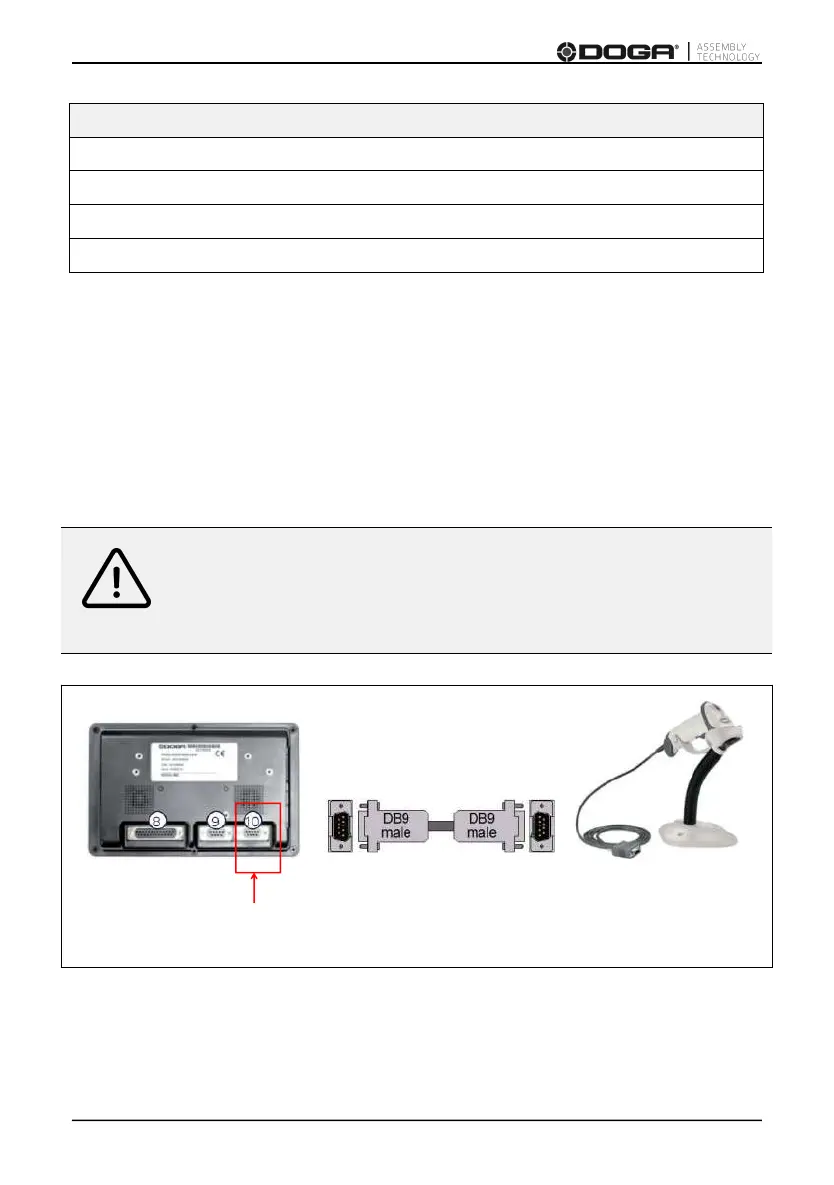
For barcode recognition, connect the reader to the DPC Touch V2 controller.
Warning
Do not connect the bar code reader directly to the DPC Touch V2.
You must use an adapter. Refer to the RS-232 Connector Wiring
DPC Touch V2 Adapter Barcode reader
(Port RS-232) 4-5234520 4-5000320



 To Next Page