User manual DPC Touch V2 DOC.60352-11/20
4.3 Menu - Operation Mode
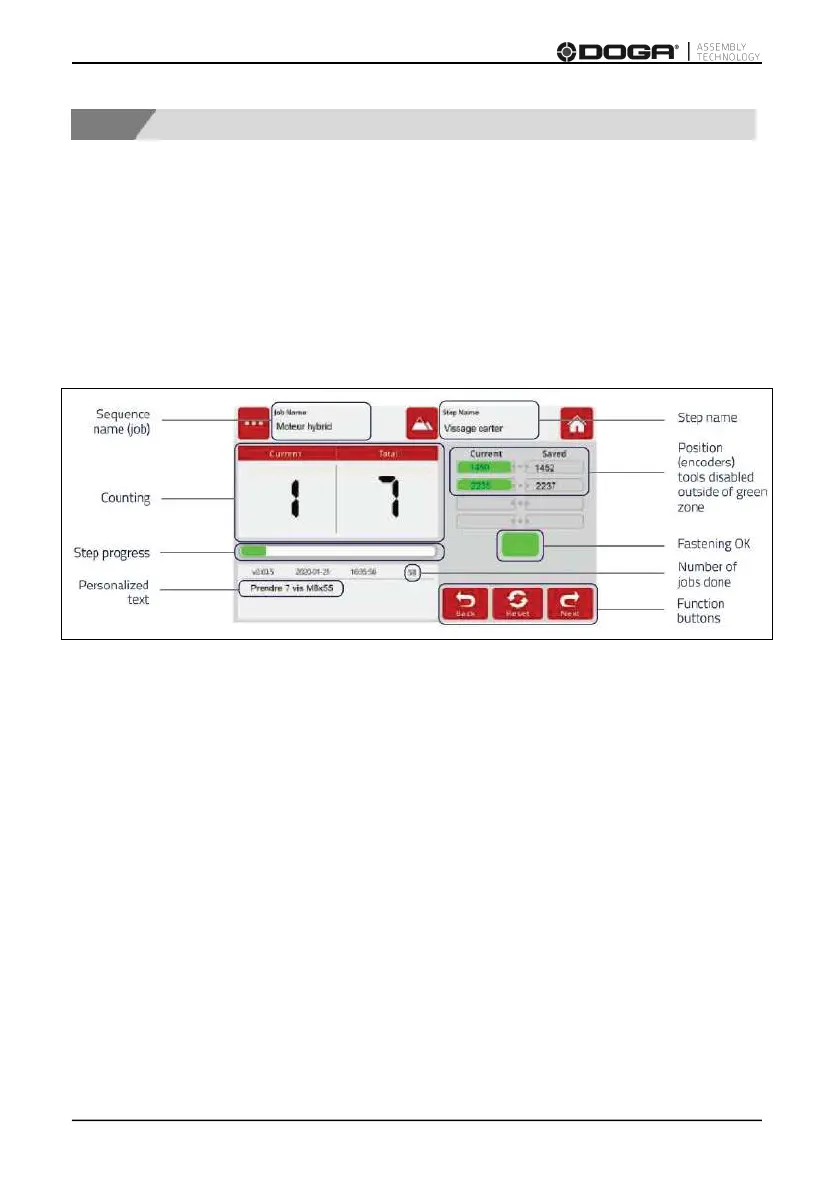
Operation mode is the normal running interface for an operator.
The controller automatically starts in operation mode once it is powered up.
The default job is automatically loaded (refer to paragraph 3.3.1).
The following information is displayed on the screen:
In operation mode, the following error messages can appear:
- Fastening step is too short/long
- Trigger is released before torque up!
- Fastening NOK! (tool alarm)
- System error
- Detection piece error!
- Emergency
- Complete job NOK!



 To Next Page