Model 200i and 250i Motorcycle Dynamometer Installation Guide
CHAPTER 2
Routing Cables
2-28
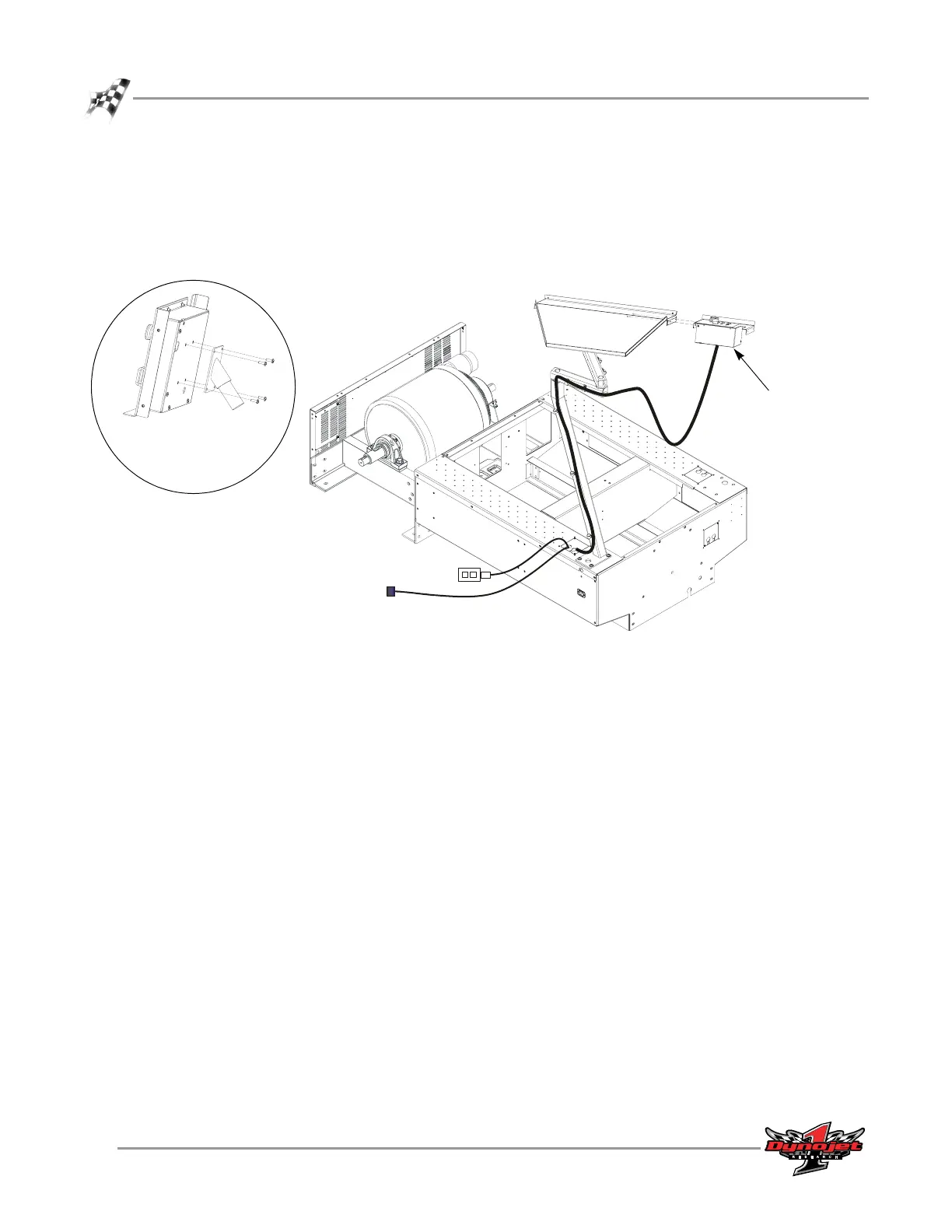
10 Secure the control panel to the monitor tray using two 8-32-inch screws.
Note: If you did not order a monitor tray, install the control panel spindle to the
back of your control panel using four 8-32 screws. Once installed, place the
spindle on the control panel into the support arm where the monitor tray is
shown in Figure 2-29.
Figure 2-29: Install the Control Panel
CP027
CP023
control panel
install control panel
spindle if you did not
purchase the monitor
tray



 To Next Page