Contextual help of the web interface – 142
3.8.3.1.4 Save
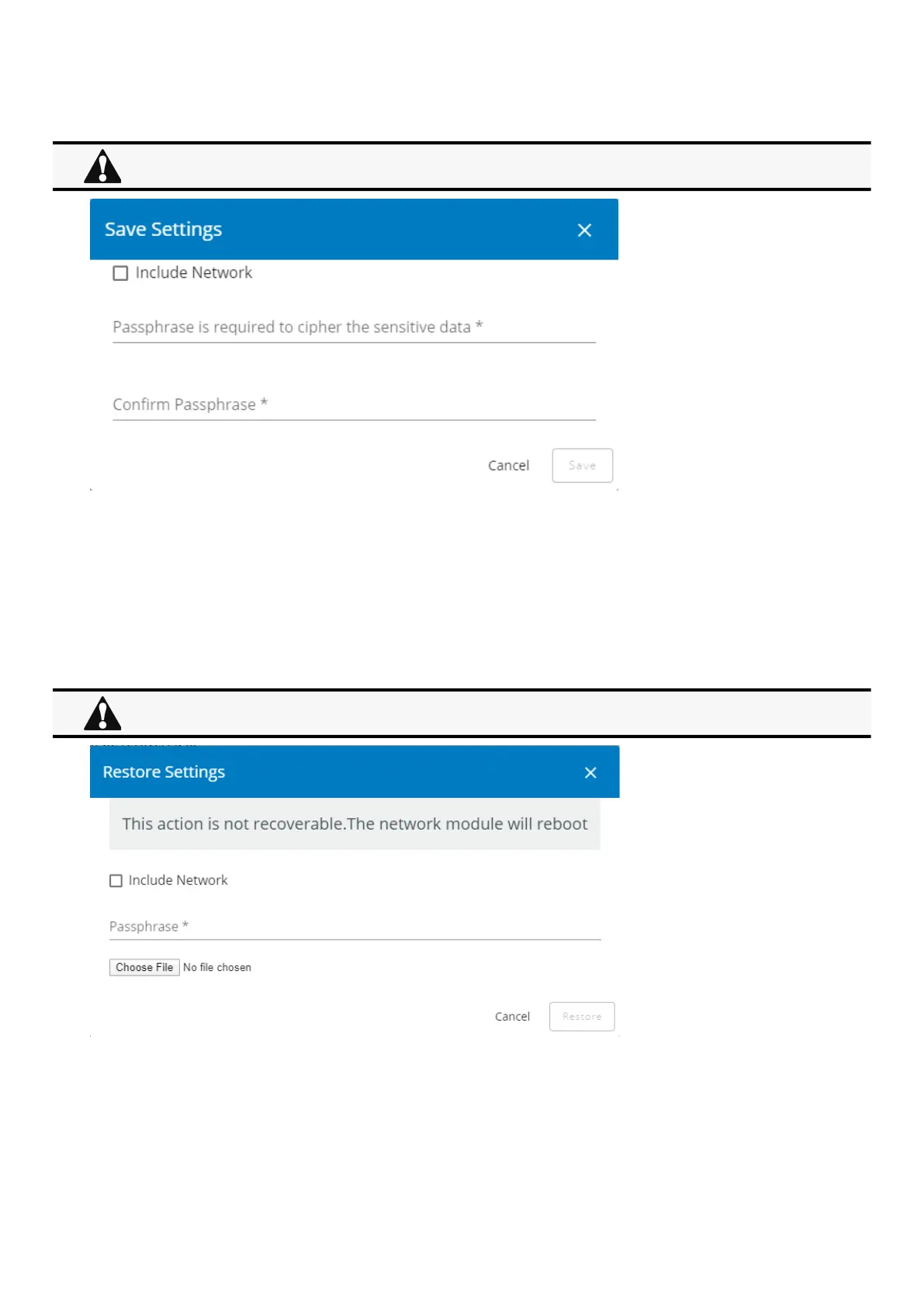
To save the Network module settings:
1.Click onSave
2. Select to include the Network settings if needed.
A passphrase need to be entered twice to cypherthe sensitive data.
3. Click onSave
3.8.3.1.5 Restore
To restore the Network module settings:
1.Click onRestore
2. Select to include the Network settings if needed.
3.Enter the passphrase used when the file was saved.
4. Click on Choose file andselect the JSON file
Below settings are not saved:
Local users other than the main administratorSensor settings (commissioning, alarm configuration)
Restoring settings may result in the Network module reboot.



 To Next Page