Contextual help of the web interface – 135
•
•
•
•
3.7.8 ATS
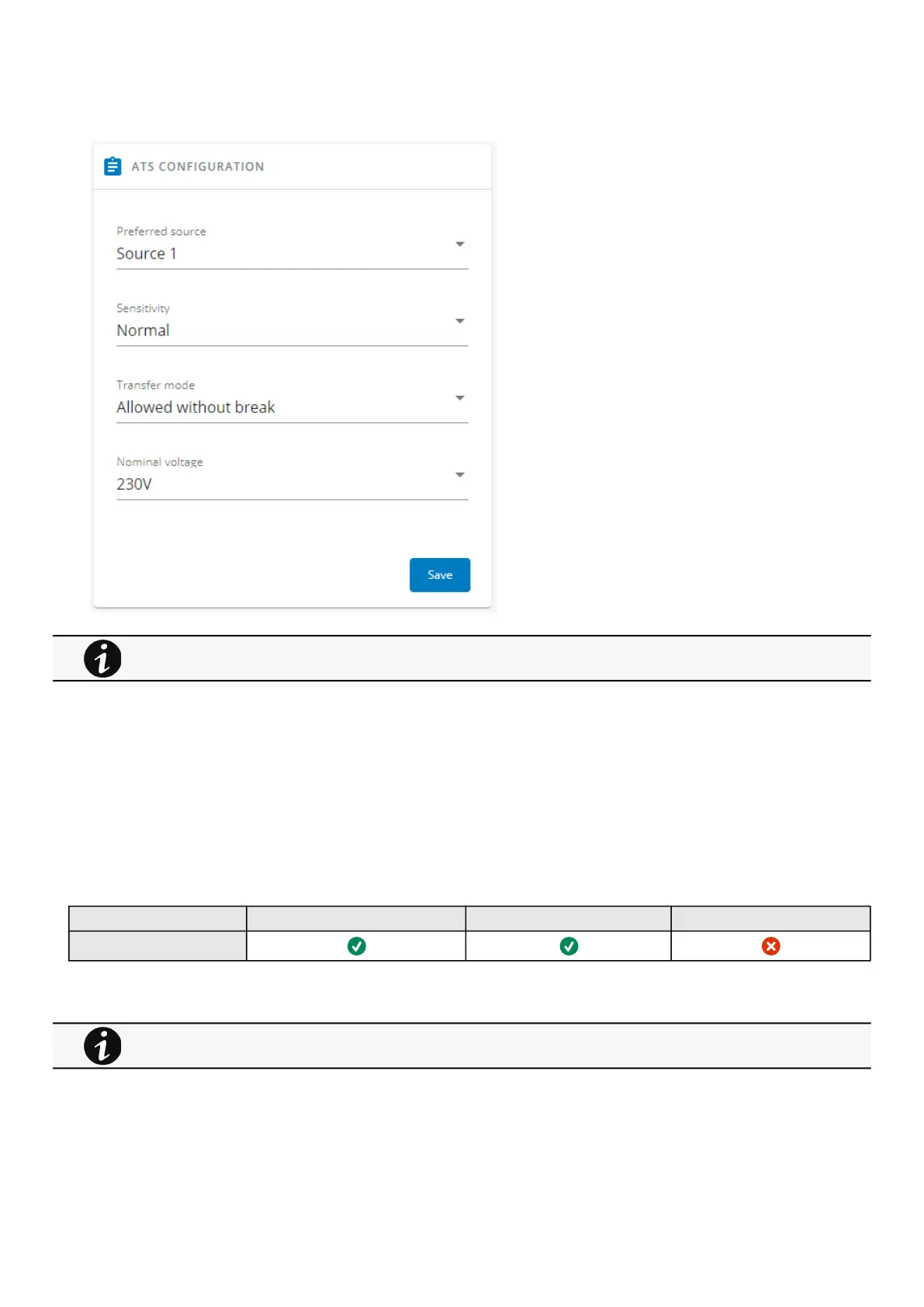
Prefered source – To setthe priority on Source 1 or Source 2 (Source 1 by default).
Sensitivity– To set the sensitivity mode for input mains detection (Normal sensitivity by default, Low sensitivity for
compatibility with distorted waveform).
Transfer mode– To set the transfer mode between sources (Standard by default with no additional break even if sources are
no synchronized, Gap with additional break during transfer if sources are not synchronized).
Nominal voltage– To set voltage thresholds.
3.7.8.1 Specifics
3.7.8.2 Access rights per profiles
Administrator Operator Viewer
ATS
3.7.8.2.1 For other access rights
3.8 Maintenance
This section is only for the ATS device and contains all its settings.
For other access rights, see the Information>>>Access rights per profiles section.



 To Next Page