Subscribing to a set of alarms for email notification
Servicing the Network Management Module – 178
•
•
•
•
•
•
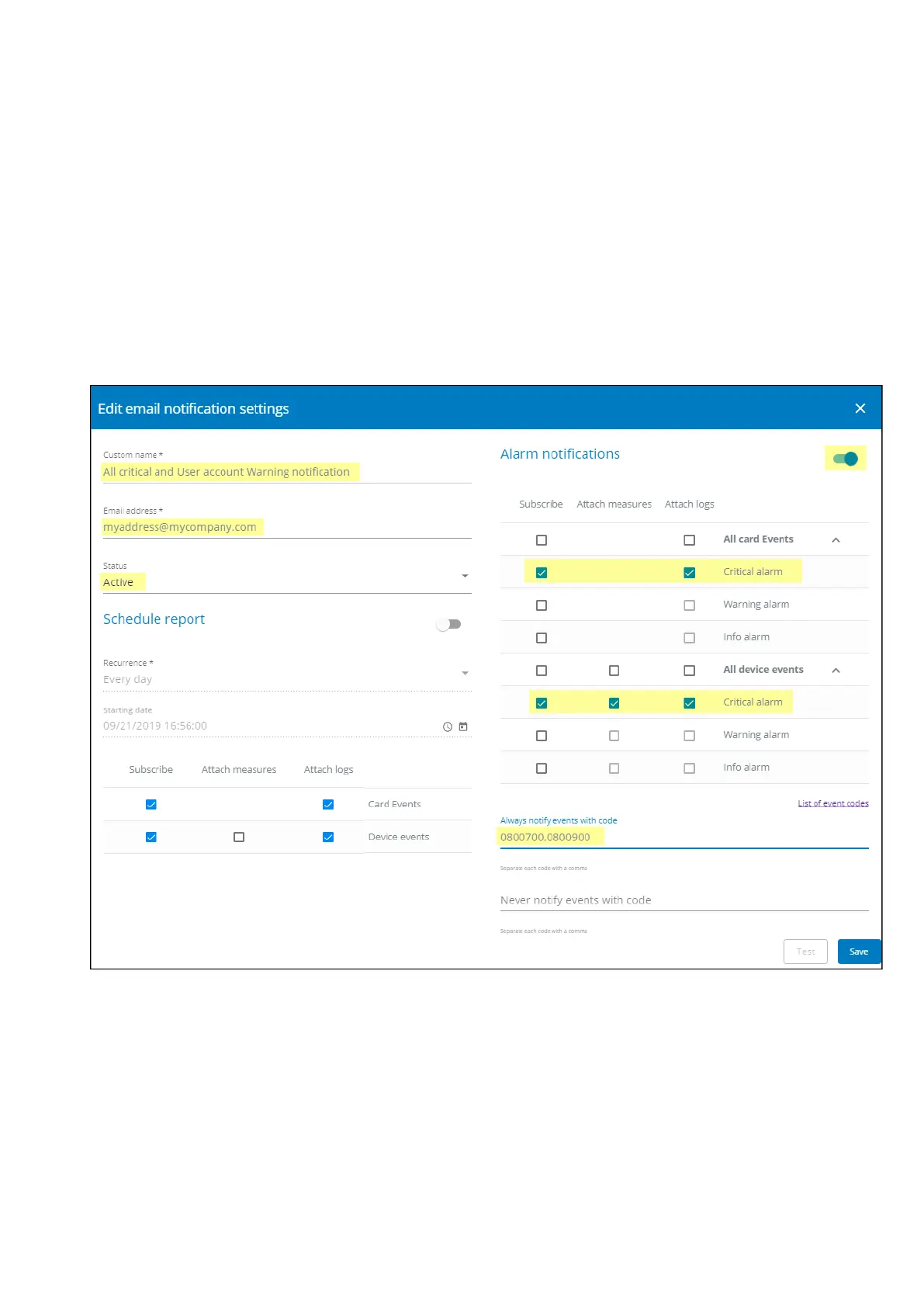
4.15.2 Example #2: subscribing to all Critical alarms and some specific
Warnings
Follow the steps below:
1.Navigate to Contextual help>>>Settings>>>General>>>Email notification settings.
2. Press the buttonNewto create a new configuration.
3. Select:
Active: Yes
Configuration name: ALL Critical and User account Warning notification
Email address: myaddress@mycompany.com
Notify on events: Active
Subscribe to Critical card events and Critical device events
Always notify events with code:0800700,0800900 (User account - password expired,User account- locked)
4. PressSave, the table will show the new configuration.



 To Next Page