Contextual help of the web interface – 61
3.5.3.2.2 Delete
Select a schedule shutdown and press the Delete
button to delete the scheduled shutdown.
3.5.3.2.3 Edit
Press the pen iconto editschedule shutdown and to access the settings:
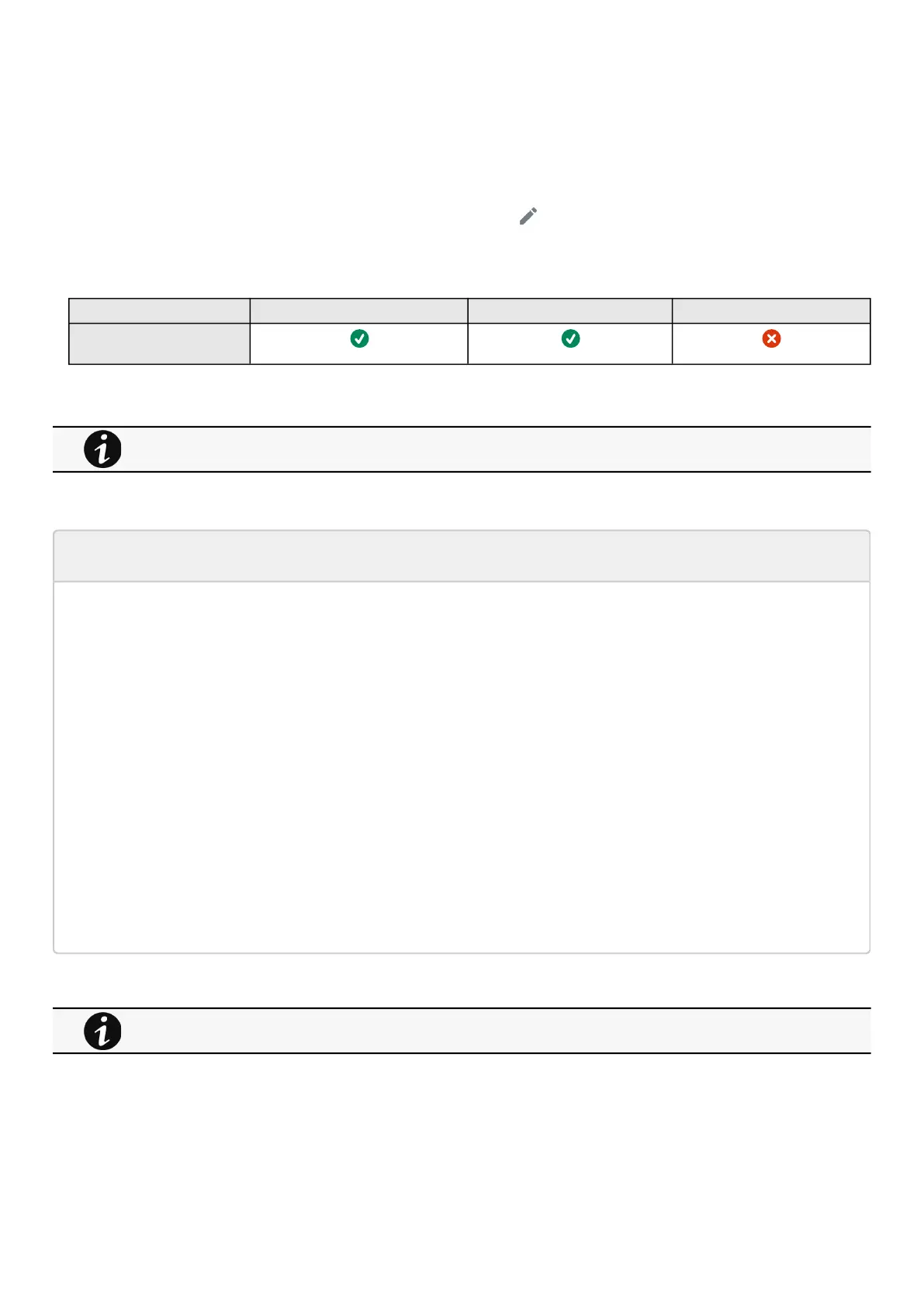
3.5.3.3 Access rights per profiles
Administrator Operator Viewer
Protection/Scheduled
shutdowns
3.5.3.3.1 For other access rights
3.5.3.4 Troubleshooting
Action not allowed in Control/Schedule/Power outage policy
Symptom
Below message is displayed when you access the Control, Schedule or Power outage policy page.
This action is not allowed by the UPS.
To enable it, please refer to the user manual of the UPS and its instructions on how to configure the UPS settings and allow
remote commands.
Possible Cause
1- Remote commands are not allowed due to the UPS configuration (see the action below)
2- The UPS does not support remote commands.
Action
Refer to the UPS user manual and its instruction on how to configure the UPS settings and allow remote commands.
Example: UPS menu Settings>>>ON/OFF settings>>>Remote command>>>Enable.
3.5.3.4.1 For other issues
3.5.4 Shutdown on power outage
These setting are in conjunction with the shutdown agents andcontrol how the network module directs the shutdown of protected
servers and appliances. It gives the possibility to prioritize and schedule shutdown actions so that the IT system is powered down
For other access rights, see the Information>>>Access rights per profiles section.
For details on other issues, see the Troubleshooting section.



 To Next Page