Servicing the EMP – 206
•
•
•
•
•
6.3.3 Cabling the first EMP to the device
6.3.3.1 Available Devices
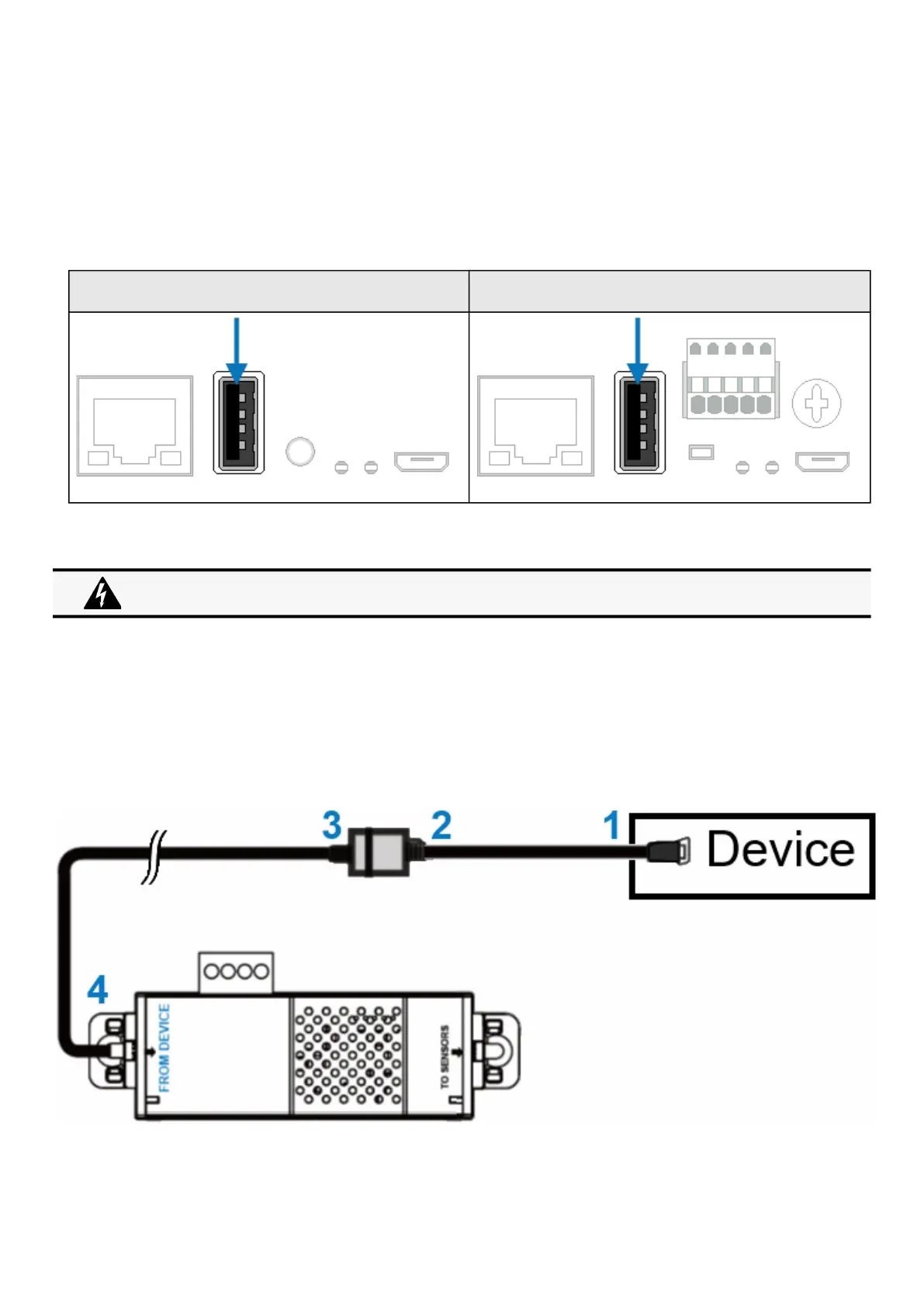
6.3.3.1.1 Network-M2/INDGW
Network-M2 INDGW
6.3.3.2 Connecting the EMP to the device
6.3.3.2.1 Material needed:
EMP
RJ45 female/female connector (supplied in EMP accessories)
USB to RS485 converter cable(supplied in EMP accessories)
Ethernet cable (not supplied).
Device
6.3.3.2.2 Connection steps
STEP 1 – Connect the "USB to RS485 converter cable" to the USB port of the Device.
Address must be defined before the EMP power-up otherwise the changes won't be taken into account.
Do not set Modbus address to 0,otherwise the EMP will not be detected.



 To Next Page