Accessing the Network Module
Installing the Network Management Module – 16
2.4.3.2 Web interface access through RNDIS
2.4.3.2.1 Configuring the RNDIS
a Automatic configuration
b Manual configuration
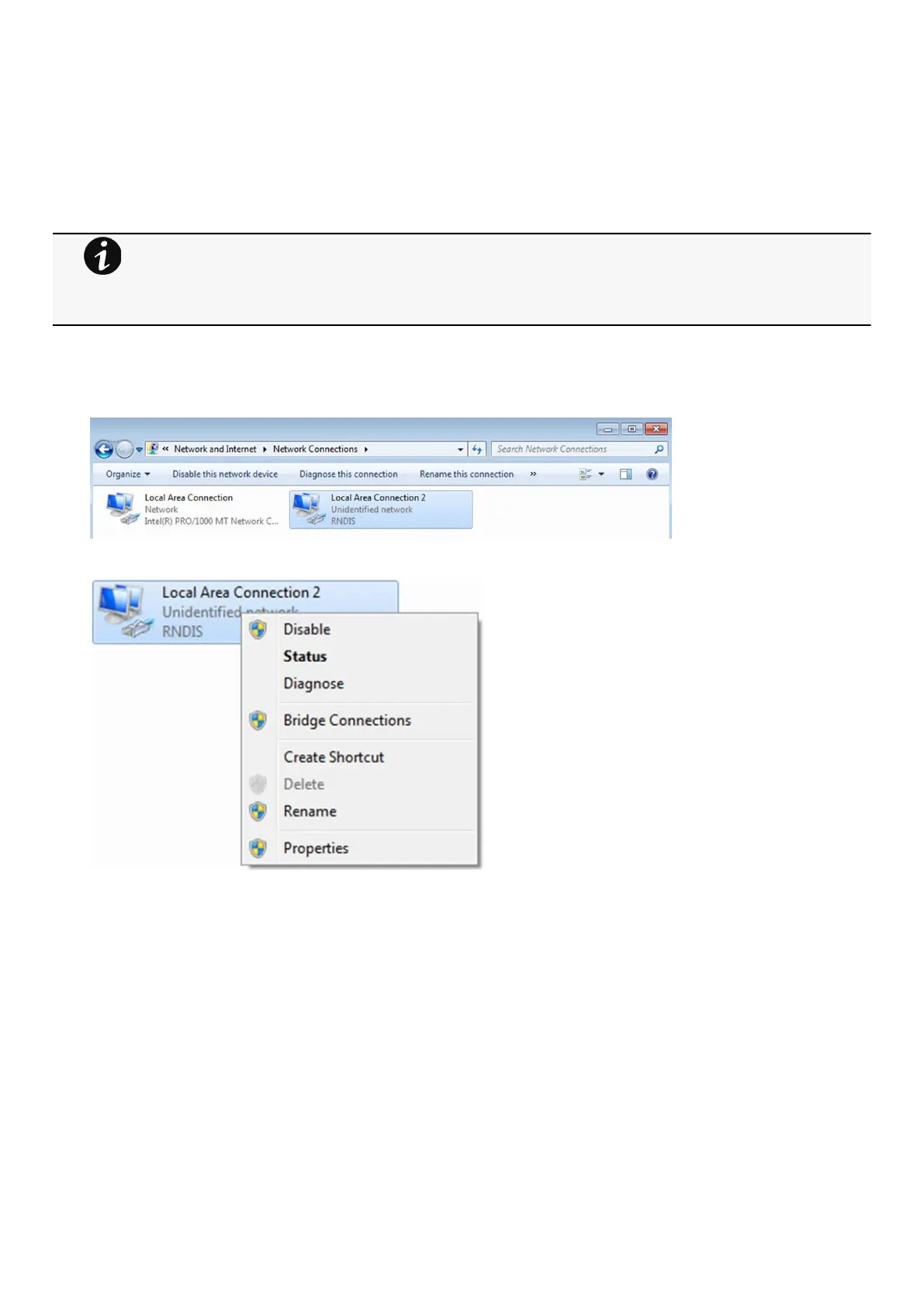
STEP 1 –In case Windows® OS fails to find driver automatically, go to theWindows control panel>Network and sharing
center>Local area connection
STEP 2 –Right click on the RNDIS local area connection and select Properties.
STEP 3 –Select Internet Protocol Version 4 (TCP/IPv4)” and press the Properties button
RNDIS driver is used to emulate a network connection from USB.
After the card is connected to the PC, Windows® OS will automatically search for the RNDIS driver.
On some computers, the OS can find the RNDIS driver then configuration is completed, and you can go to
Accessing the web interface.
On some others it may fail then proceed to manual configuration.



 To Next Page