Edimax Pro NMS
126
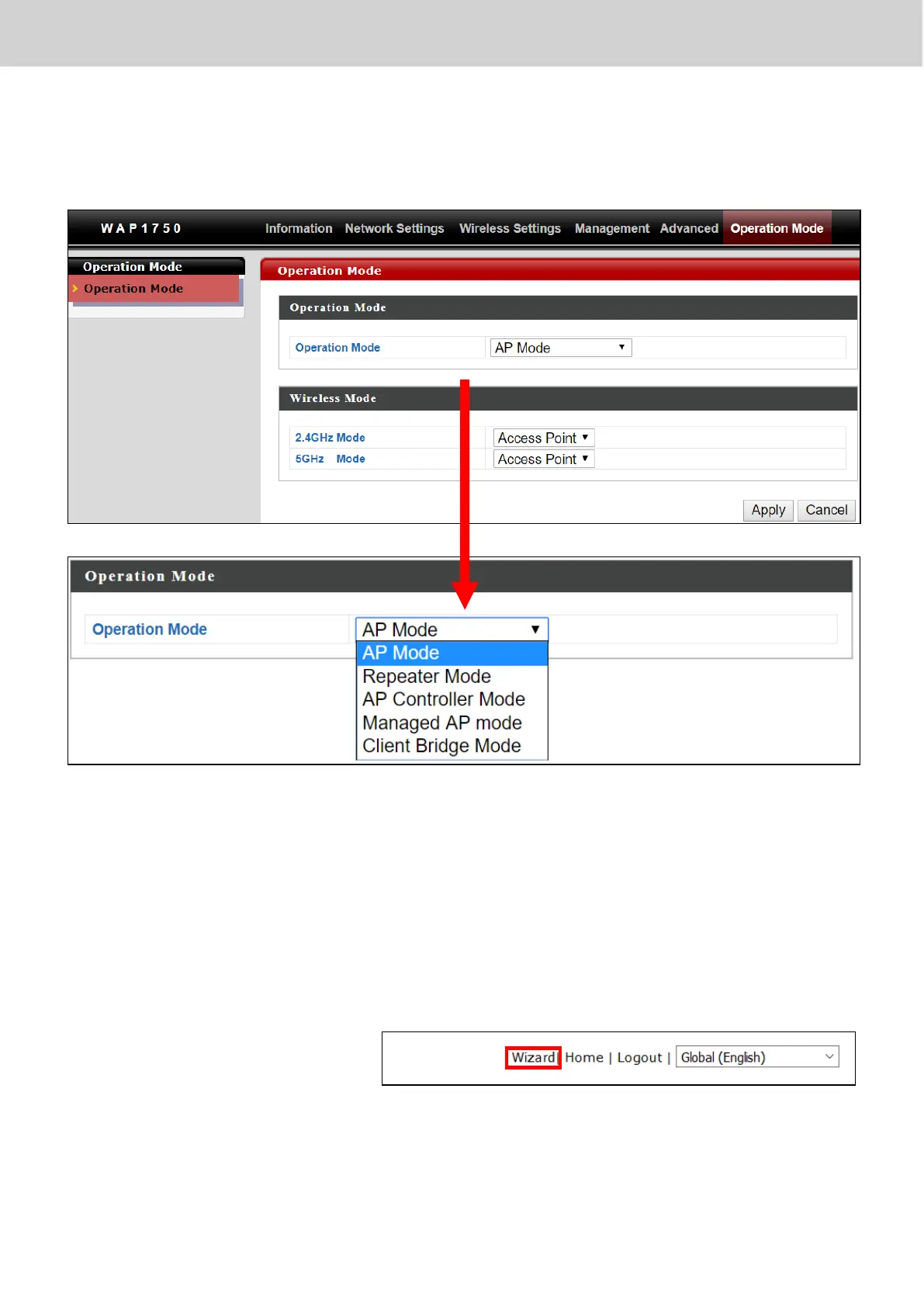
8. By default, the device is in AP Mode.
9. Go to “Operation Mode” to select AP Controller Mode.
10. Once selected, press “Apply” to apply the settings.
Wait for the device to reboot.
11. Edimax Pro NMS includes a wizard to quickly setup the SSID & security
for Managed APs. Go back to the web user interface, locate and click
“Wizard” in the top right corner to begin the wizard.



 To Next Page