AP, Managed AP, Repeater & Client Bridge Modes
75
VI-3-4-1 Basic
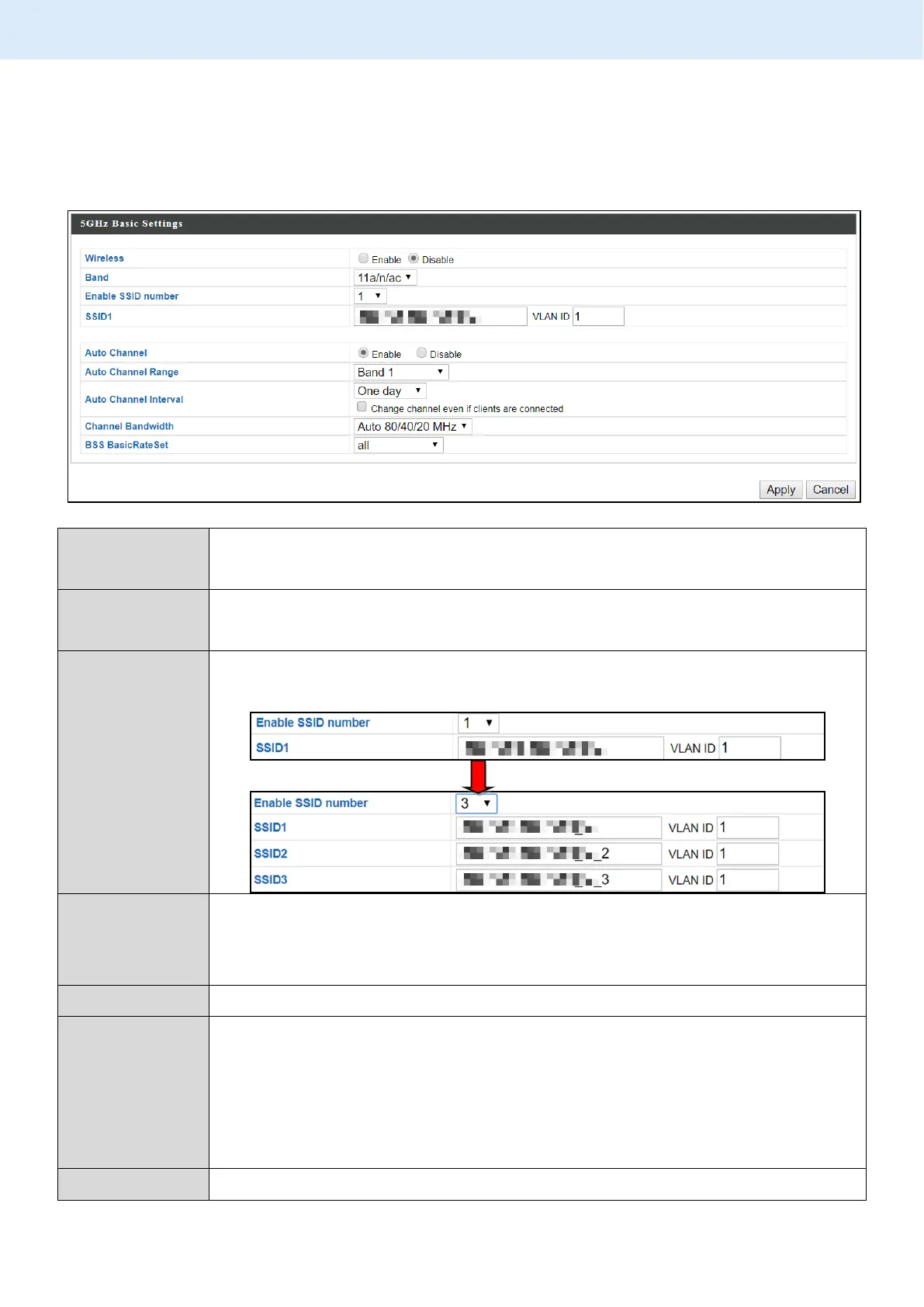
The “Basic” screen displays basic settings for your access point’s 5GHz Wi-Fi
network (s).
Enable or disable the access point’s 5GHz wireless radio. When
disabled, no 5GHz SSIDs will be active.
Wireless standard used for the access point.
Combinations of 802.11a, 802.11n & 802.11ac can be selected.
Select how many SSIDs to enable for the 2.4GHz frequency
from the drop down menu. A maximum of 16 can be enabled.
Enter the SSID name for the specified SSID (up to 16). The SSID
can consist of any combination of up to 32 alphanumeric
characters.
Specify a VLAN ID for each SSID.
Enable/disable auto channel selection. Auto channel selection
will automatically set the wireless channel for the access
point’s 5GHz frequency based on availability and potential
interference. When disabled, configurable fields will change as
shown below:
Select a range to which auto channel selection can choose



 To Next Page