Edimax Pro NMS
153
X-4 NMS Monitor
X-4-1 Access Point
X-4-1-1 Managed AP
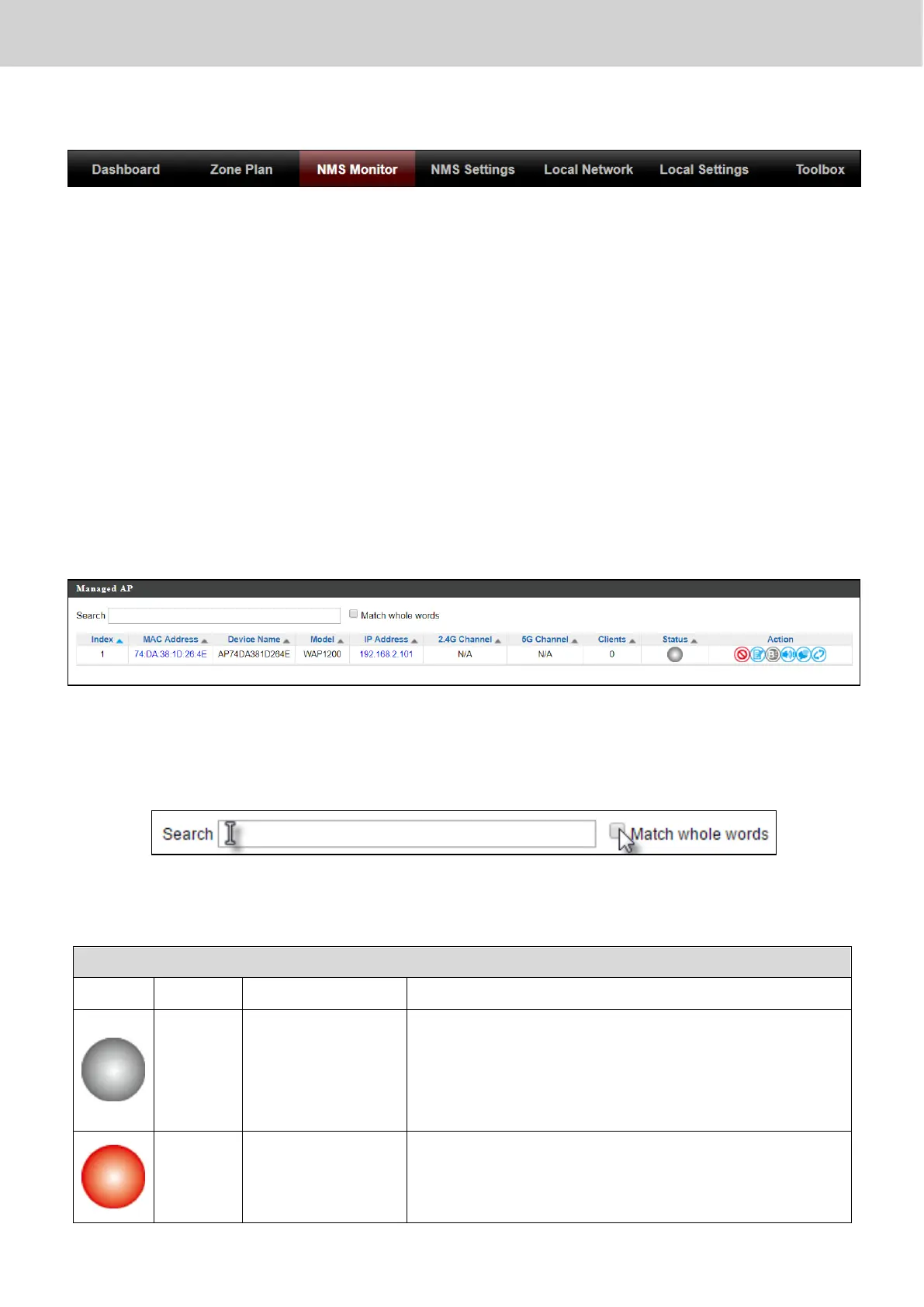
Displays information about each Managed AP in the local network: Index
(reference number), MAC Address, Device Name, Model, IP Address, 2.4GHz &
5GHz Wireless Channel Number, No. of Clients connected to each access point,
and Status (connected, connecting or disconnected).
The search function can be used to locate a specific Managed AP. Type in the
search box and the list will update:
The Status icon displays the status of each Managed AP.
Managed AP is disconnected. Please check
the network connection and ensure the
Managed AP is in the same IP subnet as the
AP Controller.
System security must be the same for all
access points in the AP array. Please check
security settings (refer to X-5-13-1 System



 To Next Page