Edimax Pro NMS
137
X NMS Features
Descriptions of the functions of each main panel can be found below. When
using Edimax NMS, click “Apply” to save changes:
X-1 Login, Logout & Restart
It is recommended that you login to the AP Controller to make
configurations to Managed APs.
Login
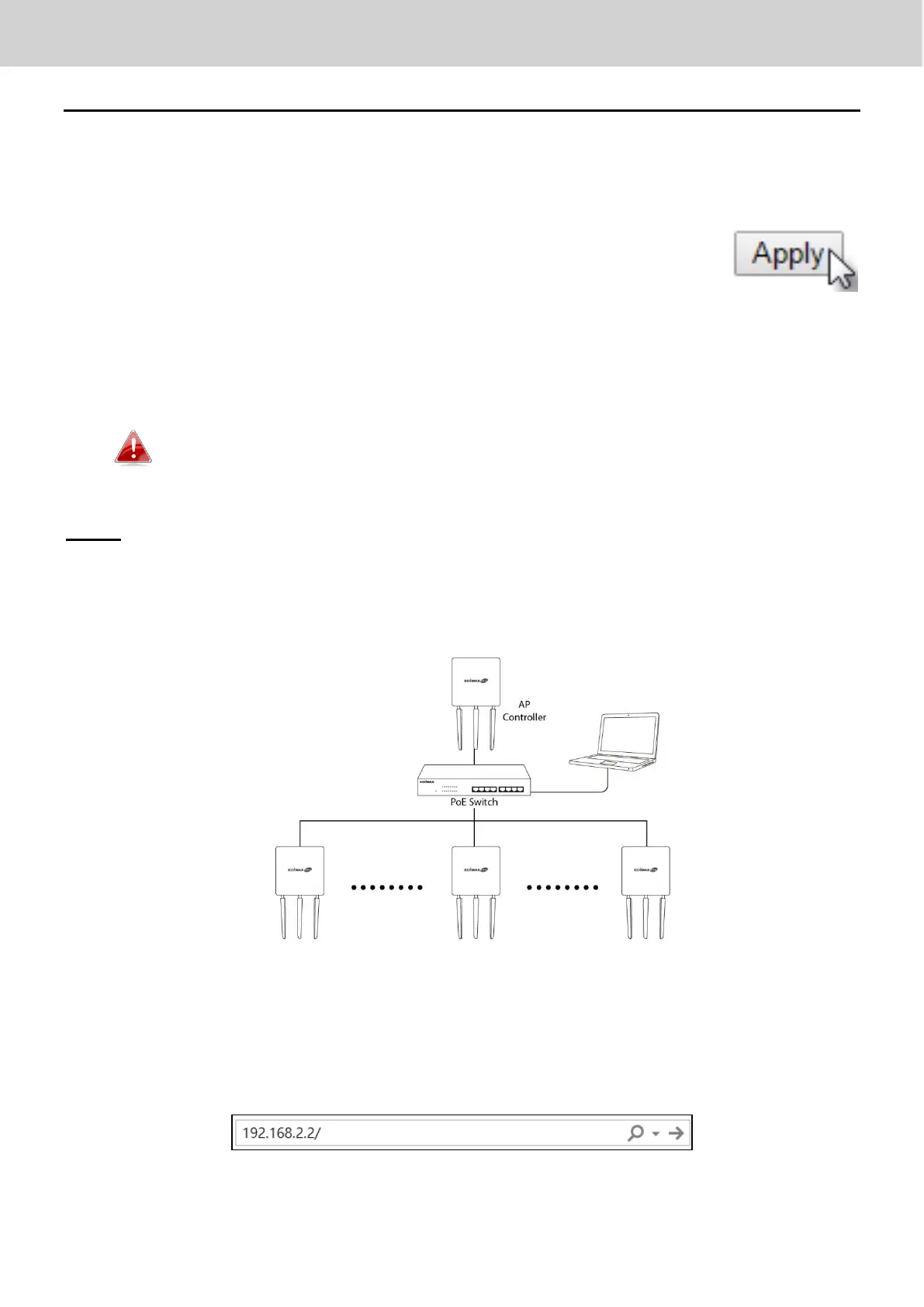
1. Connect a computer to the designated AP Controller using an Ethernet
cable:
2. Open a web browser and enter the AP Controller’s IP address in the
address field. The default IP address is 192.168.2.2



 To Next Page