Edimax Pro NMS
287
X-7-3-2 Date and Time
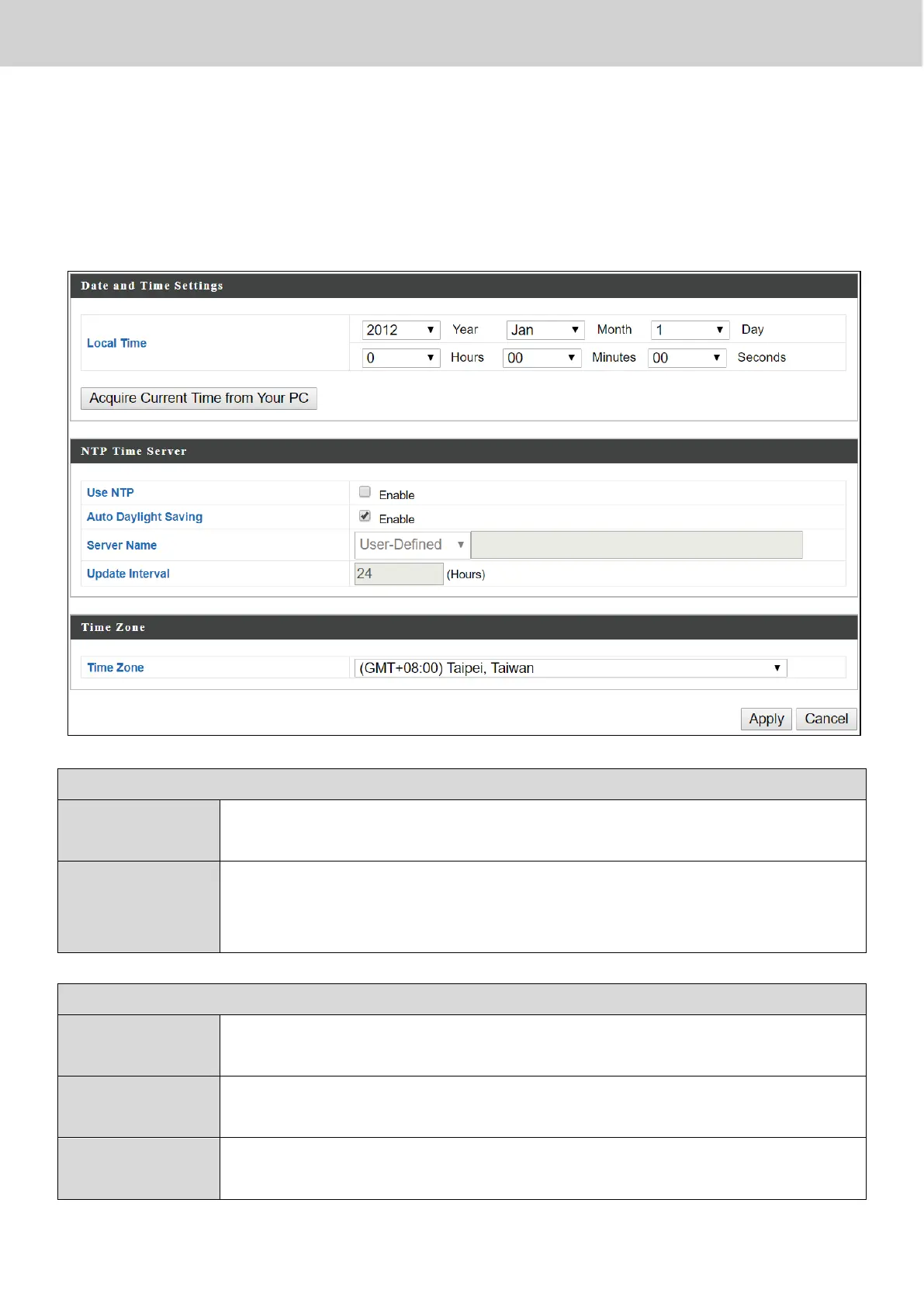
Configure the date and time settings of the access point here. The date and
time of the device can be configured manually or can be synchronized with a
time server.
Set the access point’s date and time manually using the drop
down menus.
Acquire
Current Time
from your PC
Click “Acquire Current Time from Your PC” to enter the
required values automatically according to your computer’s
current time and date.
The access point also supports NTP (Network Time Protocol)
for automatic time and date setup.
Enter the host name or IP address of the time server if you
wish.
Specify a frequency (in hours) for the access point to
update/synchronize with the NTP server.



 To Next Page