Edimax Pro NMS
290
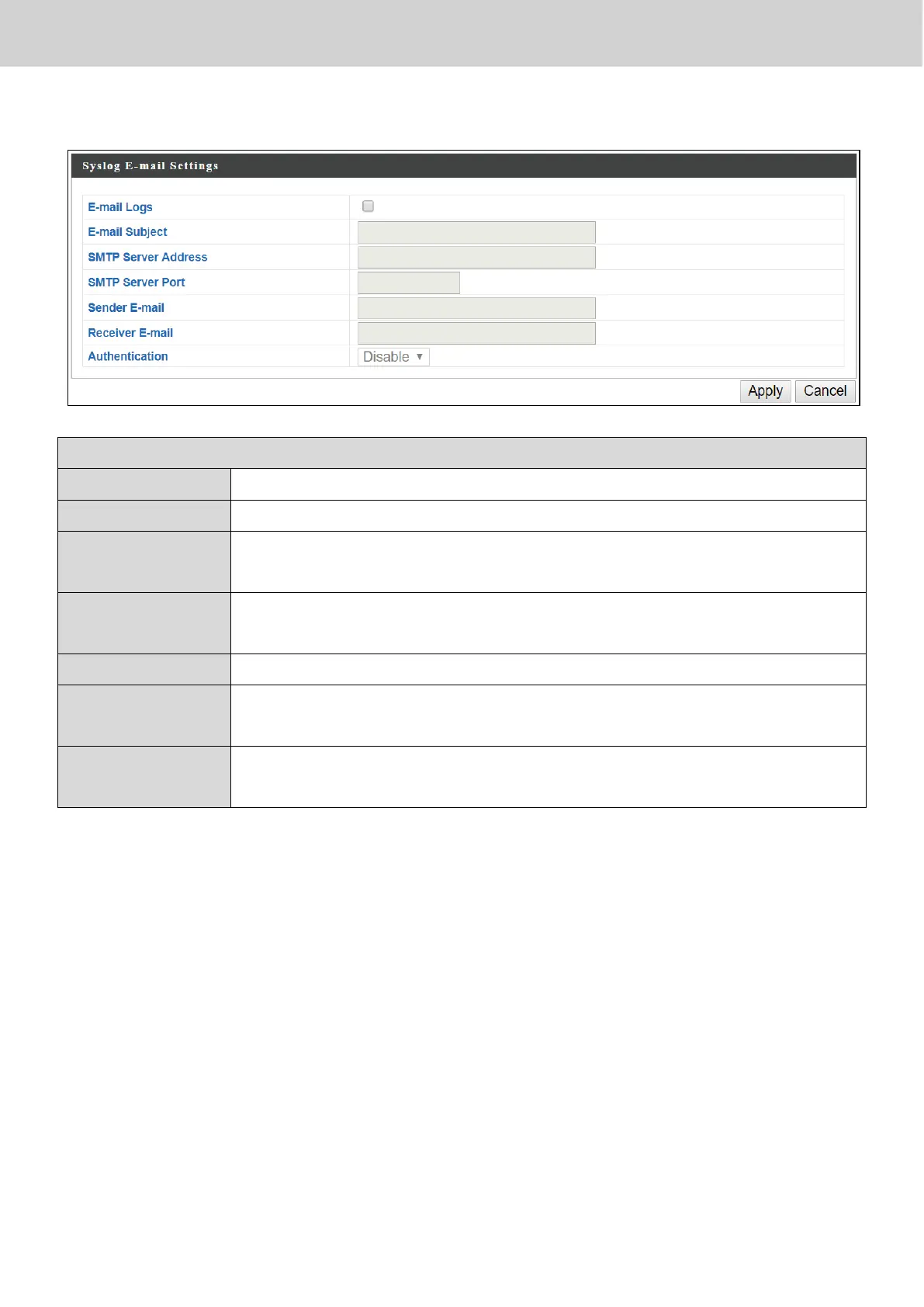
X-7-3-4 Syslog E-mail Settings
Check the box to enable/disable e-mail logs.
Specify the subject line of log emails.
Specify the SMTP server address used to send log emails.
Specify the SMTP server port used to send log emails.
Specify the sender email address.
Specify the email to receive log emails.
Disable or select authentication type: SSL or TLS. When using
SSL or TLS, enter the username and password.
Press “Apply” to apply the configuration, or “Cancel” to forfeit the changes.



 To Next Page