20
III Quick Setup & Mode Selection
The device can function as a standalone access point (AP Mode), as a repeater
(Repeater Mode), as an AP controller (AP Controller Mode), as part of an AP
array (Managed AP Mode), or as a client bridge (Client Bridge Mode).
Follow the quick setup below before selecting the desired operation mode.
For AP Controller Mode, please refer to VIII Quick Setup - NMS.
III-1 Default Mode: Access Point Mode
1. Set your computer’s IP address to 192.168.2.x where x is a number in
the range 3 – 100. If you are unsure how to do this, please refer XI-1.
Please ensure there are no other active network connections on your
computer by disabling Wi-Fi and other Ethernet connections.
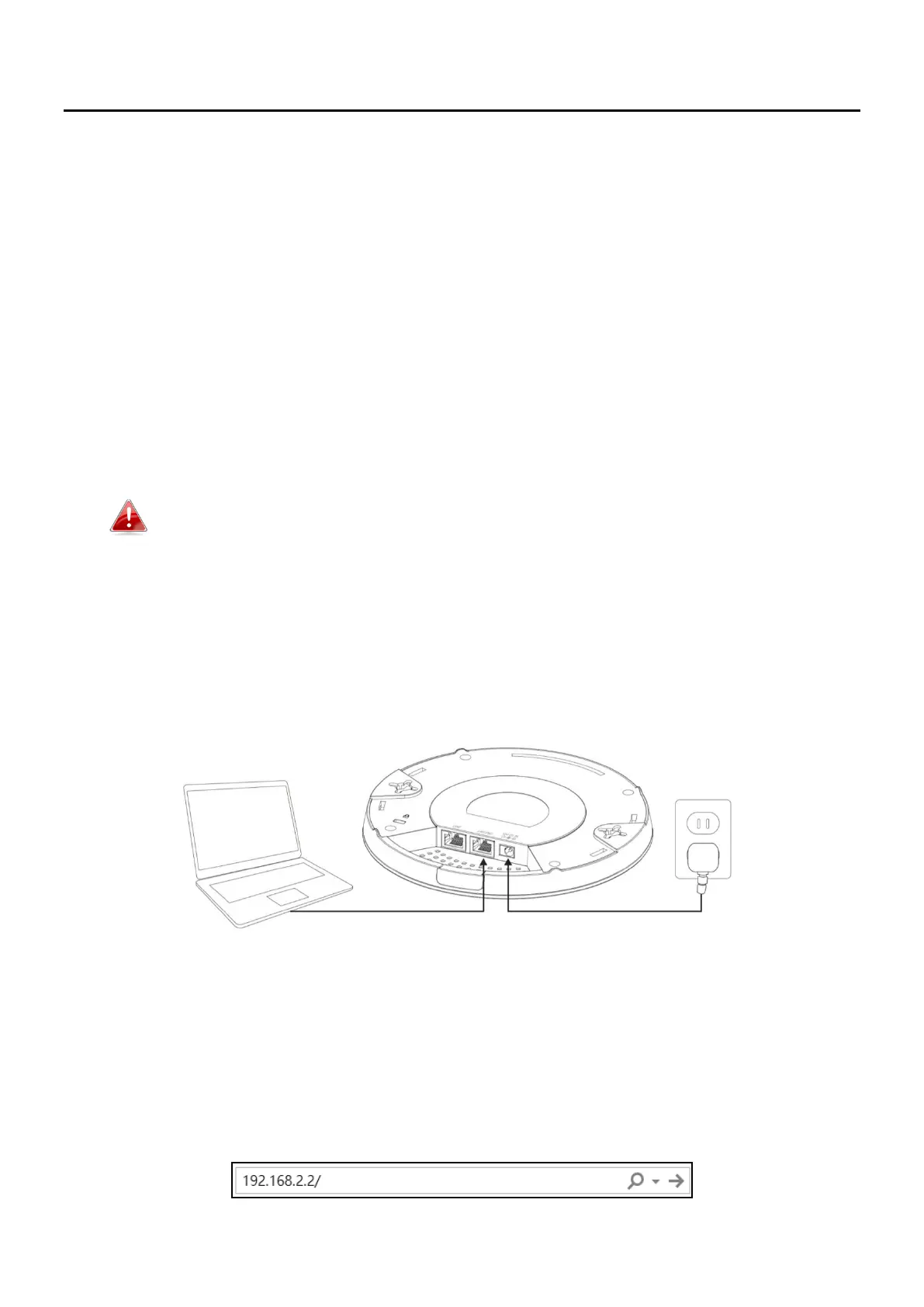
2. Connect the device to a computer via Ethernet cable.
3. Connect the power adapter to the device’s 12V DC port and plug the
power adapter into a power supply.
4. Please wait a moment for the device to start up. The device is ready
when the LED is blue.
5. Enter the device’s default IP address 192.168.2.2 into the URL bar of a
web browser.



 To Next Page