Edimax Pro NMS
209
X-5-7 Guest Portal
A guest portal is a web page which is displayed to newly connected users
before they are granted broader access to network resources.
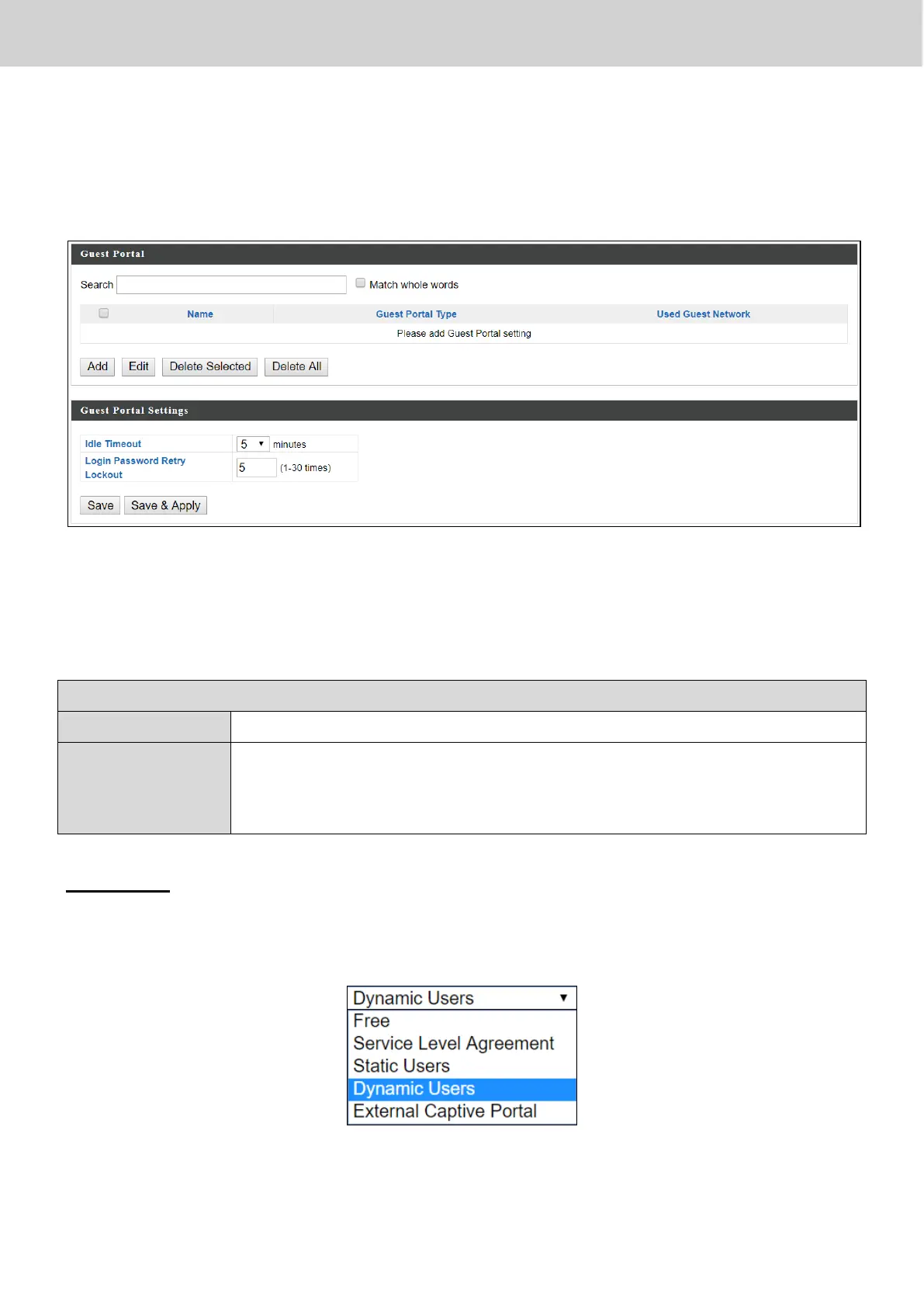
Check the checkbox of the portal(s) you wish to delete and press “Delete
Selected” to delete (multiple selections possible).
Press “Delete All” to delete all portals.
Select an idle timeout time from the drop down menu.
Login
Password
Retry Lockout
Enter a number (between 1 and 30) for the number of login
password retry. If login password has been entered
incorrectly for the number entered here, it will be locked.
Add / Edit
Enter the fields according to the selected “Guest Portal Type” below:
Press “Save & Apply” to save the above actions, or “Cancel” to forfeit the
changes.



 To Next Page