AP, Managed AP, Repeater & Client Bridge Modes
49
VI-2 Network Settings
VI-2-1 LAN-Side IP Address
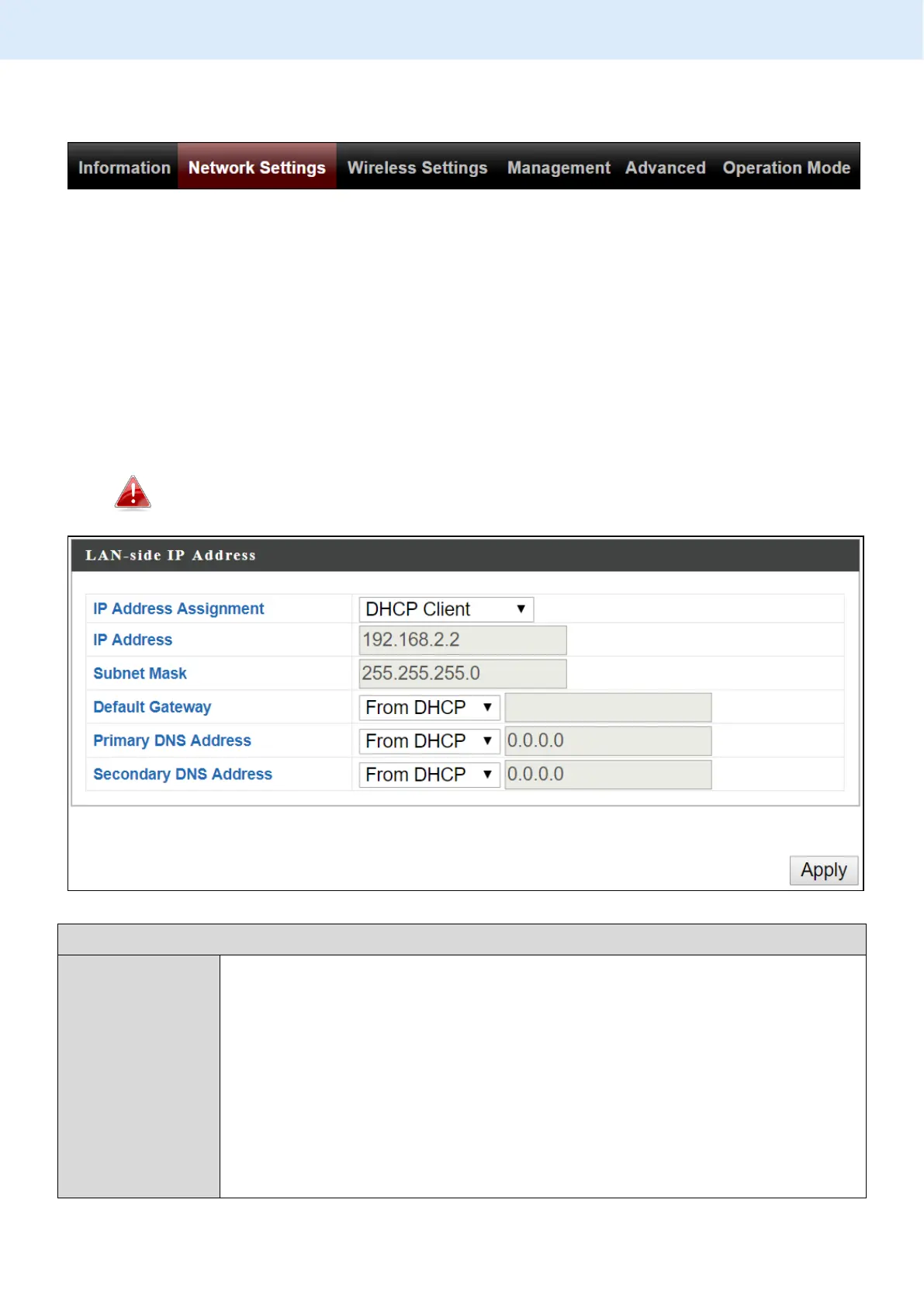
“LAN-side IP address” page allows you to configure your access point on your
Local Area Network (LAN). You can enable the access point to dynamically
receive an IP address from your router’s DHCP server or you can specify a
static IP address for your access point, as well as configure DNS servers.
The access point’s default IP address is 192.168.2.2.
Select “DHCP Client” for your access point to be assigned a
dynamic IP address from your router’s DHCP server.
Select “Static IP” to manually specify a static/fixed IP address
for your access point (below).
Select “DHCP Server” for your access point to assign a
dynamic IP address to your PC. You will have to set a Primary
DNS address and a Secondary DNS address. For example,
Google’s Primary DNS address is 8.8.4.4 and Secondary DNS



 To Next Page