Edimax Pro NMS
207
X-5-6 Users
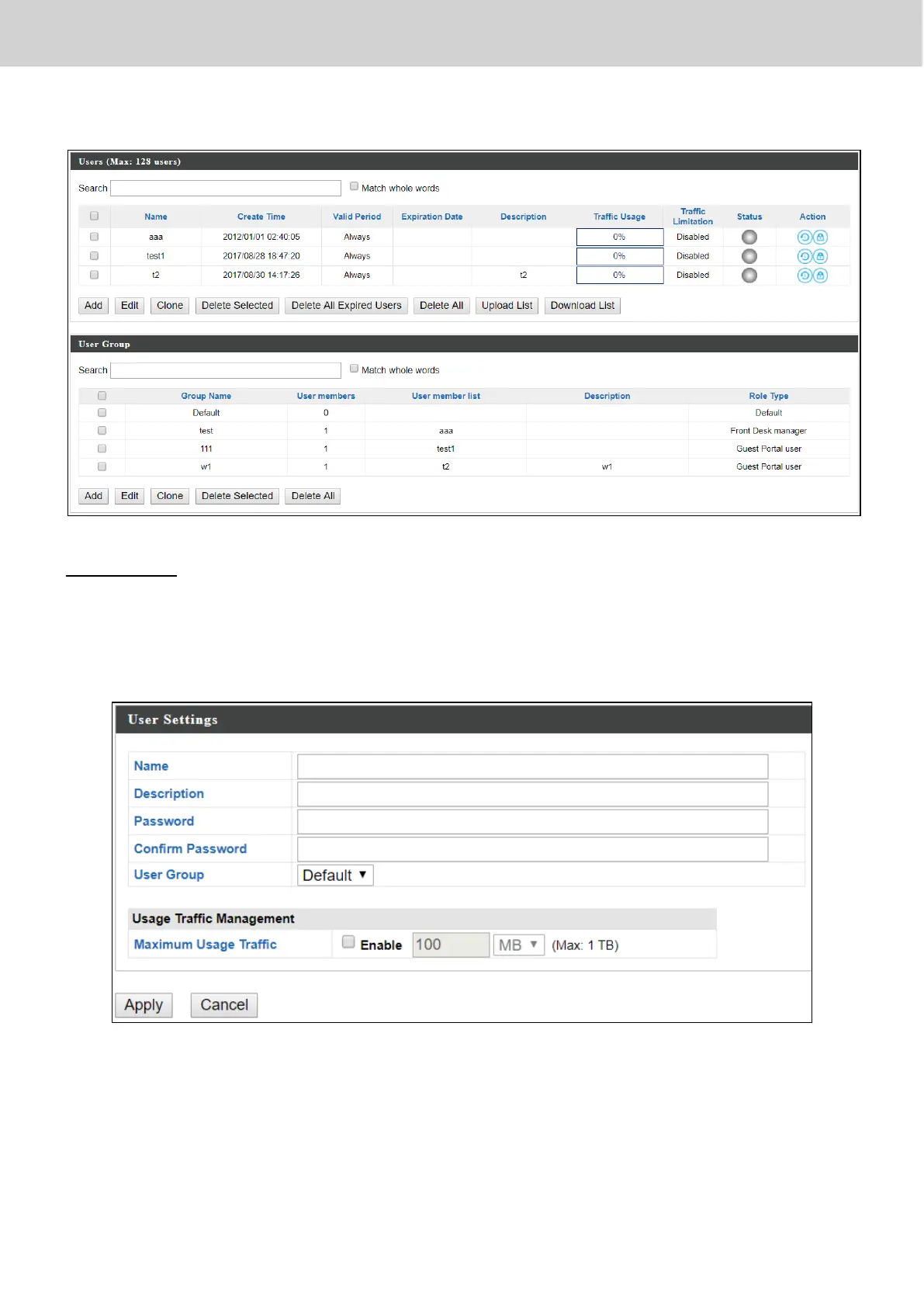
User Panel
Press “Add” to add a new user, or “Edit” to edit an existing user, or “Clone” to
clone an existing user’s settings. For the 3 options specified above, enter the
fields below:
Press “Save” to save the above actions, or “Cancel” to forfeit the changes.
Check the checkbox of the user(s) you wish to delete and press “Delete
Selected” to delete (multiple selections possible).
Press “Delete All Expired Users” to delete the expired users.
Press “Delete All” to delete all users.



 To Next Page