373
XII-1-3 Assign Access Point Group to use the SSID group settings
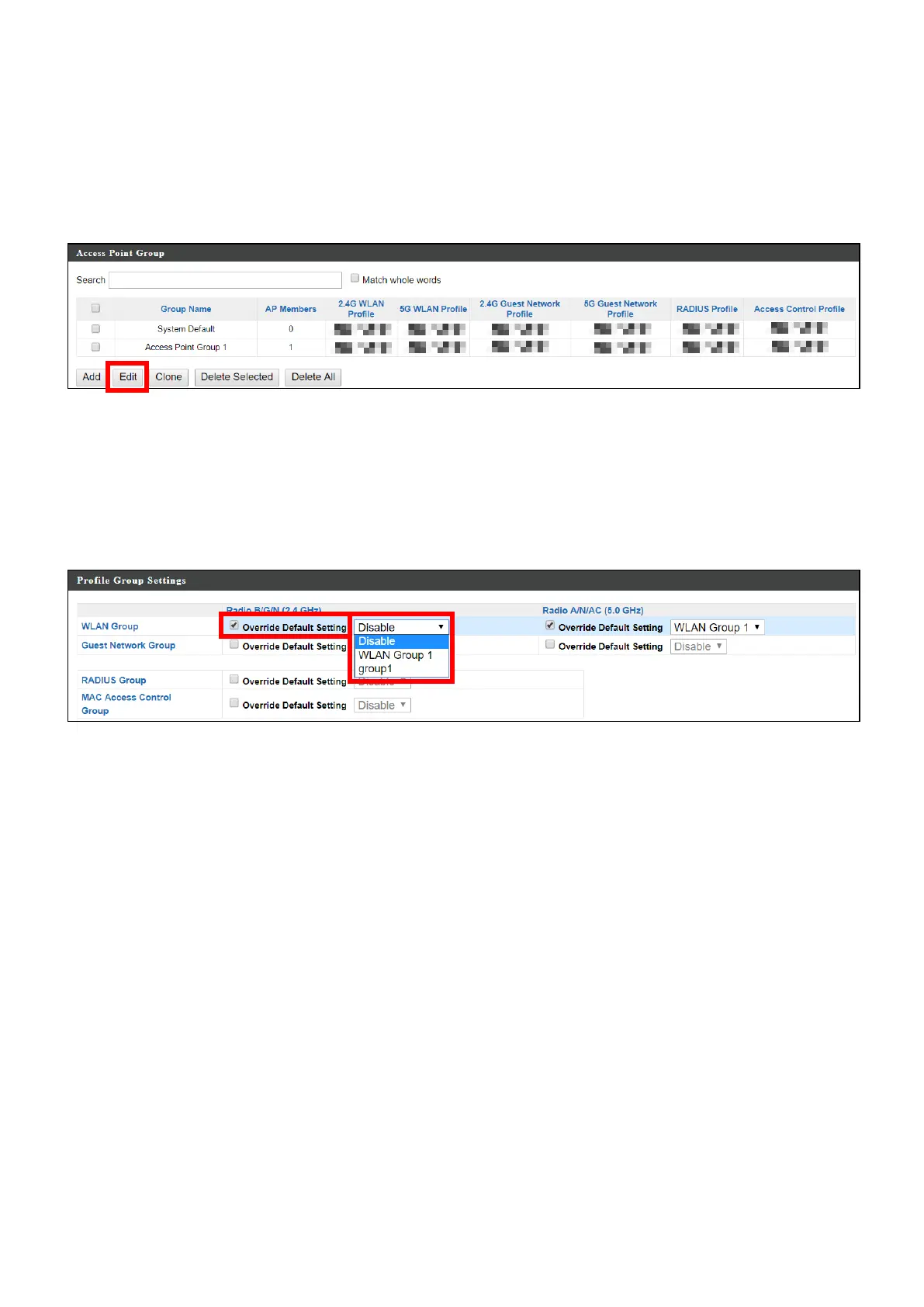
1. Go to NMS Settings Access Point and select an access point group
using the checkboxes in the Access Point Group panel. Click “Edit”:
2. Scroll down to the Profile Group Settings panel and check the
“Override Group Settings” box for WLAN Group (2.4GHz and/or 5GHz).
Select your WLAN group from the drop-down menu and click “Apply”:
3. Repeat for other access point groups according to your preference.



 To Next Page