AP, Managed AP, Repeater & Client Bridge Modes
71
VI-3-3-4 WDS
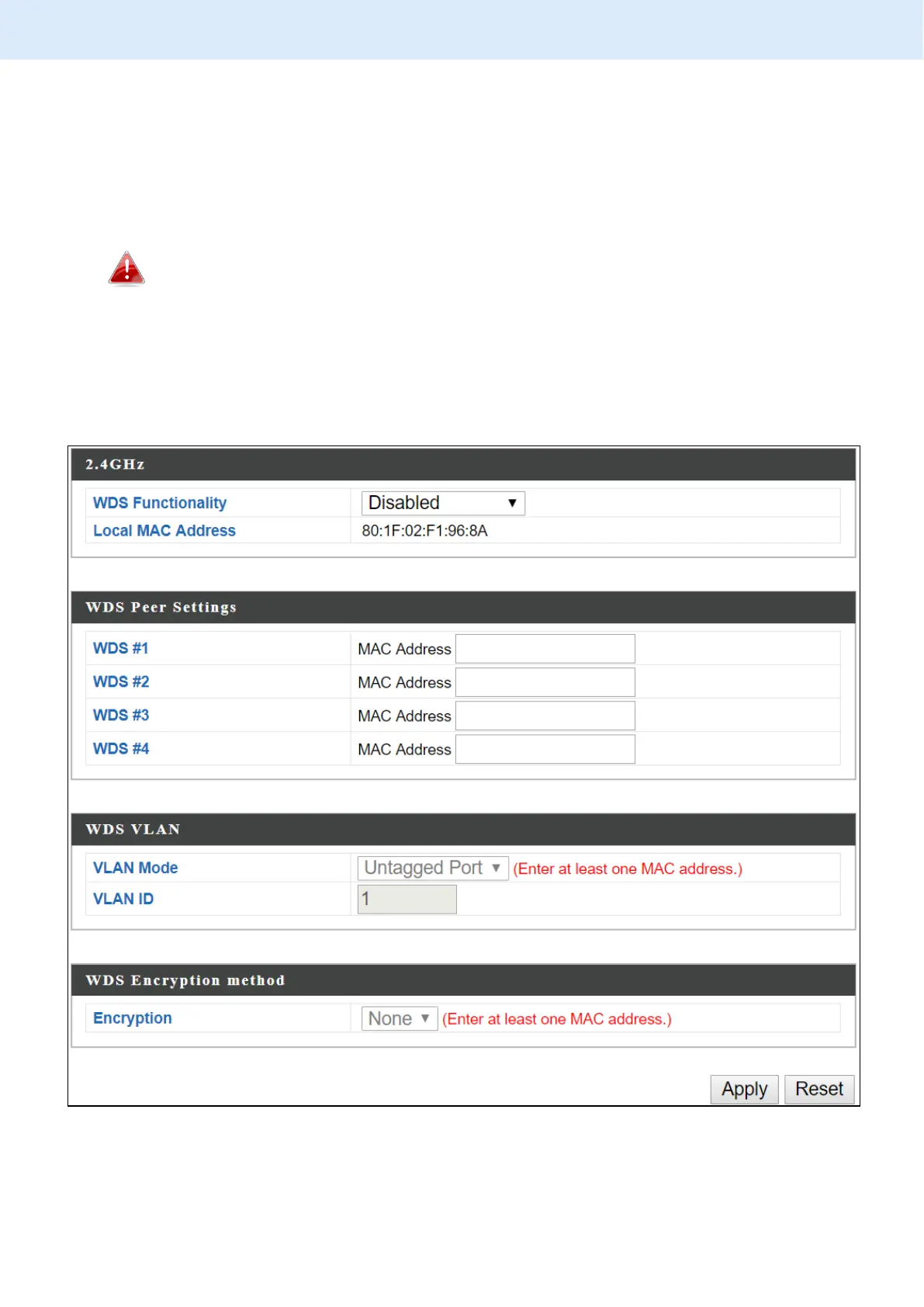
Wireless Distribution System (WDS) can bridge/repeat access points together
in an extended network. WDS settings can be configured as shown below.
When using WDS, configure the IP address of each access point to be in
the same subnet and ensure there is only one active DHCP server among
connected access points, preferably on the WAN side.
WDS must be configured on each access point, using correct MAC addresses.
All access points should use the same wireless channel and encryption
method.



 To Next Page