AP, Managed AP, Repeater & Client Bridge Modes
70
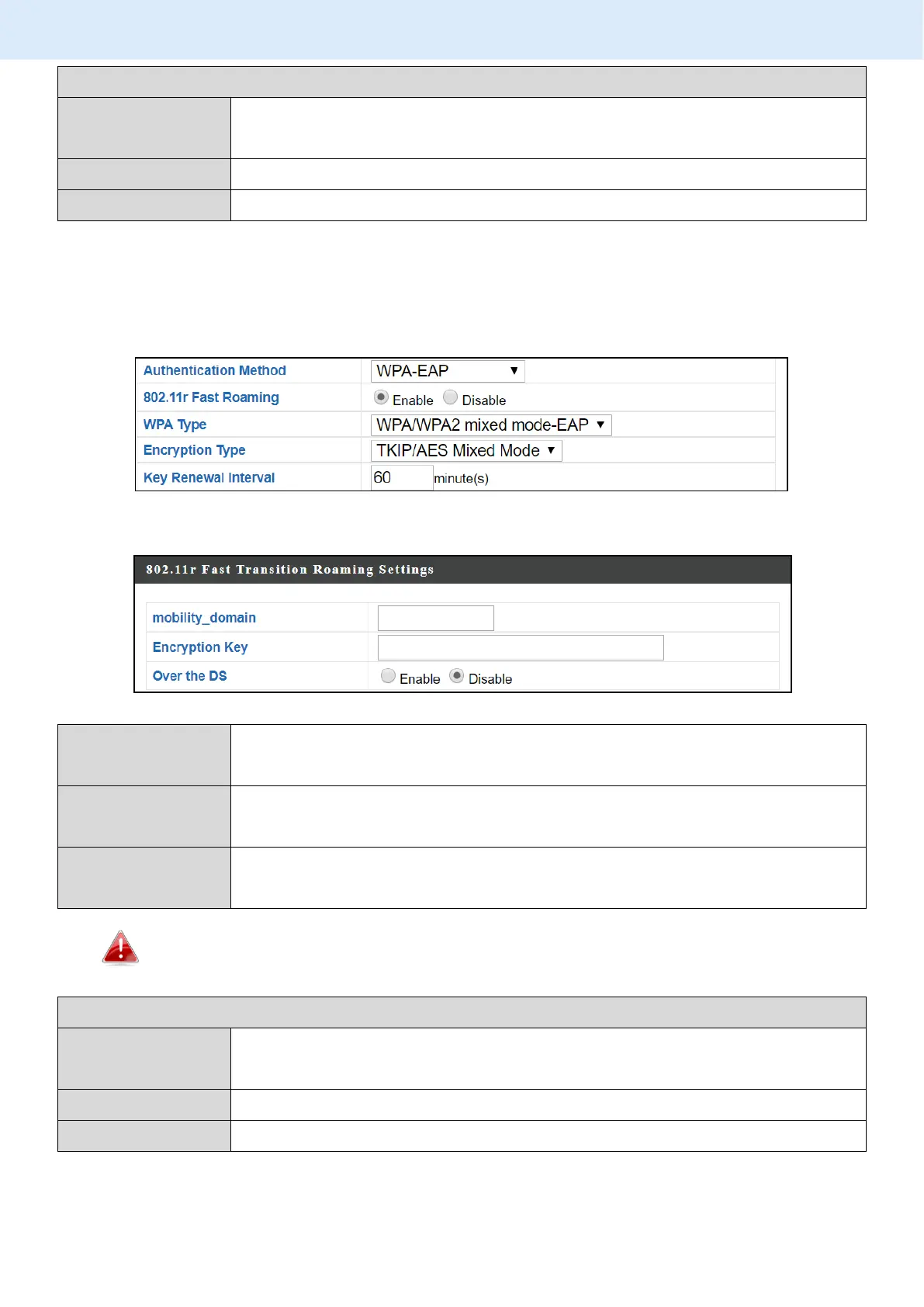
802.11r Fast Transition Roaming Settings
Specify the mobility domain (2.4GHz or 5GHz)
Specify the encryption key
Enable or disable this function.
VI-3-3-3-5 WPA-EAP
Fast Roaming Settings will also be shown:
Select from WPA/WPA2 Mixed Mode-EAP, WPA2-EAP or
WPA-EAP.
Select “TKIP/AES Mixed Mode” or “AES” encryption type.
Specify a frequency for key renewal in minutes.
WPA-EAP must be disabled to use MAC-RADIUS authentication.
802.11r Fast Transition Roaming Settings
Specify the mobility domain (2.4GHz or 5GHz)
Specify the encryption key
Enable or disable this function.
Press “Apply” to apply the configuration, or “Cancel” to forfeit the changes.



 To Next Page