Edimax Pro NMS
201
X-5-4-2 Add/Edit/Clone MAC Access Control Group
When you add an Access Control Group, it will be available for selection in
NMS Settings Access Point access point Profile Settings & access point
group Profile Group Settings (X-5-1).
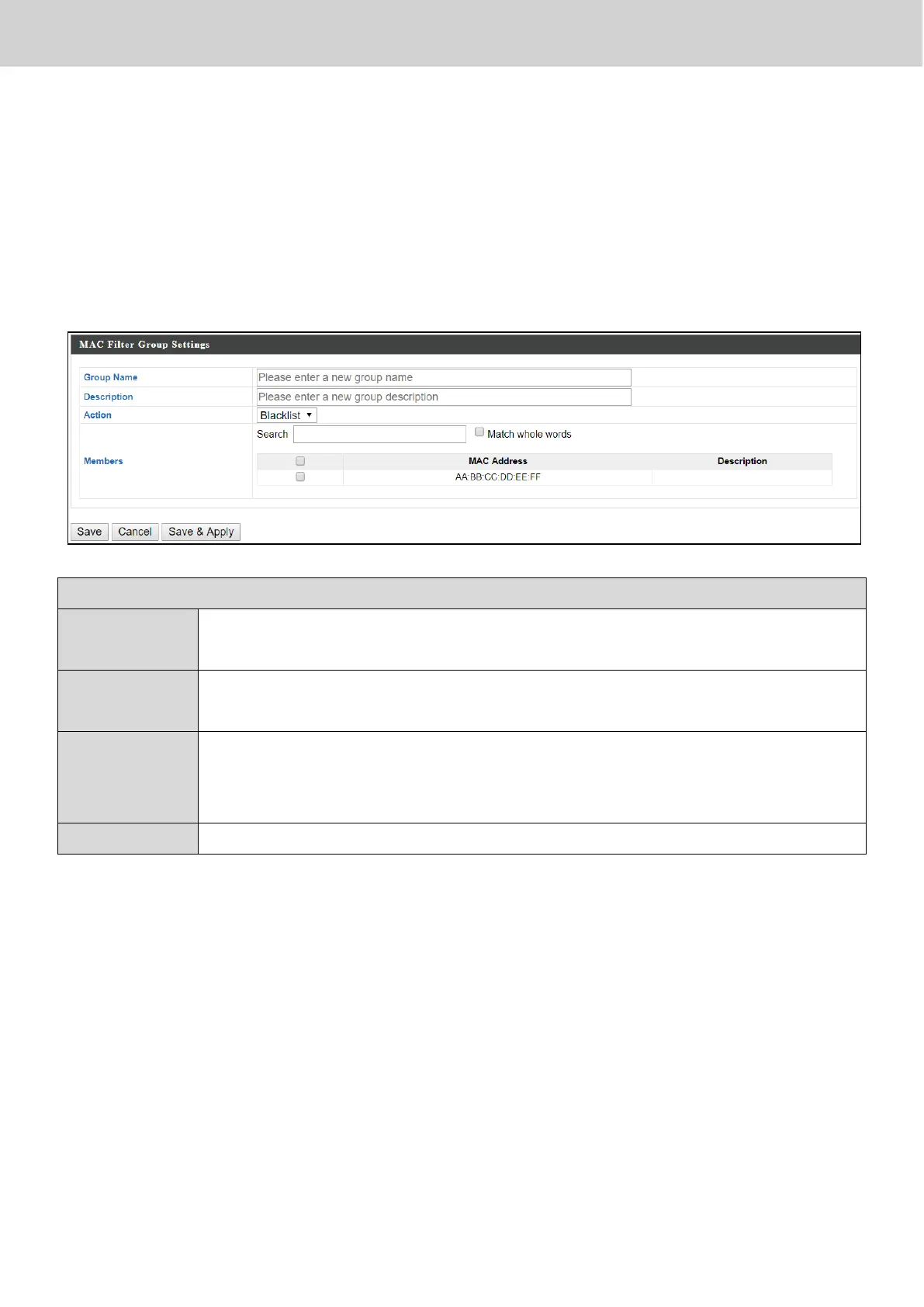
Click “Add” to enter the page shown below:
MAC Filter Group Settings
Edit the MAC Access Control Group name.
Enter a description of the MAC Access Control Group for
reference.
Select “Blacklist” to deny access to specified MAC addresses in
the group, and select “Whitelist” to permit access to specified
MAC address in the group.
Check the checkbox to add MAC addresses to the group.
Press “Save” to save the above actions, “Cancel” to forfeit the changes, or
“Save & Apply” to save and apply the above actions.



 To Next Page