AP, Managed AP, Repeater & Client Bridge Modes
76
Select a time interval for how often the auto channel setting
will check/reassign the wireless channel.
Check/uncheck the “Change channel even if clients are
connected” box according to your preference.
Select the channel bandwidth:
20MHz (lower performance but less interference); or
Auto 40/20 MHz; or
Auto 80/40/20 MHz (automatically select based on
interference level).
Set a Basic Service Set (BSS) rate: this is a series of rates to
control communication frames for wireless clients.
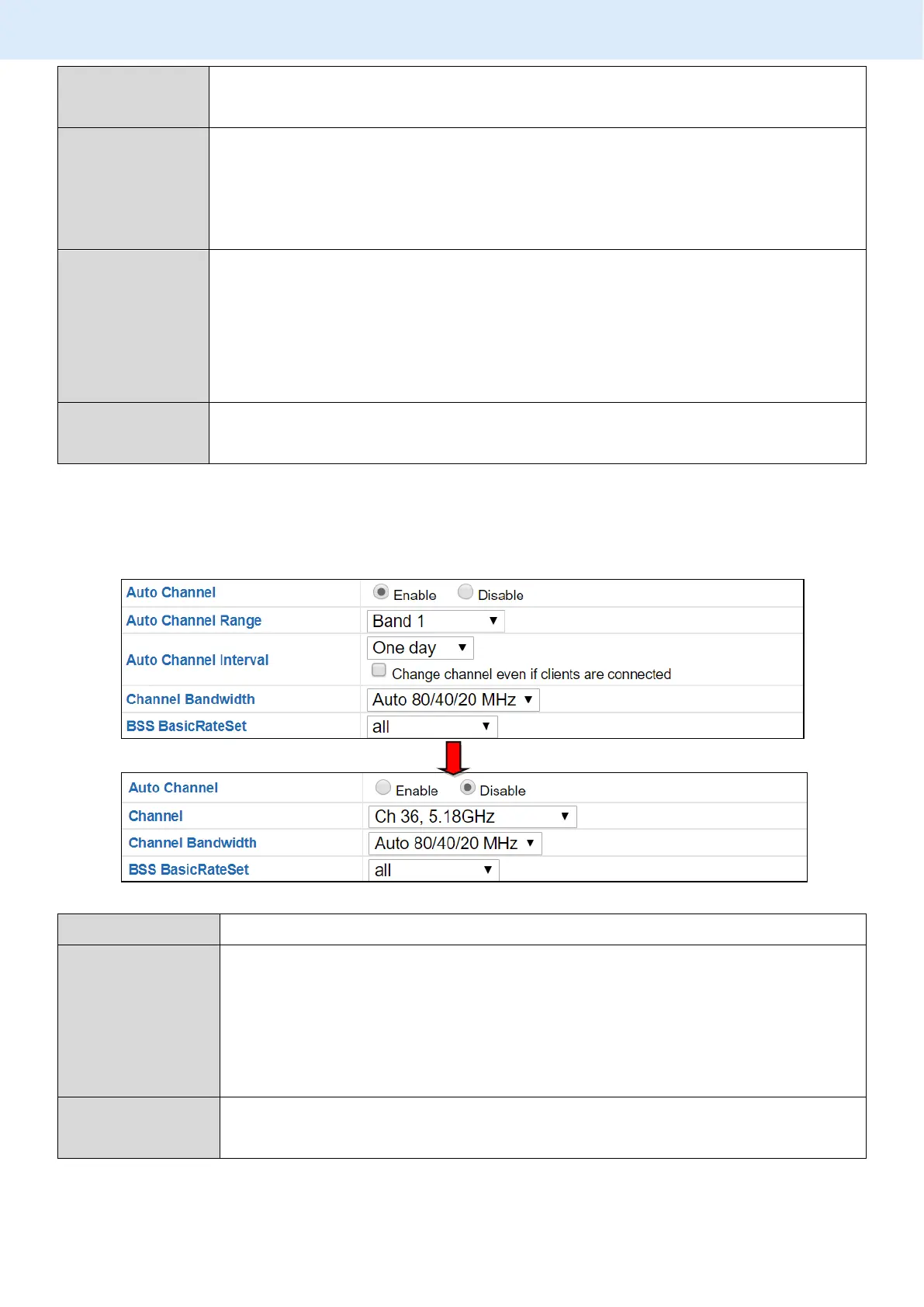
When auto channel is disabled, configurable fields will change. Select a
wireless channel manually:
Select a wireless channel.
Select the channel bandwidth:
20MHz (lower performance but less interference); or
Auto 40/20 MHz; or
Auto 80/40/20 MHz (automatically select based on
interference level).
Set a Basic Service Set (BSS) rate: this is a series of rates to
control communication frames for wireless clients.
Press “Apply” to apply the configuration, or “Cancel” to forfeit the changes.



 To Next Page