Edimax Pro NMS
178
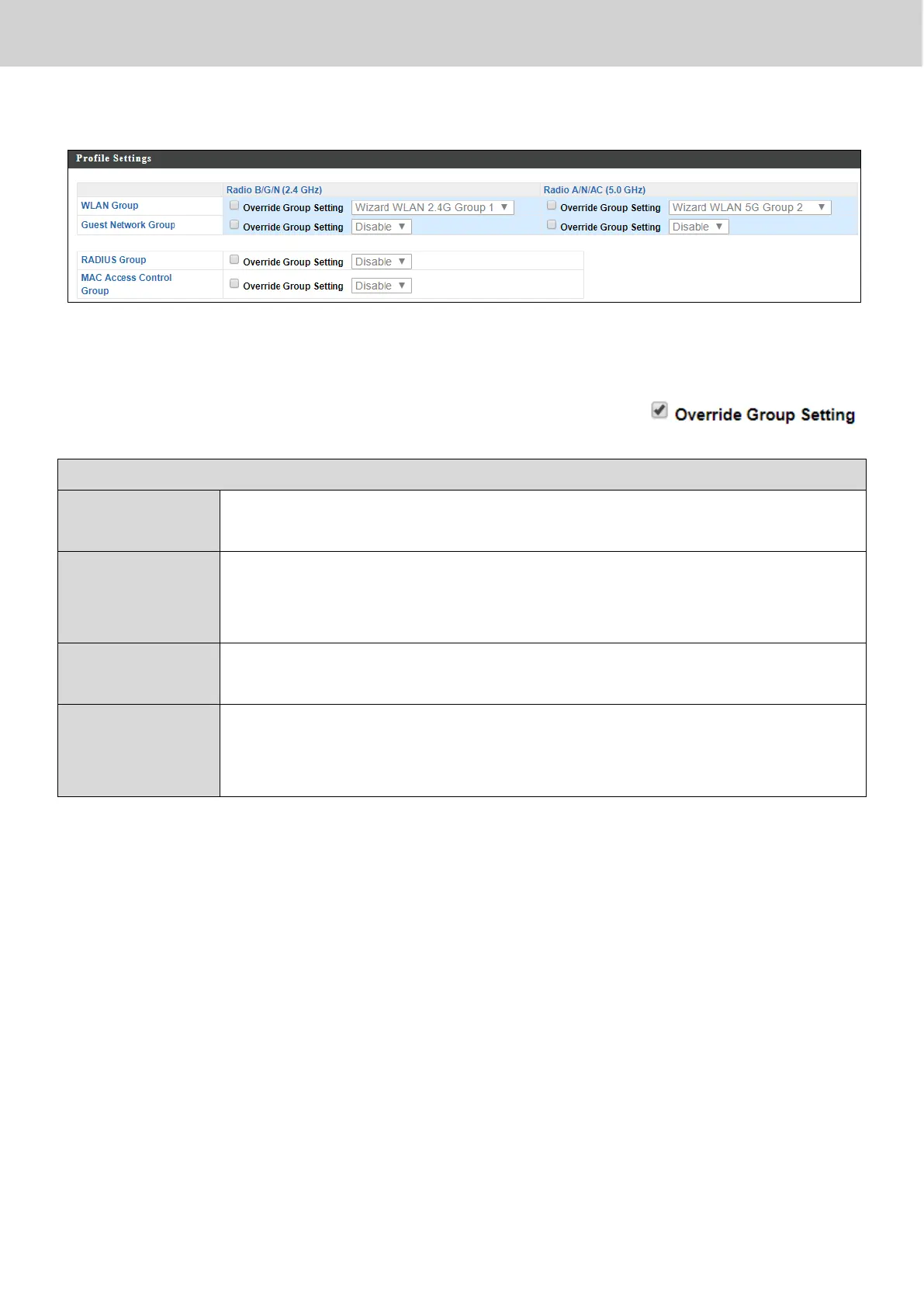
X-5-1-1-7 Edit Profile Settings
When “Override Group Setting” is checked, options/fields will turn white to
allow adjustments.
Assign the access point’s 2.4GHz or 5GHz SSID(s) to a WLAN
Group. You can edit WLAN groups in NMS Settings WLAN.
Assign the access point’s 2.4GHz or 5GHz SSID(s) to a Guest
Network Group. You can edit Guest Network groups in NMS
Settings Guest Network.
Assign the access point’s 2.4GHz SSID(s) to a RADIUS group.
You can edit RADIUS groups in NMS Settings RADIUS.
Assign the access point’s 2.4GHz SSID(s) to a RADIUS group.
You can edit RADIUS groups in NMS Settings Access
Control



 To Next Page