22
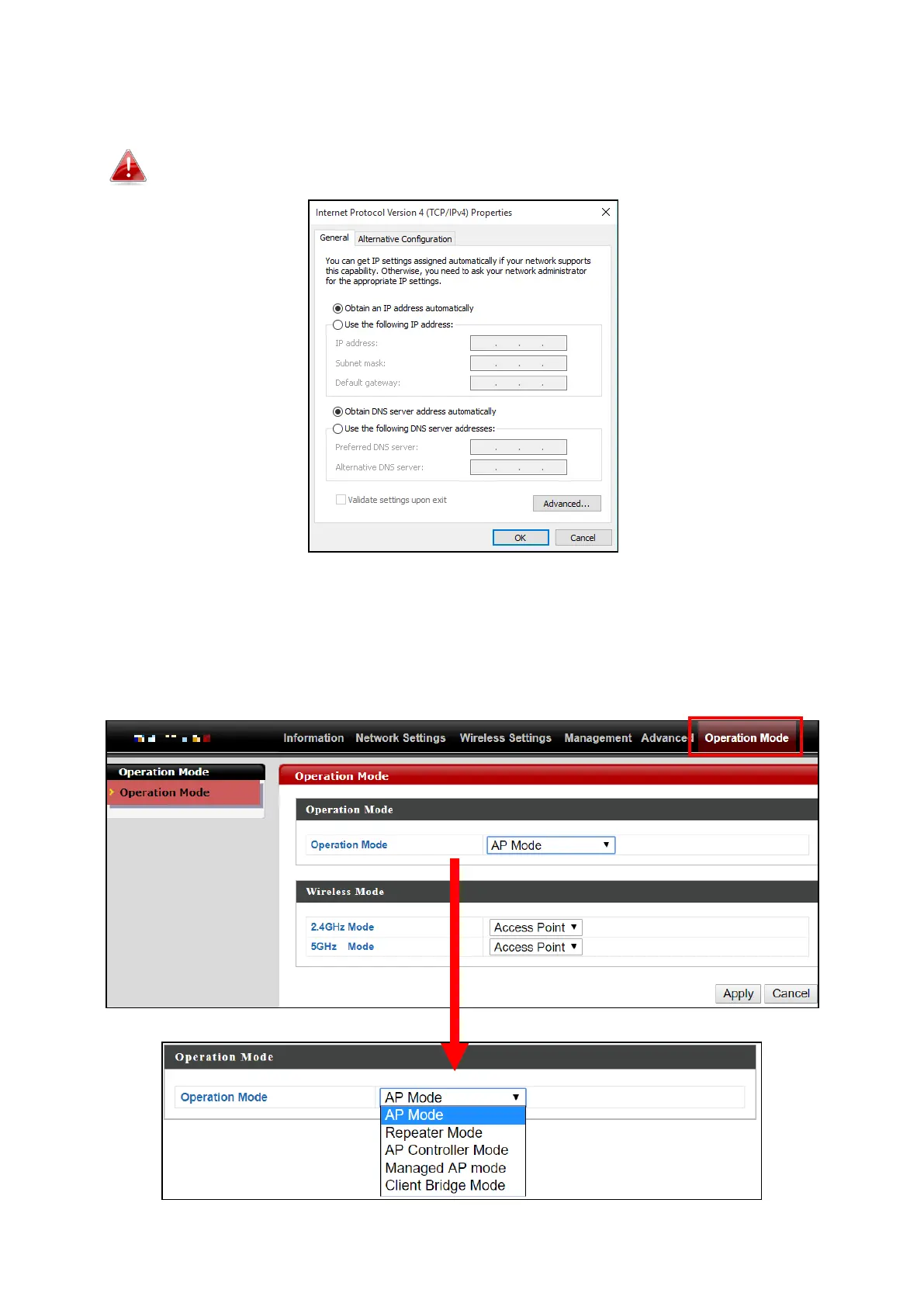
8. By default, the device is in AP Mode.
If you do not wish to change the operation mode, switch your computer
back to dynamic IP address now.
9. If you wish to change to a different operation mode, go to “Operation
Mode” to select the desired operation mode. Follow the steps in the
following sections to change the operation mode.



 To Next Page