Edimax Pro NMS
269
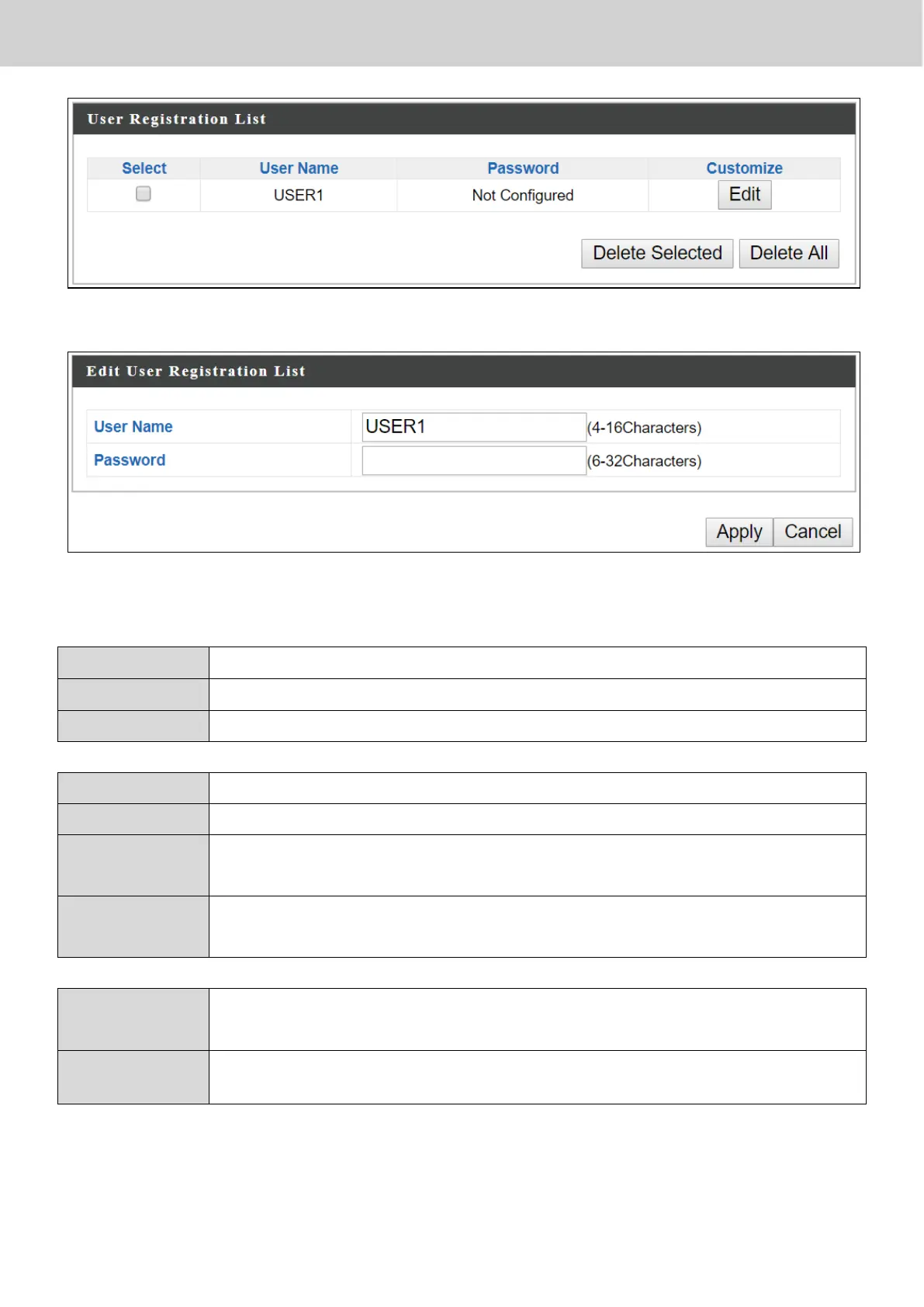
Press “Continue” see the new user registration list.
Select “Edit” to edit the username and password of the RADIUS account:
Press “Apply” to apply the configuration, or “Cancel” to forfeit the changes.
Enter the user names here, separated by commas.
Click “Add” to add the user to the user registration list.
Clear text from the user name box.
Check the box to select a user.
Displays if specified user name has a password (configured) or
not (not configured).
Click “Edit” to open a new field to set/edit a password for the
specified user name (below).
Delete selected user from the user registration list.
Delete all users from the user registration list.



 To Next Page