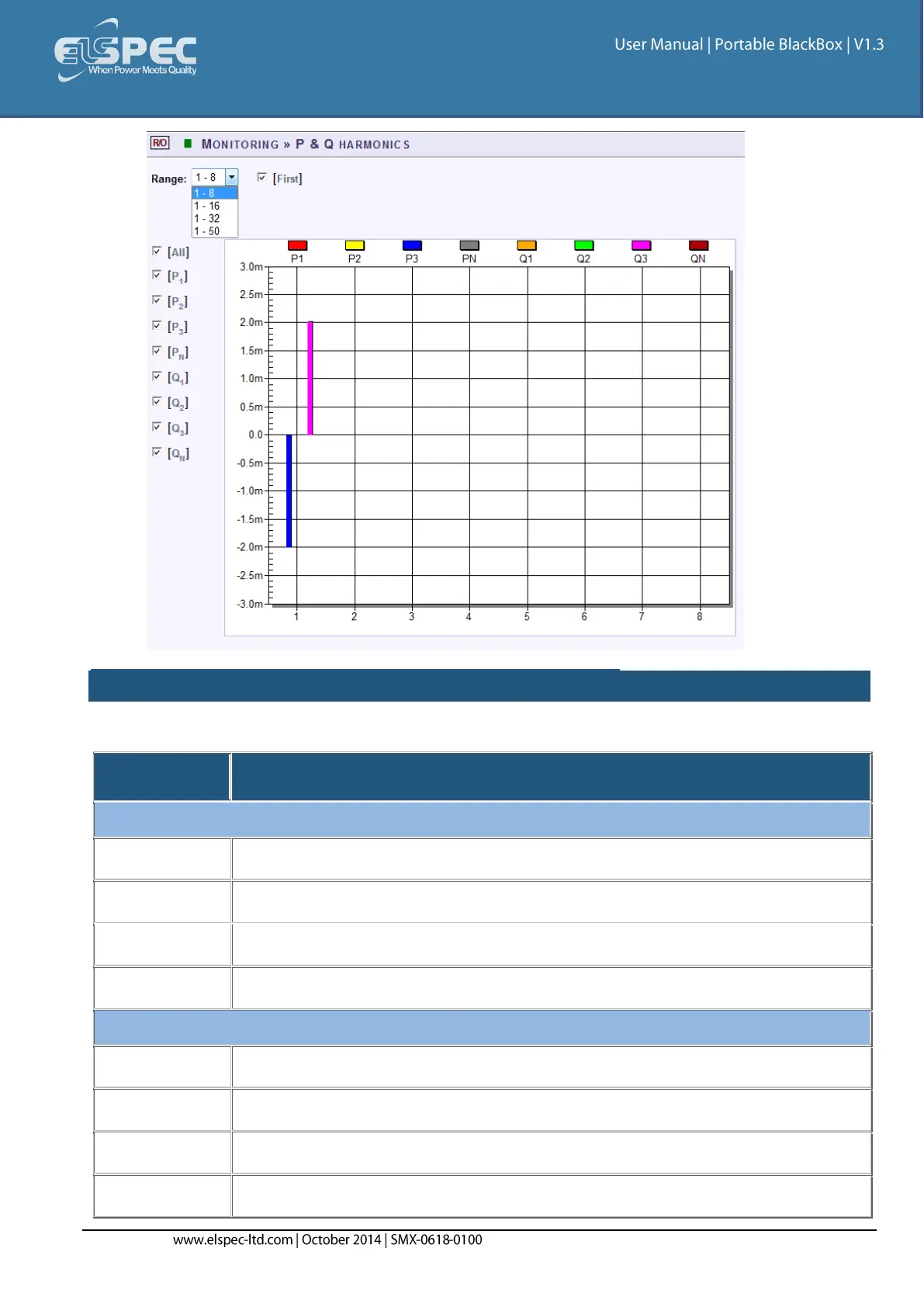
TABLE - P&Q HARMONICS RANGE & WINDOW OPTIONS:
The table outlines the sections' Parameter options (for your selection) including their Definition:
Select the number of harmonics to be displayed 1-8
Select the number of harmonics to be displayed 1-16
Select the number of harmonics to be displayed 1-32
Select the number of harmonics to be displayed 1-50
Select either Yes/No in order to display or not display the first harmonic
Checking the "All" will display all the channels
Checking the "P1" box will display the Active Power (P) of the first line
Checking the "P2" box will display the Active Power (P) of the second line


 To Next Page